Configure DNS settings for this product.
This section describes operations such as enabling DNS settings, specifying port numbers, and adding a query server.
View DNS settings
Displays DNS settings.
The "DNS Settings" screen displays the registered DNS settings.
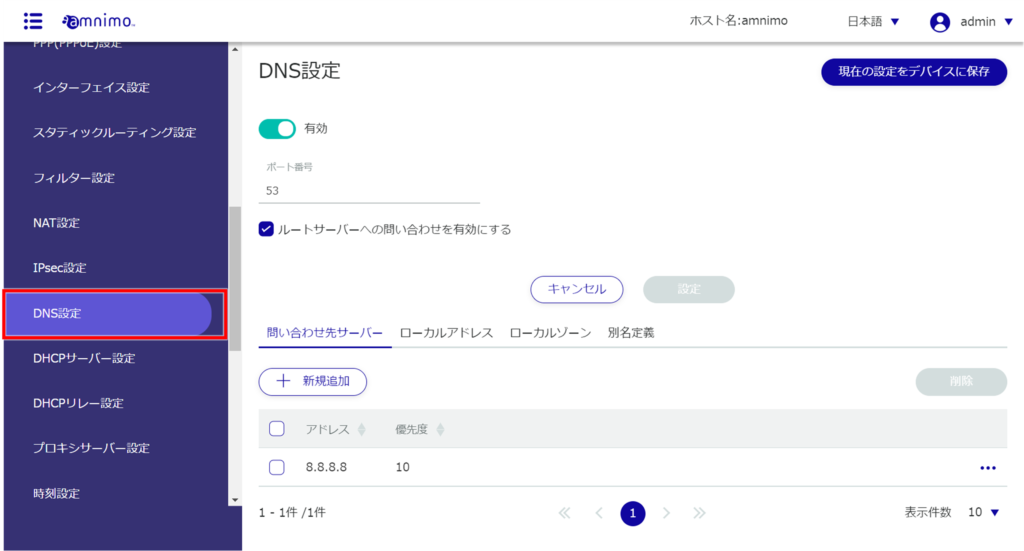
You can sort the DNS settings in descending/ascending order for each item by clicking the "Address" and "Priority" tabs for the query server and local address of the DNS settings.

Configure DNS settings
Configure DNS settings.
Click the ❶ toggle to enable or disable DNS.
❷ Specify the port number.
❸ Select to enable or disable querying the root server.
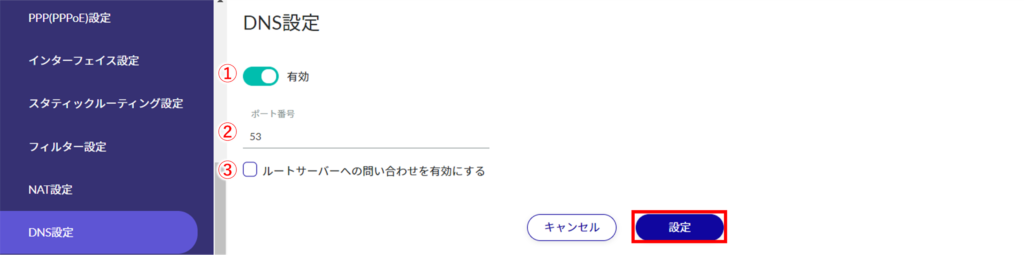
This is applied by clicking on the [ Settings ] button.
Configure the query server settings.
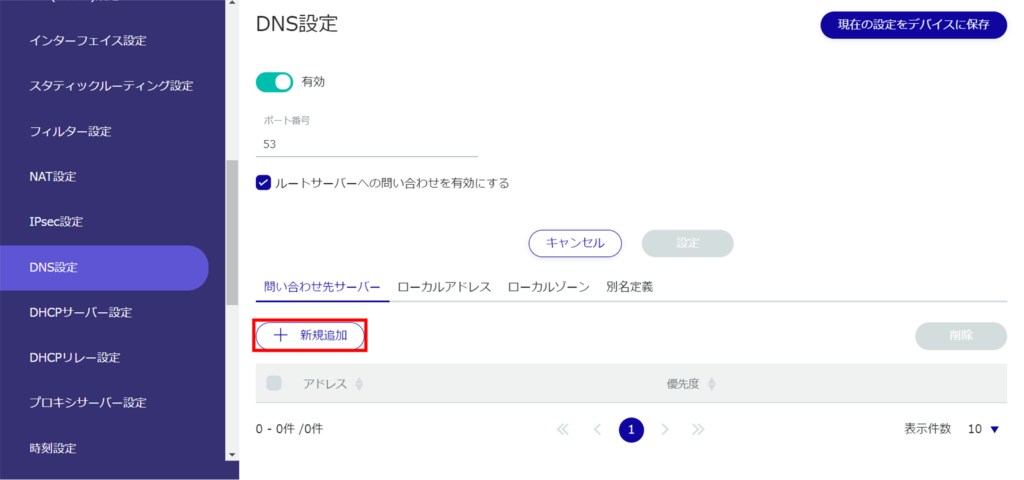
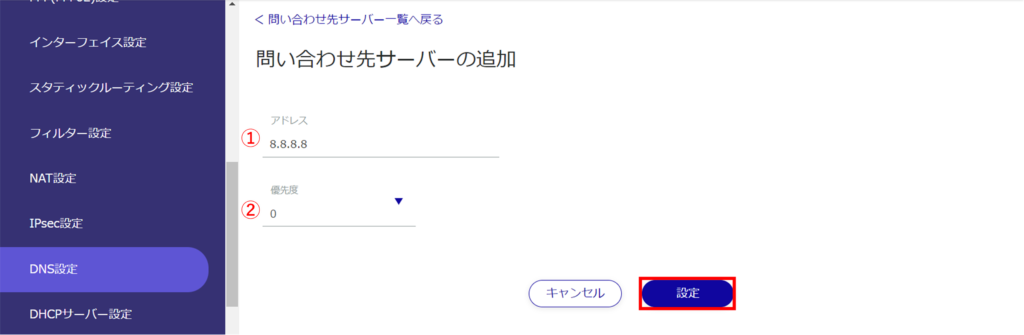
The "Add Contact Server" screen will appear.
Specify the upper-level DNS server to query.
❷ Specify the priority as a number from 0 to 99, with 0 being the highest priority.
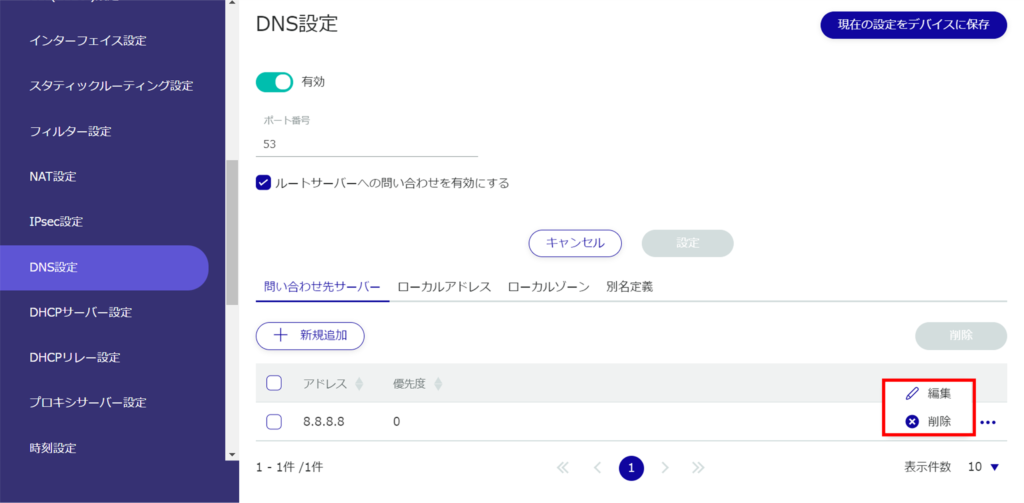
From the DNS Settings screen, you can edit or delete the configured query server.
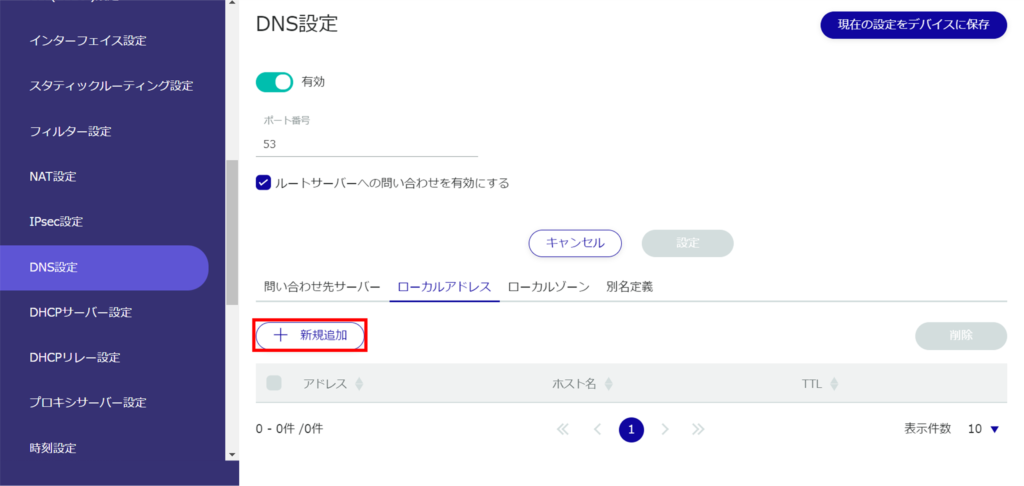
Configure local address settings.
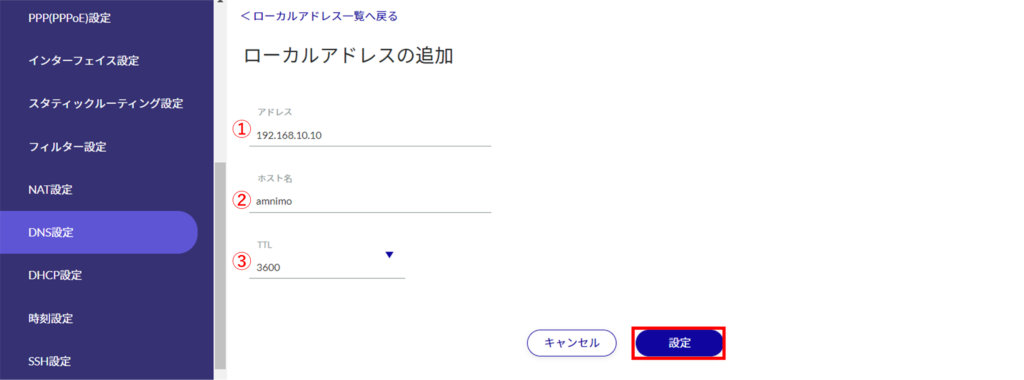
The "Add Local Address" screen appears.
❶ Specifies the address to be responded to.
❷ Specifies the host name to respond to.
❸ Set the TTL value to be returned upon response, as a number between 10 and 2419200.
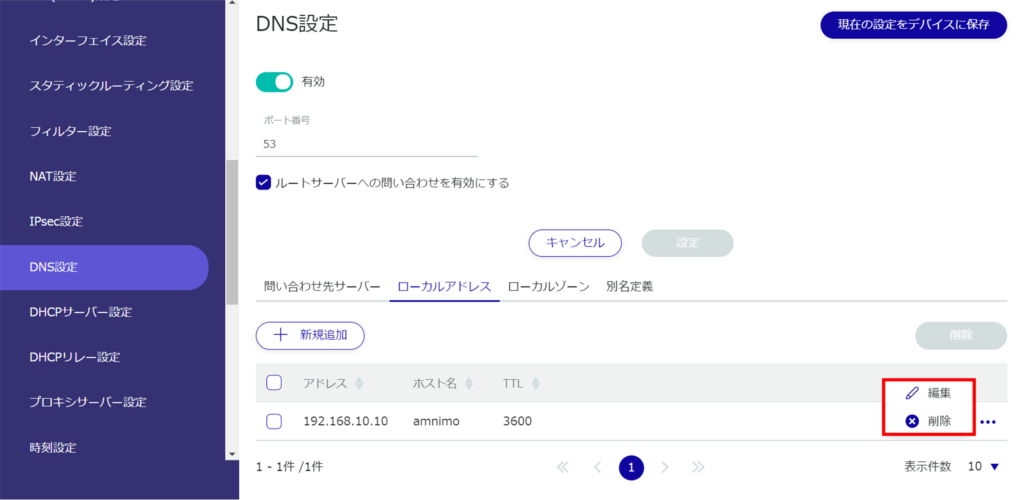
From the DNS Settings screen, you can edit or delete the local address you have set.
Configure local zone settings.
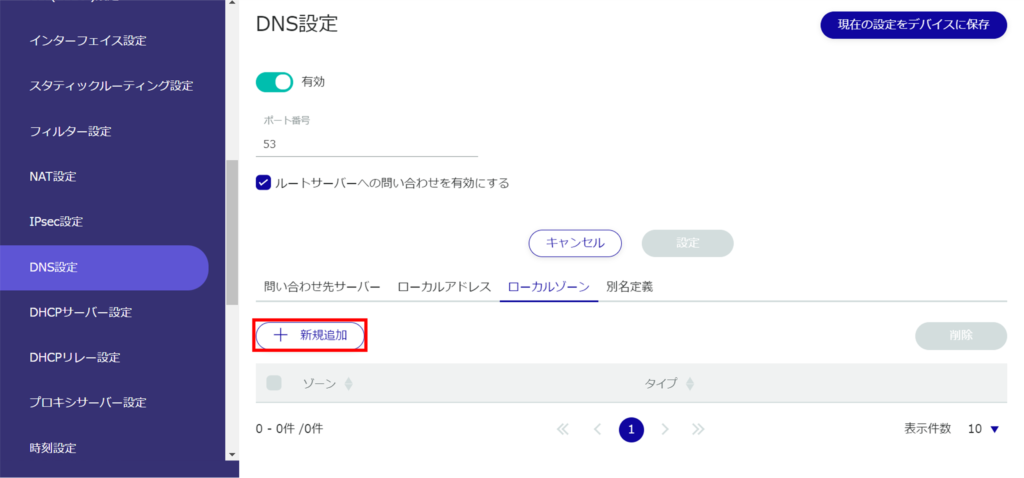
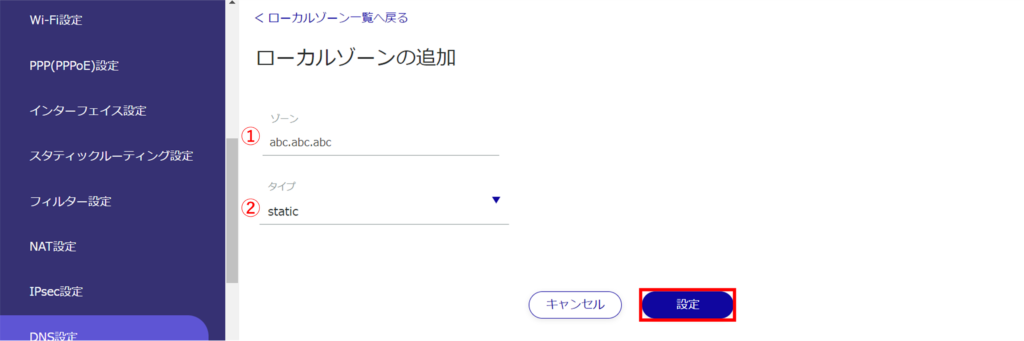
The "Add Local Zone" screen will appear.
❶ Enter any zone name.
Specify the type of ❷.
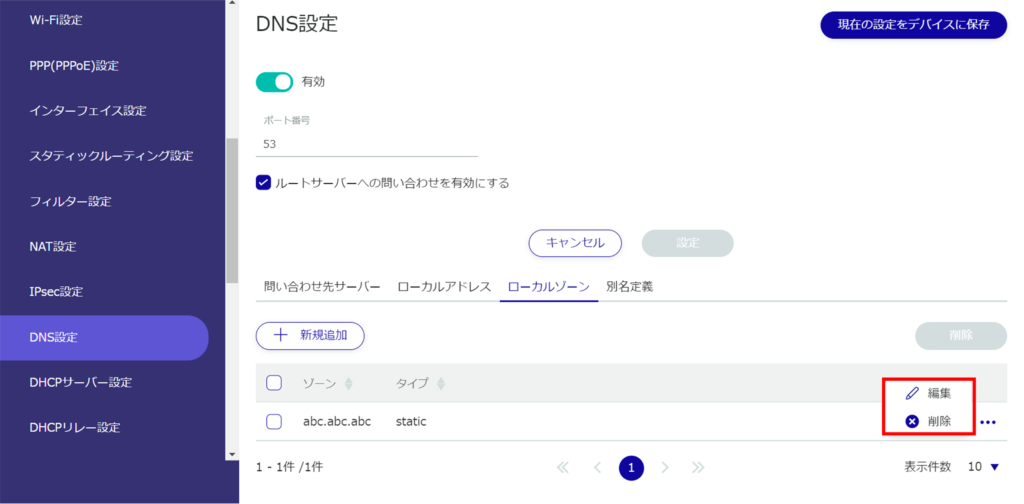
From the DNS Settings screen, you can edit or delete configured local zones.
Set up an alias definition.
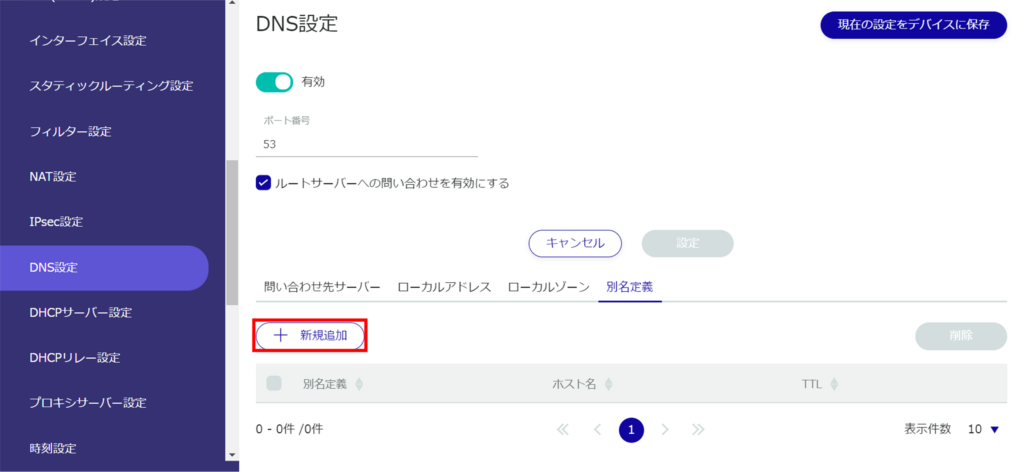
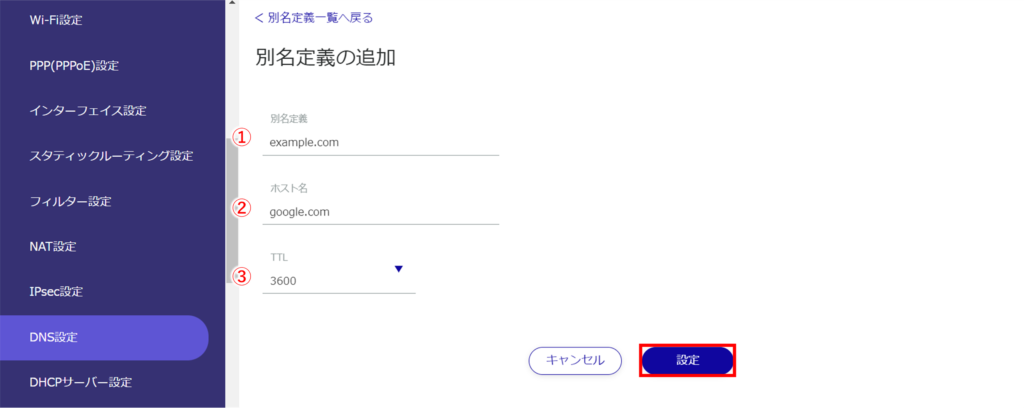
The "Add Alias Definition" screen appears.
❶ Enter any domain name.
Specify the host name.
❸ Set the TTL value to be returned upon response, as a number between 10 and 2419200.
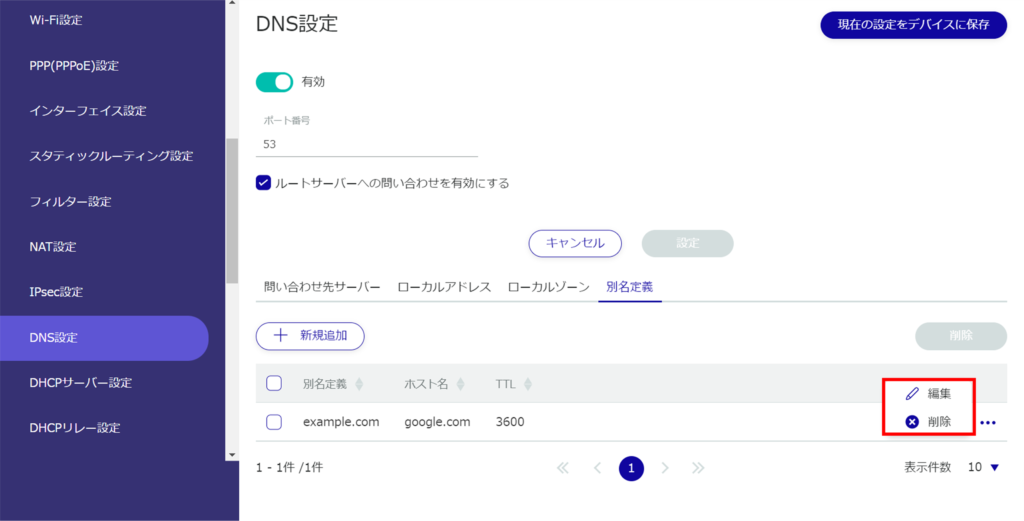
From the DNS Settings screen, you can edit or delete the alias definitions you have set.