IoT Router Indoor Type (AR10), Compact Router Indoor Type (AC10), and Compact Router Indoor Type with Wireless LAN (AC15) do not have this feature. The interfaces displayed are as follows
- AI Edge Gateway: lan0 to lan3
- Edge gateway: lan0 to lan3
- IoT Router Outdoor Type (AR20): eth0, eth1
- Compact router outdoor type with wireless LAN (AC25): lan1
Configure PoE settings for this product.
This section describes operations for checking, editing, and initializing the PoE setting status for each interface.
Display a list of PoE settings
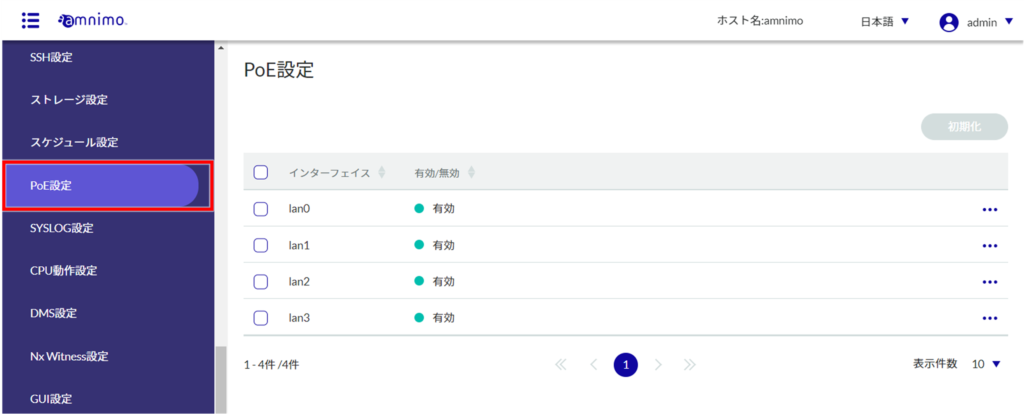
Displays a list of PoE settings.
The "PoE Settings" screen displays the PoE configuration status for each interface.
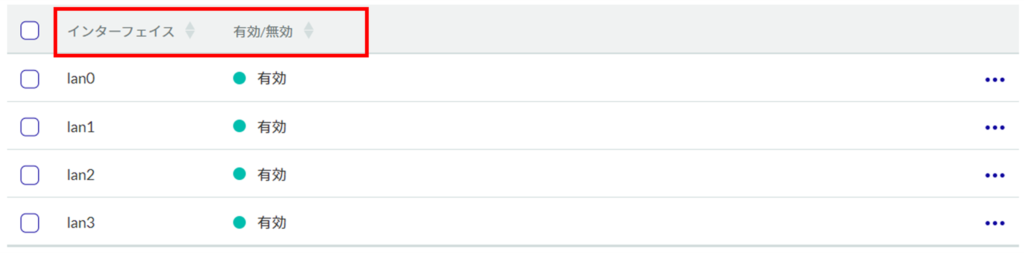
By clicking "Interface" and "Enable/Disable" in the PoE list, you can sort the PoE settings in descending/ascending order by interface or enable/disable.
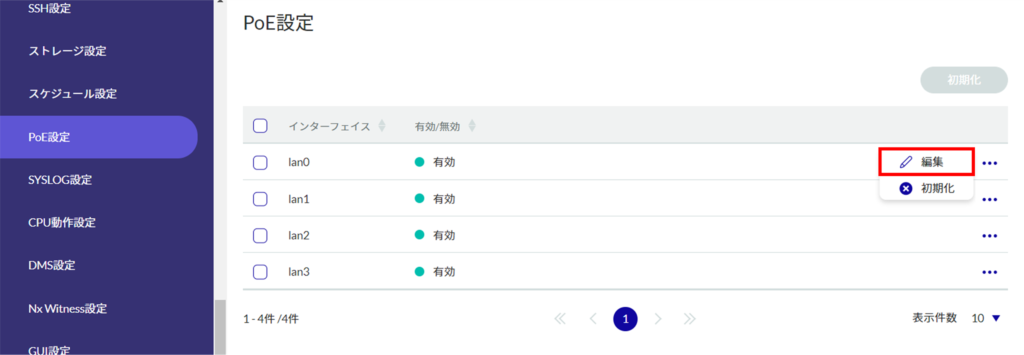
Edit PoE settings
Edit the registered PoE settings.
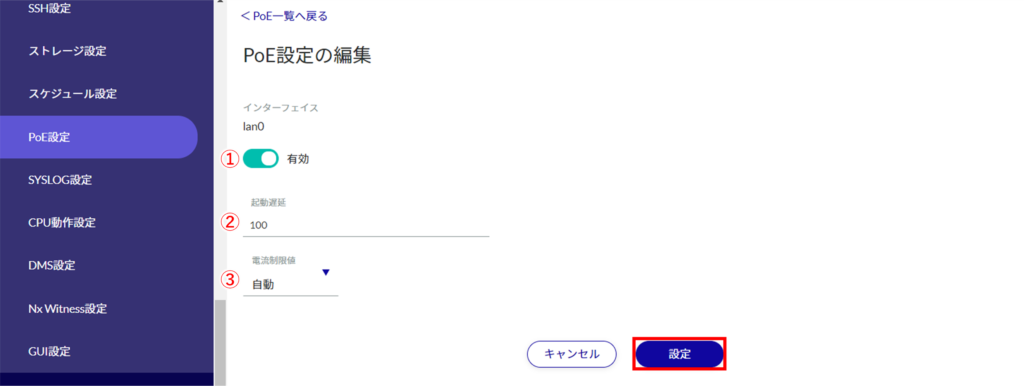
The "Edit PoE Settings" window opens.
Click the ❶ toggle to enable/disable.
❷ Specify the delay time (in seconds) for startup, from 0 to 3600.
❸ Set the current limit for the PoE port.
Information on PoE settings will be updated and a list will be displayed.
Initialize PoE settings
There are two ways to initialize PoE settings: individually from the PoE settings operation menu, or after selecting all PoE settings to be initialized.
Initialize PoE settings individually
This is how to select initialization from the menu of PoE settings.
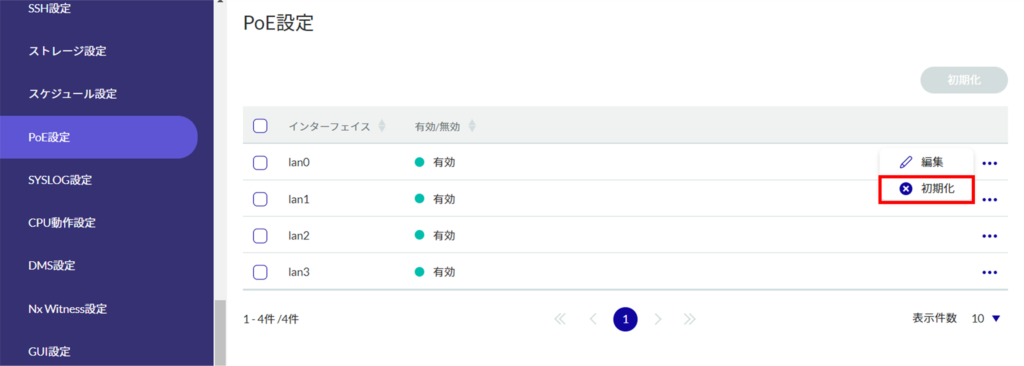
The "Confirmation" screen appears.
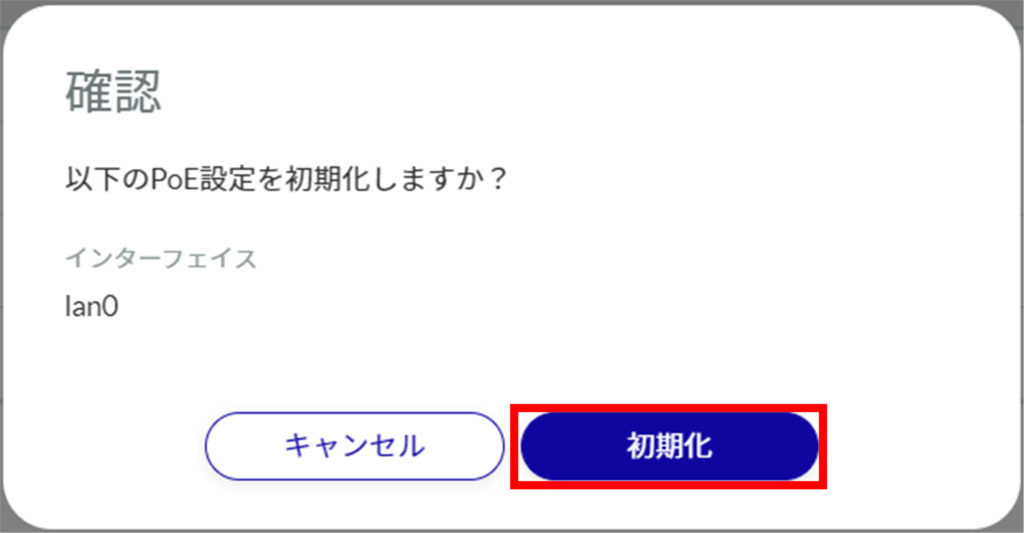
The PoE settings are initialized.
Select and initialize multiple PoE settings
This method is used to check the PoE settings you wish to initialize and then initialize them. This is useful for initializing multiple PoE settings at once, or you can select a single PoE setting to initialize.
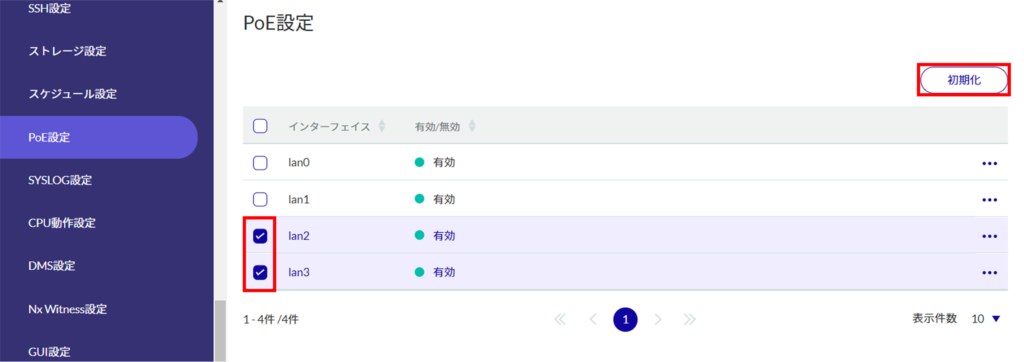
The "Confirmation" screen appears.
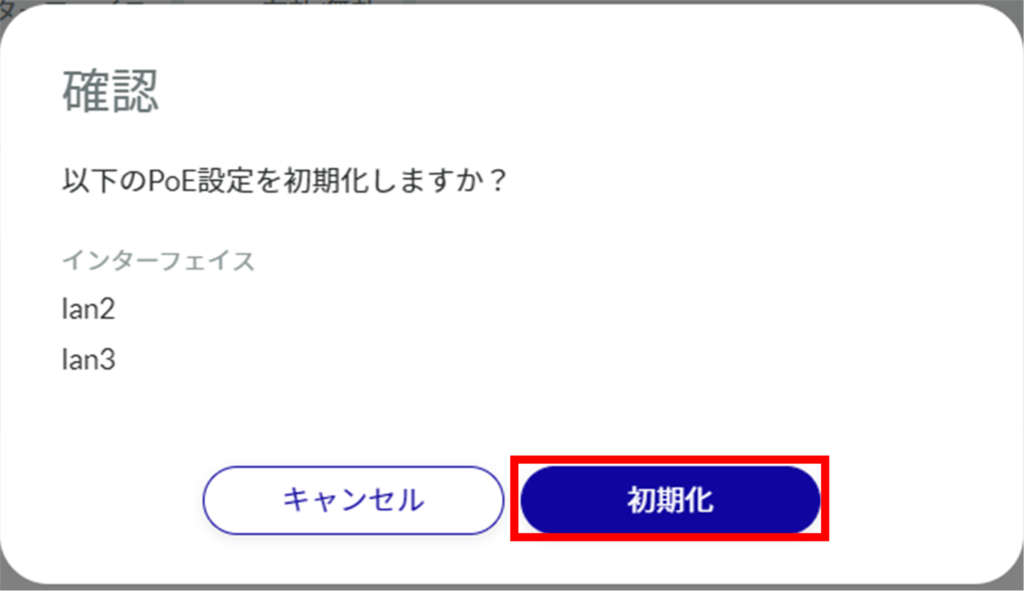
The selected PoE setting is initialized.