This section describes how to add, edit, and delete new PPP (PPPoE) settings.
Display a list of PPP (PPPoE) settings
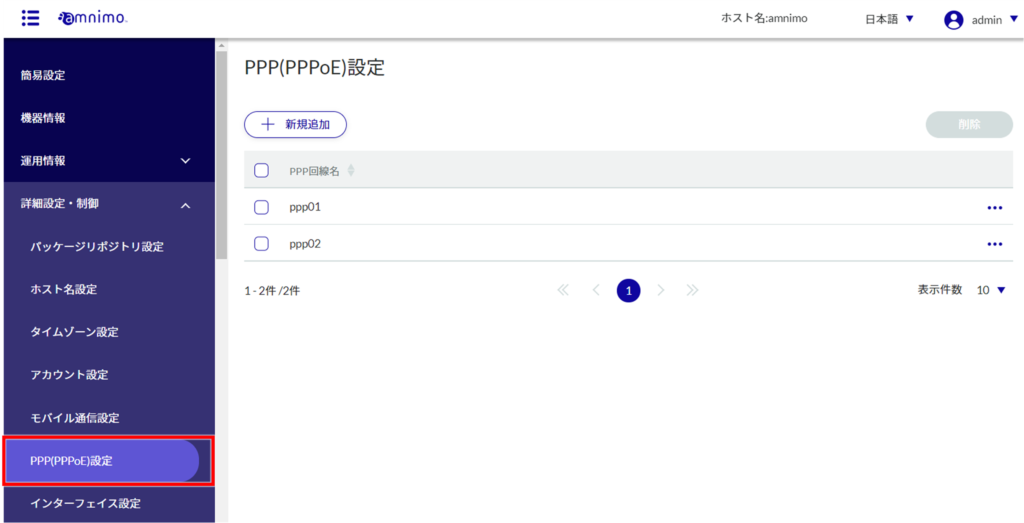
A list of registered PPP (PPPoE) settings will appear on the "PPP (PPPoE) Settings" screen.
You can sort PPP (PPPoE) settings by PPP line name in descending/ascending order by clicking the "PPP Line Name" tab in the PPP (PPPoE) settings list.

Add PPP (PPPoE) settings
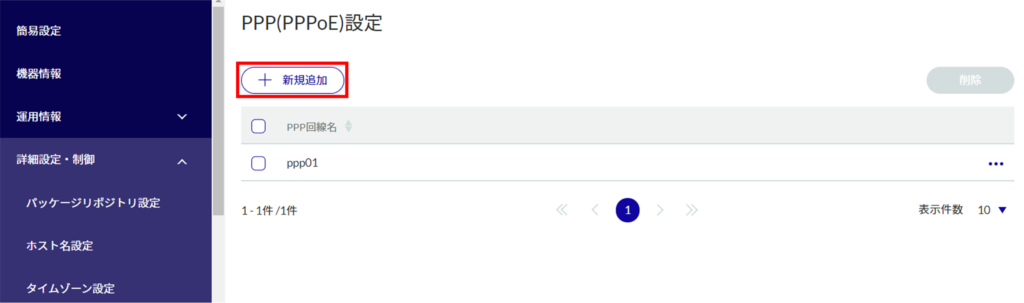
The "Add PPP (PPPoE) Settings" window will appear.
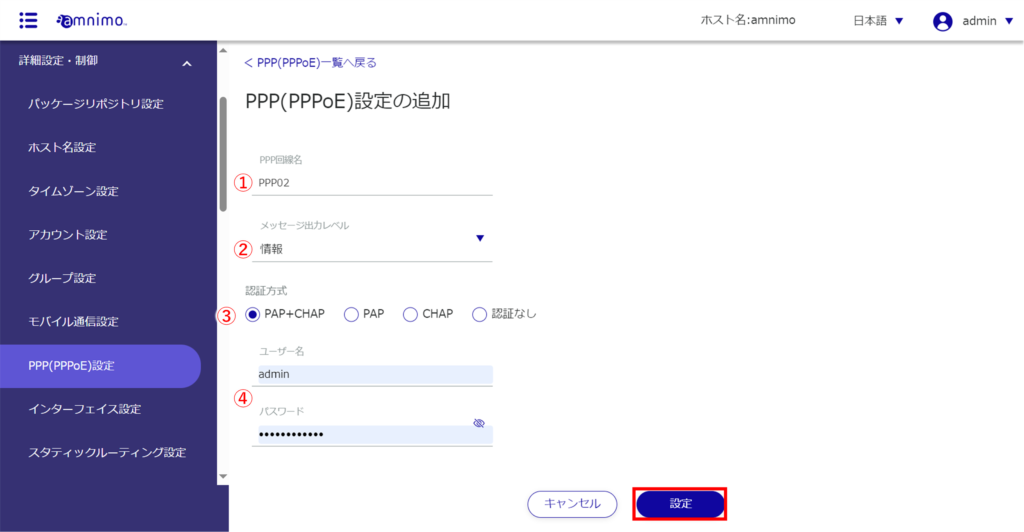
❶ Enter the PPP line name.
❷ Select the message output level.
❸ Select the authentication method.
❹ Set a user name and password.
Edit PPP (PPPoE) settings
Edit the registered PPP (PPPoE) settings.
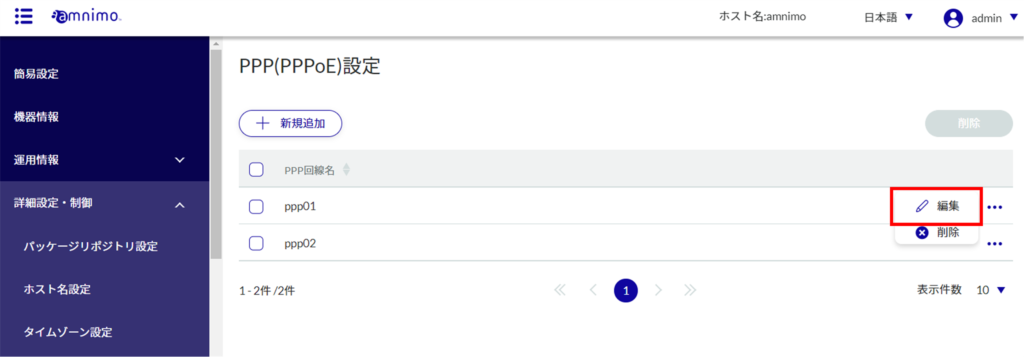
The "Edit PPP (PPPoE) Settings" window appears.
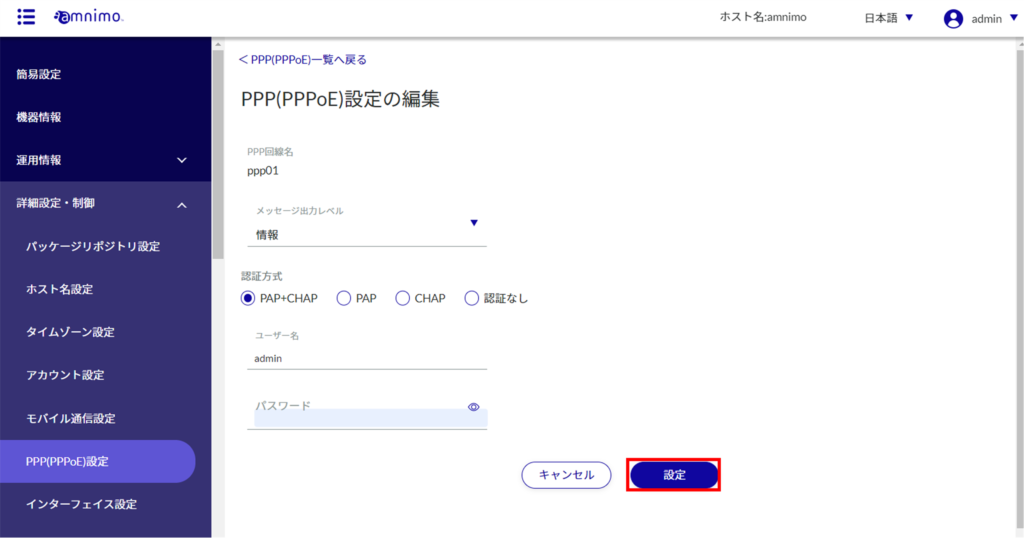
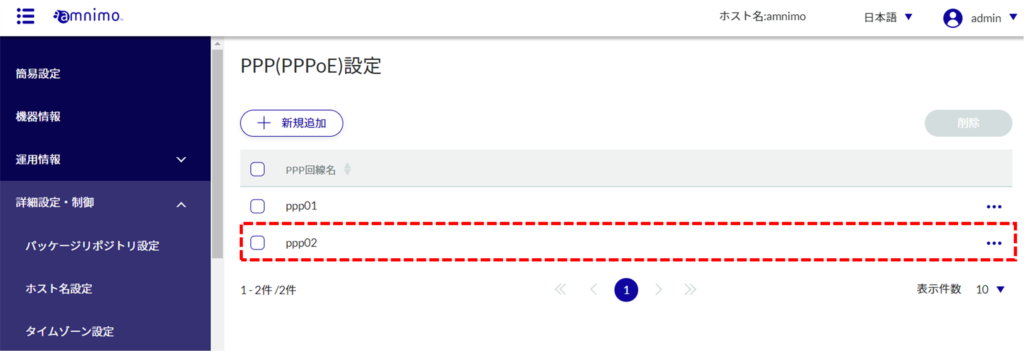
Information on PPP (PPPoE) settings will be updated and the list will be displayed.
Delete PPP (PPPoE) settings
To delete registered PPP (PPPoE) settings, you can either delete them individually from the operation menu, or you can delete them after selecting all PPP (PPPoE) settings you wish to delete.
Delete PPP (PPPoE) settings individually
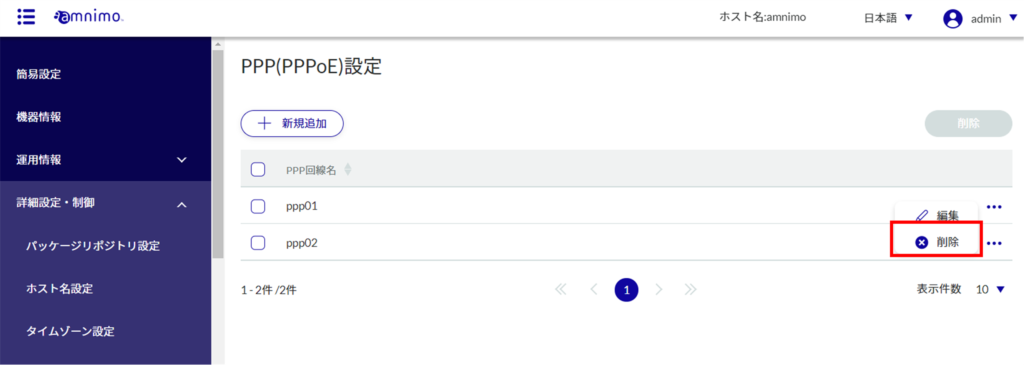
The "Confirmation" screen appears.
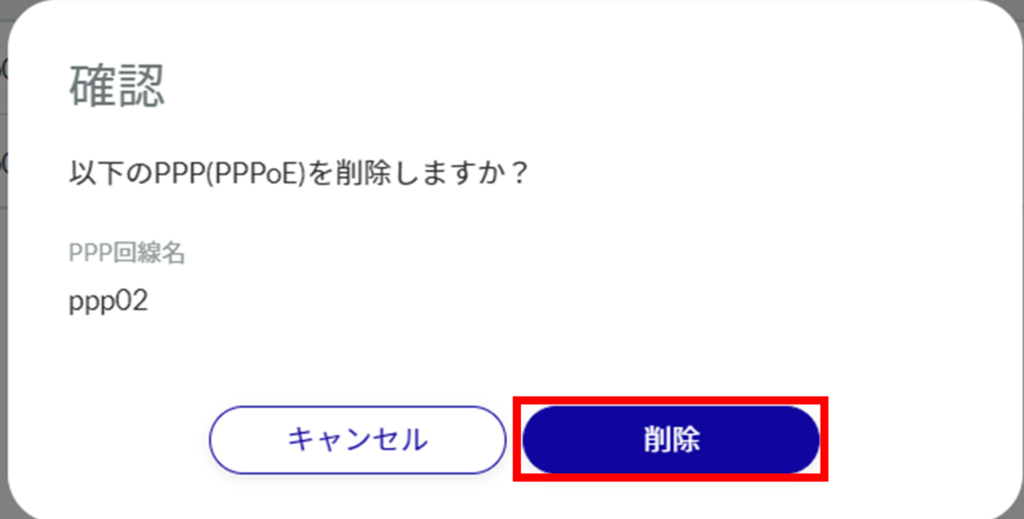
PPP (PPPoE) settings are deleted.
Select and delete multiple PPP (PPPoE) settings
Select the PPP (PPPoE) settings you wish to delete. This is useful for deleting multiple settings at once, or you can select a single PPP (PPPoE) setting to delete.
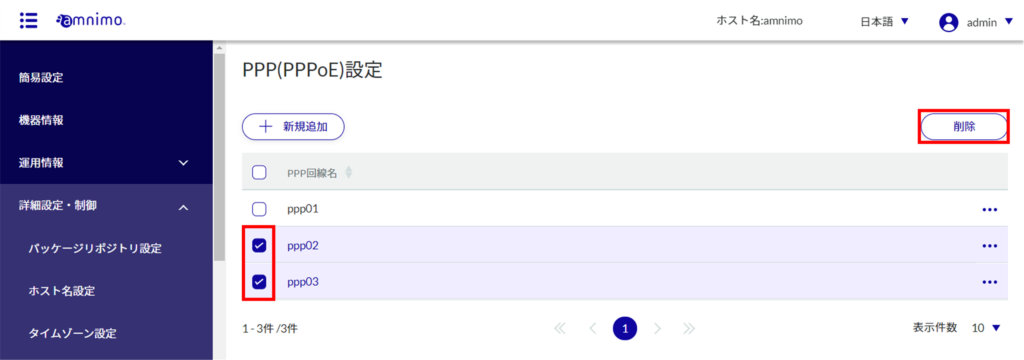
The "Confirmation" screen appears.
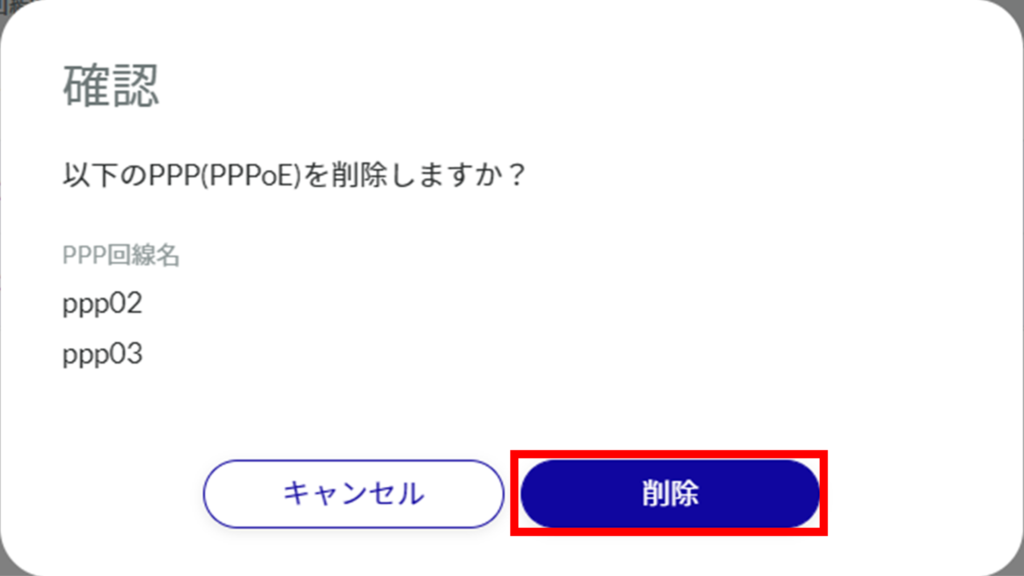
The selected PPP (PPPoE) setting is deleted.