Set the time zone for your product.
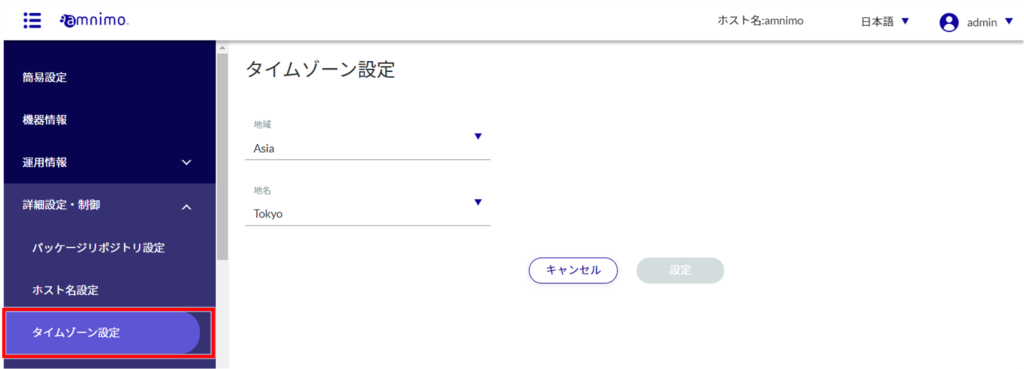
Click on the side menu [ Advanced Settings & Control ] - [ Time Zone Settings ].
The "Time Zone Settings" screen will appear.
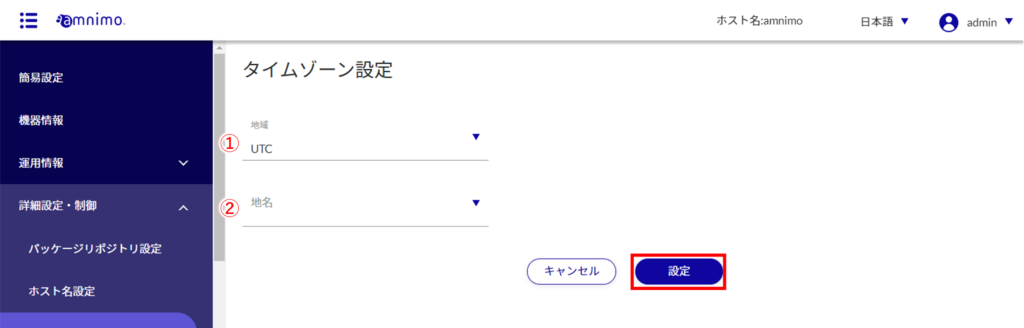
Set the following items (1) to (2) and click the "Set" button.
❶ Select "Region".
❷ Select "Place Name".