Tabs that are not authorized in the group settings will not be displayed.
There are two ways to set the time: manually or by using an NTP server.
Display the time setting screen
Displays the "Time Setting" screen for setting the time manually.
The "Time Setting" screen appears.
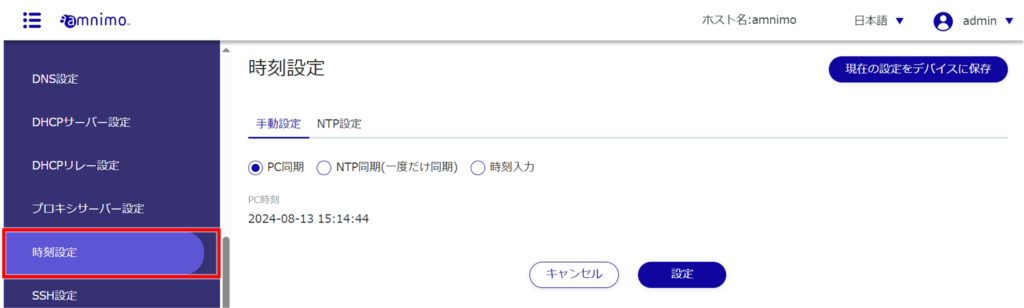
Manually set the time
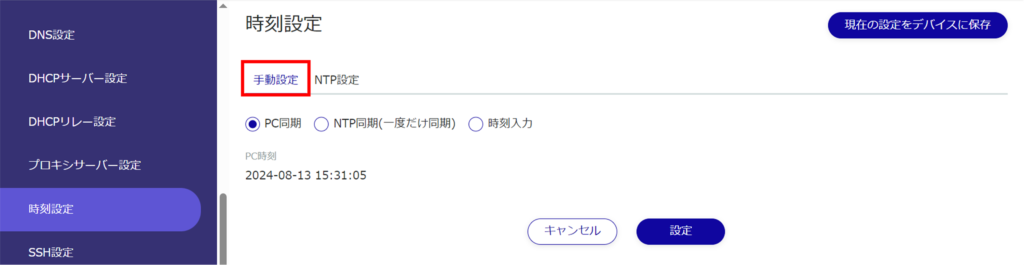
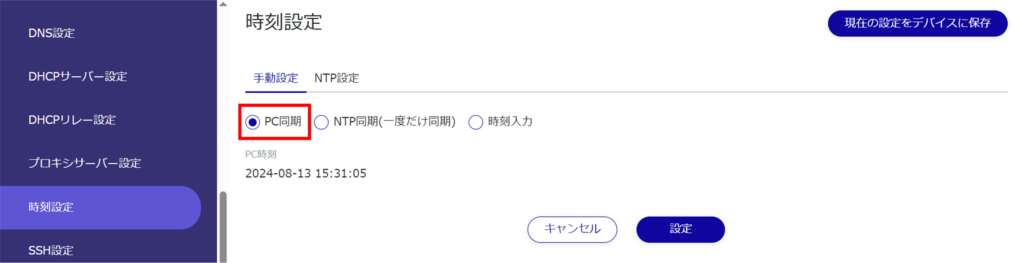
Manual time setting can be performed on the Manual Settings tab of the "Time Settings" screen. You can choose to synchronize the time with the time of the PC from which you are accessing the system, manually query an external NTP server to adjust the time, or manually enter the time.
Synchronize with PC time
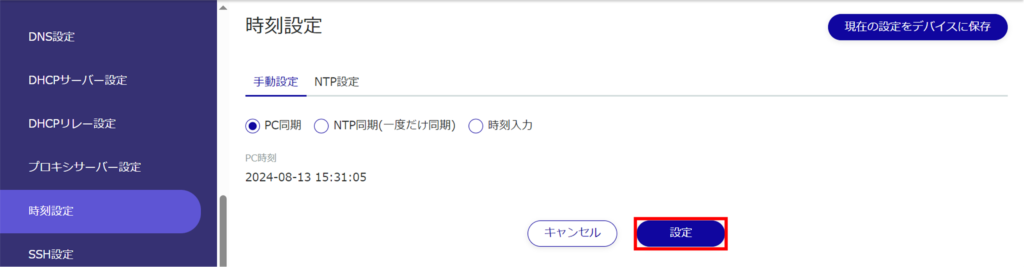
The time is set.
Manually synchronize with NTP server
Edge gateways (AG10, AG20) and compact routers with wireless LAN (AC15, AC25) are marked "NTP synchronization (synchronized only once)".
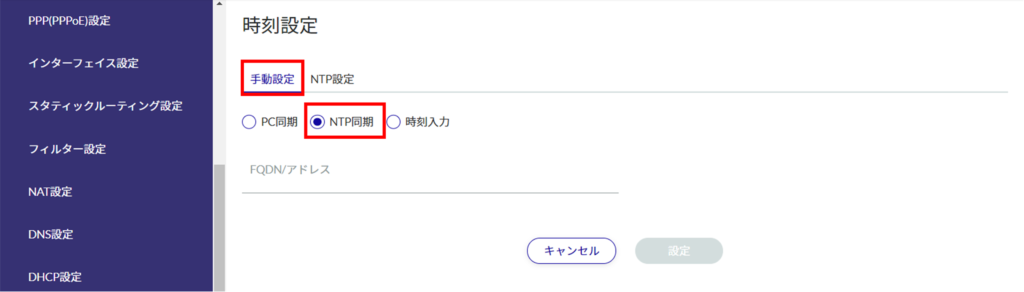
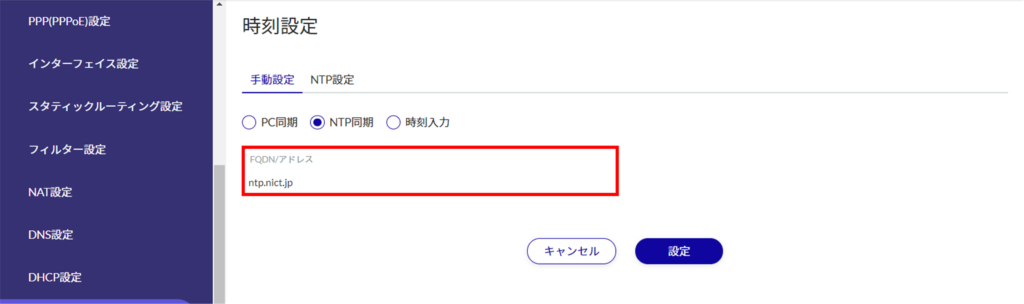
A query is made to the NTP server and the time is set.
Enter time manually
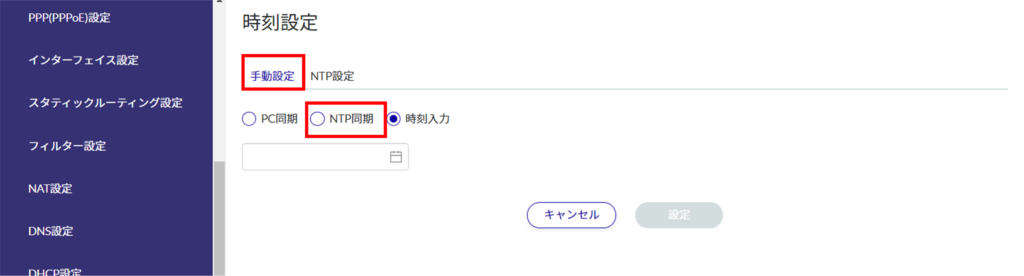
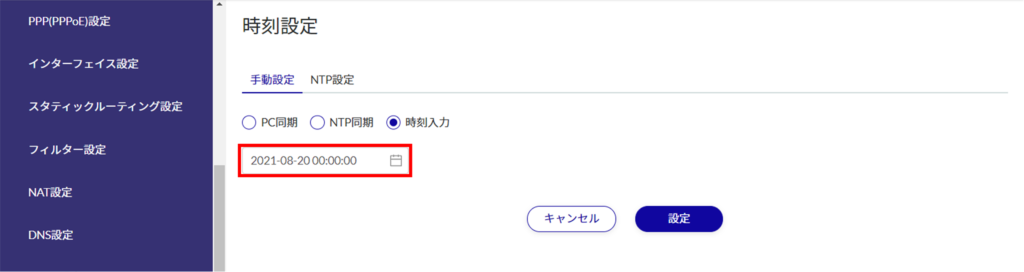
Click on the calendar icon and click on the date in the calendar that appears to set the date.
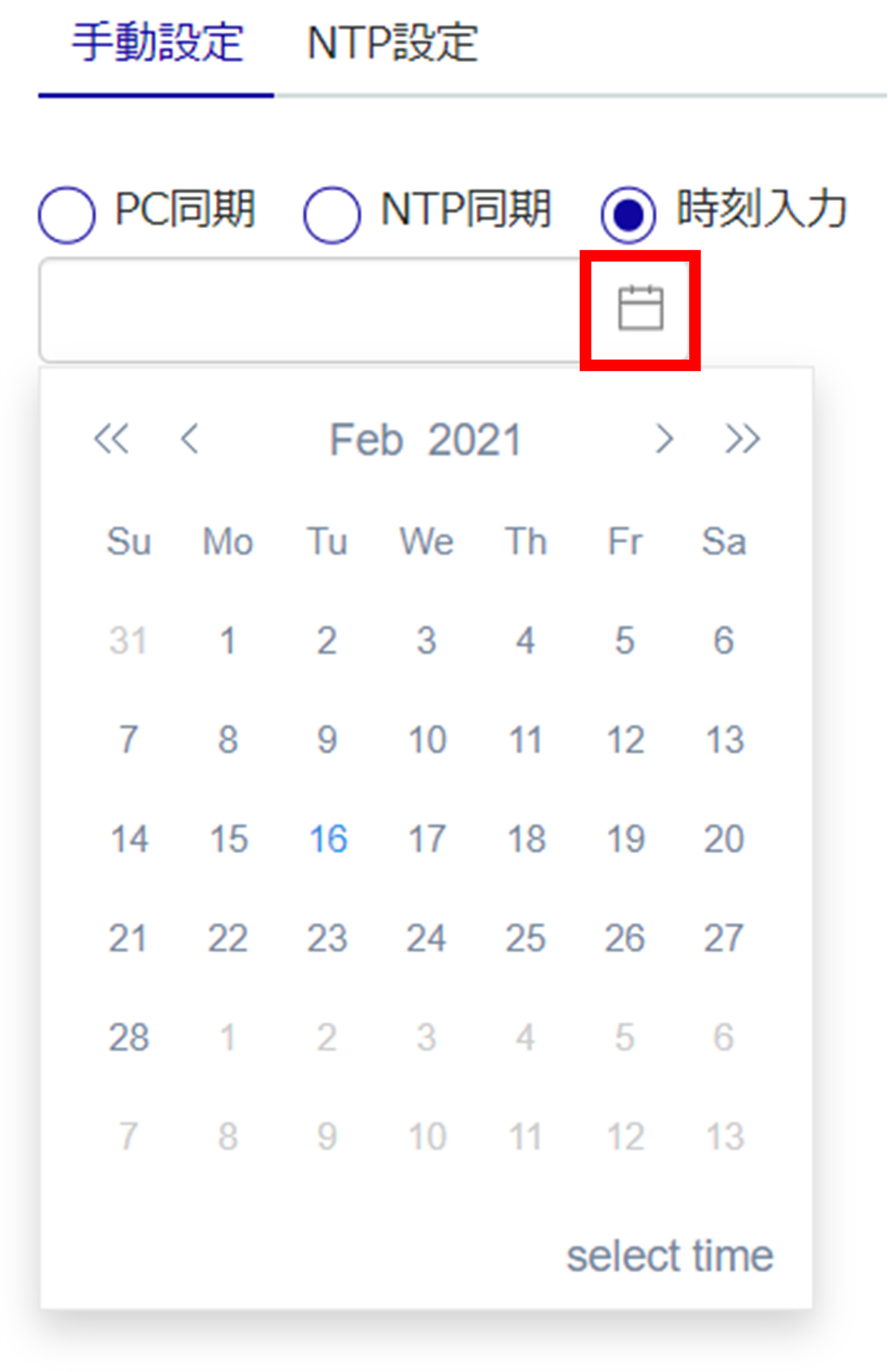
The time is set.
Periodic synchronization with NTP server
This section describes how to periodically obtain time information from an NTP server to adjust the time of this product.
Manual time setting can be performed on the NTP Settings tab of the "Time Settings" screen.
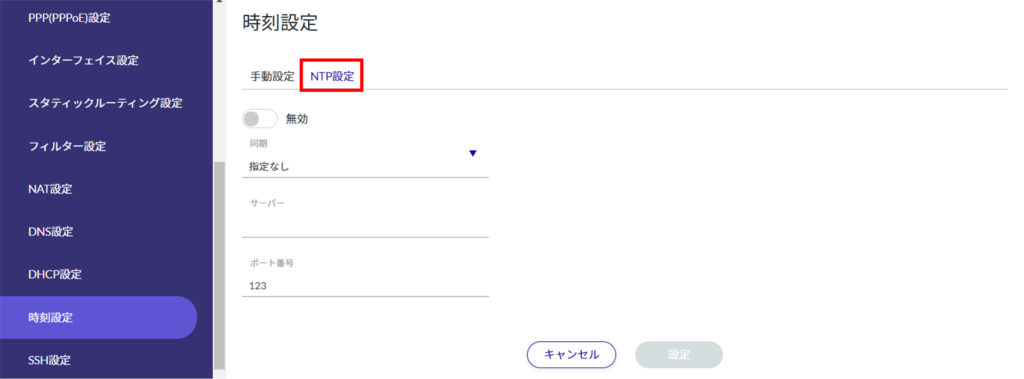
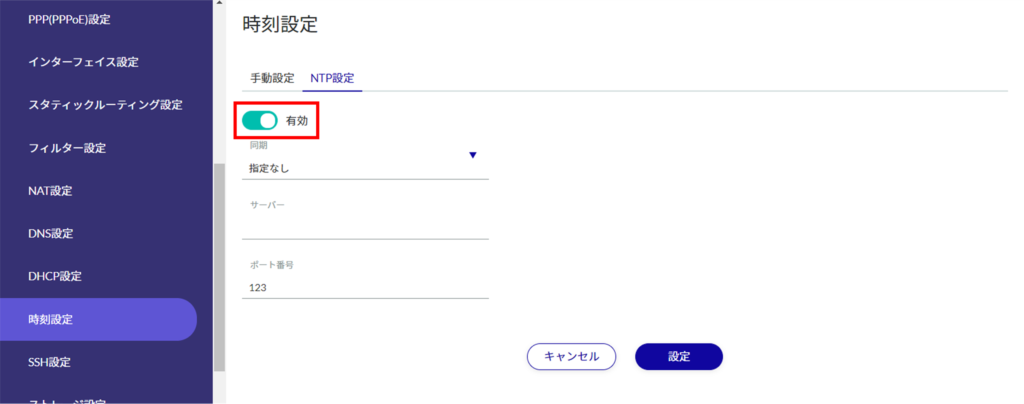
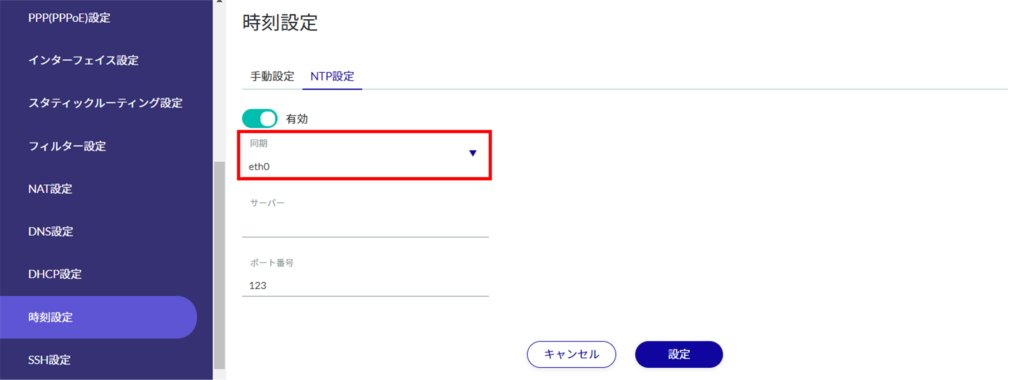
- You can either type directly or click on the interface and select from the drop-down list.
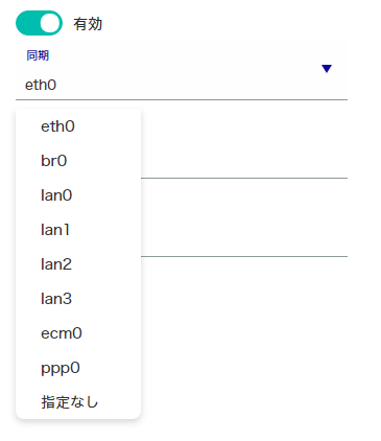
- Multiple interfaces cannot be specified.
- The interfaces that can be specified vary depending on the model used.
AI Edge Gateway:
wan0, lan0-lan3, br0, ecm0, ppp0
Edge Gateway:
eth0, lan0-lan3, br0, ecm0, ppp0
IoT Routers:
eth0-eth1, br0, ecm0, ppp0
Compact routers:
eth0, rmnet_data0
Compact routers with wireless LAN:
lan0 to lan1, br0, rmnet_data0, ppp0, wlan0 to wlan1
❶ Enter the IP address or host name (FQDN) of the NTP server.
Enter the port number of the NTP server.
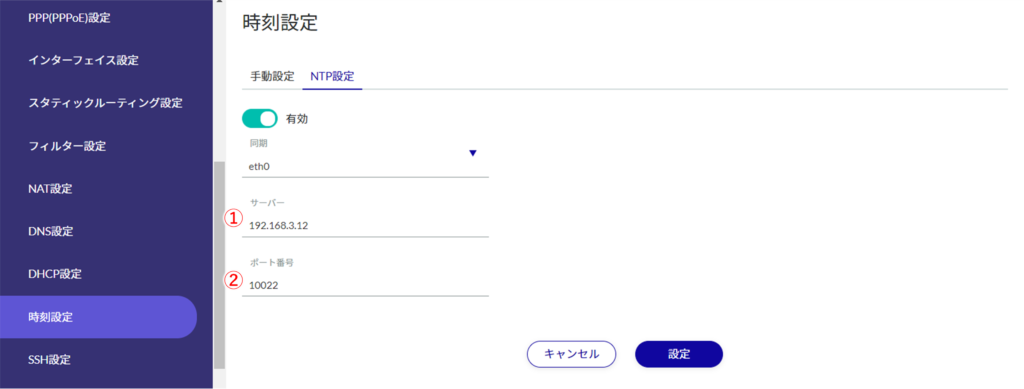
NTP time synchronization is configured.