The device management system has functions of "configuration file distribution" and "configuration file acquisition".
Examples of Use
- Reflect the configuration file of one device on other devices.
- Reflect the configuration file of the failed device on the new device
WARNING
The features listed on this page are not available for Amnimo Portable.
Retrieve configuration files
This section describes how to check the current device configuration file.
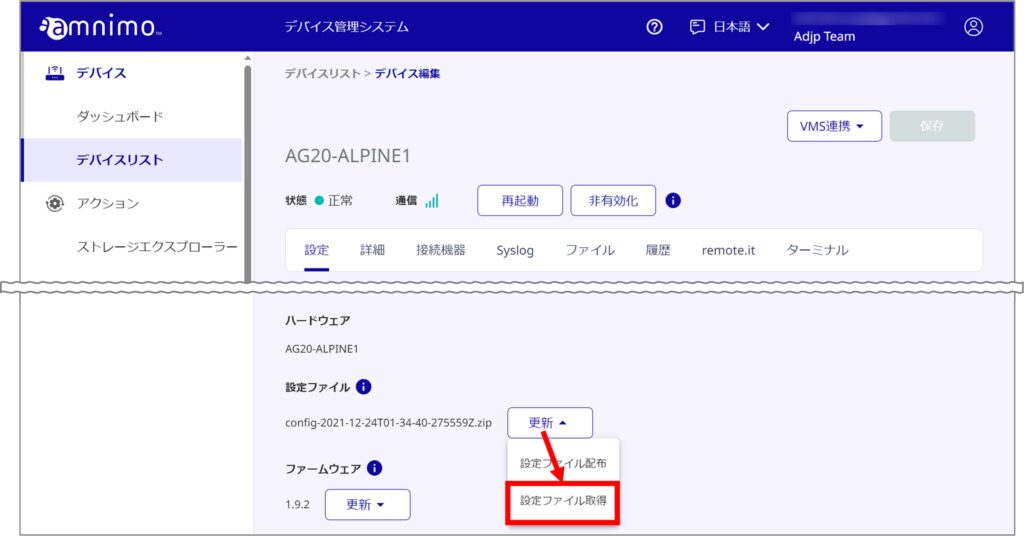
In the Configuration File column, click on "Update" and then "Get Configuration File".
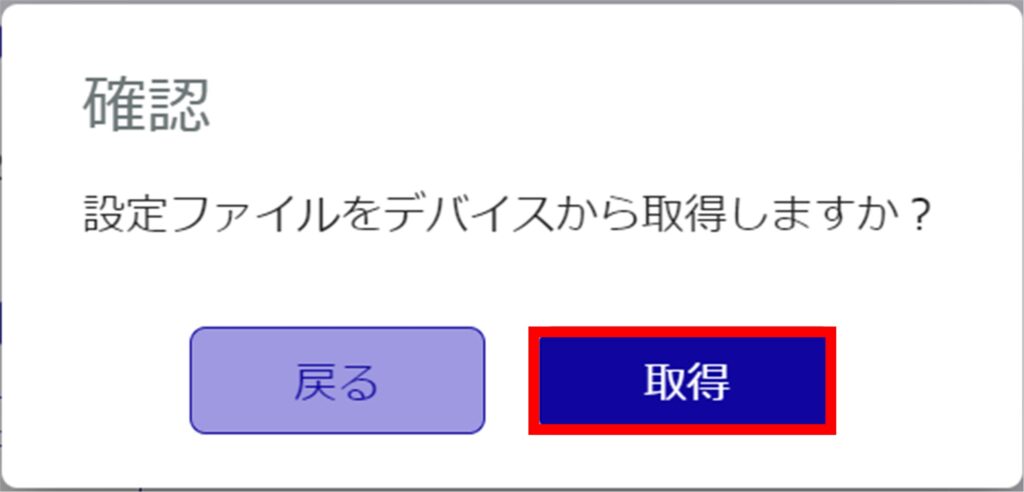
[Click Acquire.
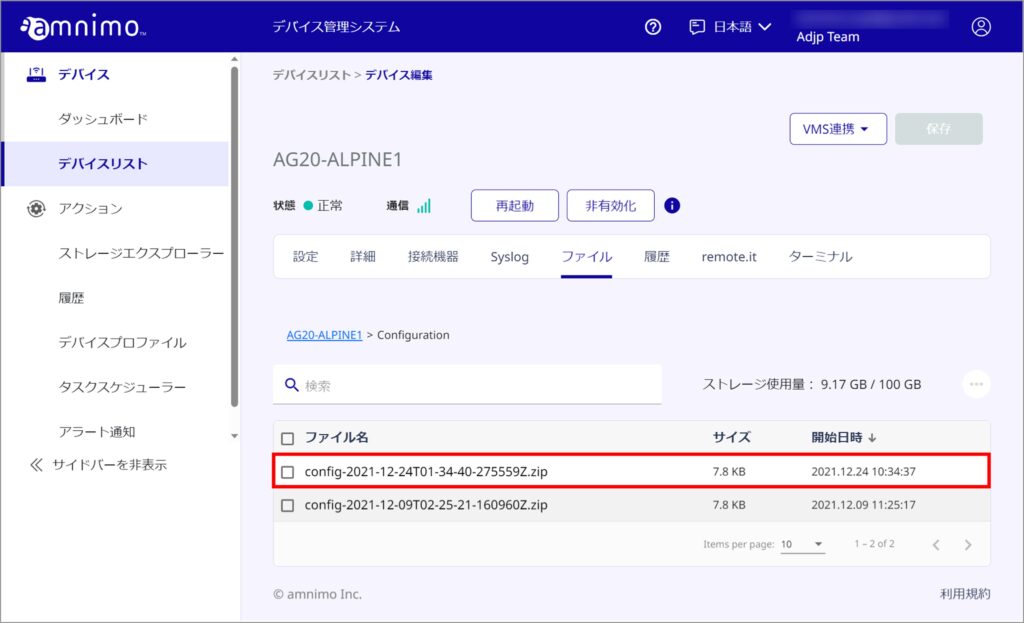
The current configuration file for the device is displayed.

また、設定ファイルを取得した時刻は、 アイコンにカーソルを当てることで確認することができます。
The retrieved configuration file is saved in the file's Configration folder.
Distribute configuration files
This section describes how to distribute device configuration files.
WARNING
- If a fixed IP address is set for a device at the start of use in an environment that does not use DHCP, etc., and the same configuration file is applied to multiple devices, IP address conflicts (collisions) may occur and network problems may occur.
- If you have set an IP address for the device, log in directly to the device and change the device settings.
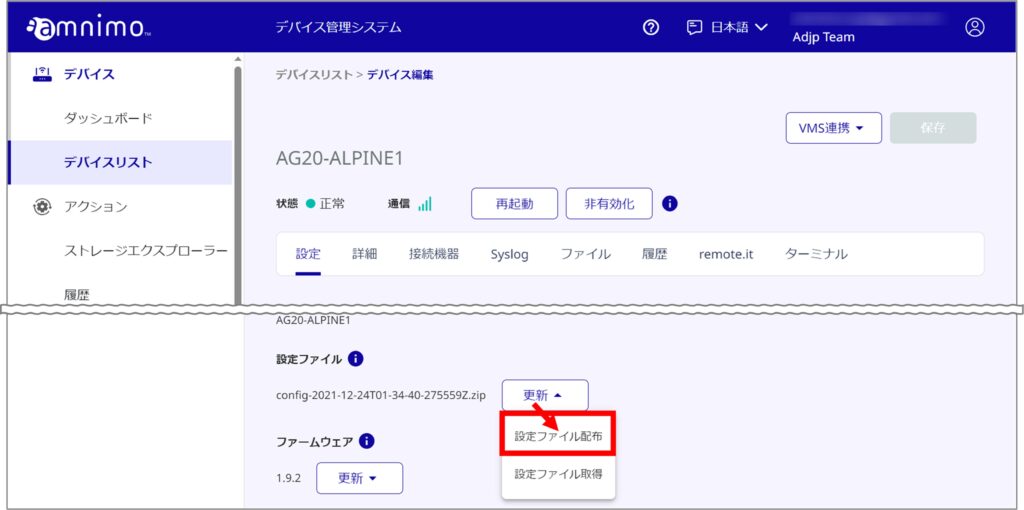
In the Configuration File column, click Update, then click Configuration File Distribution.
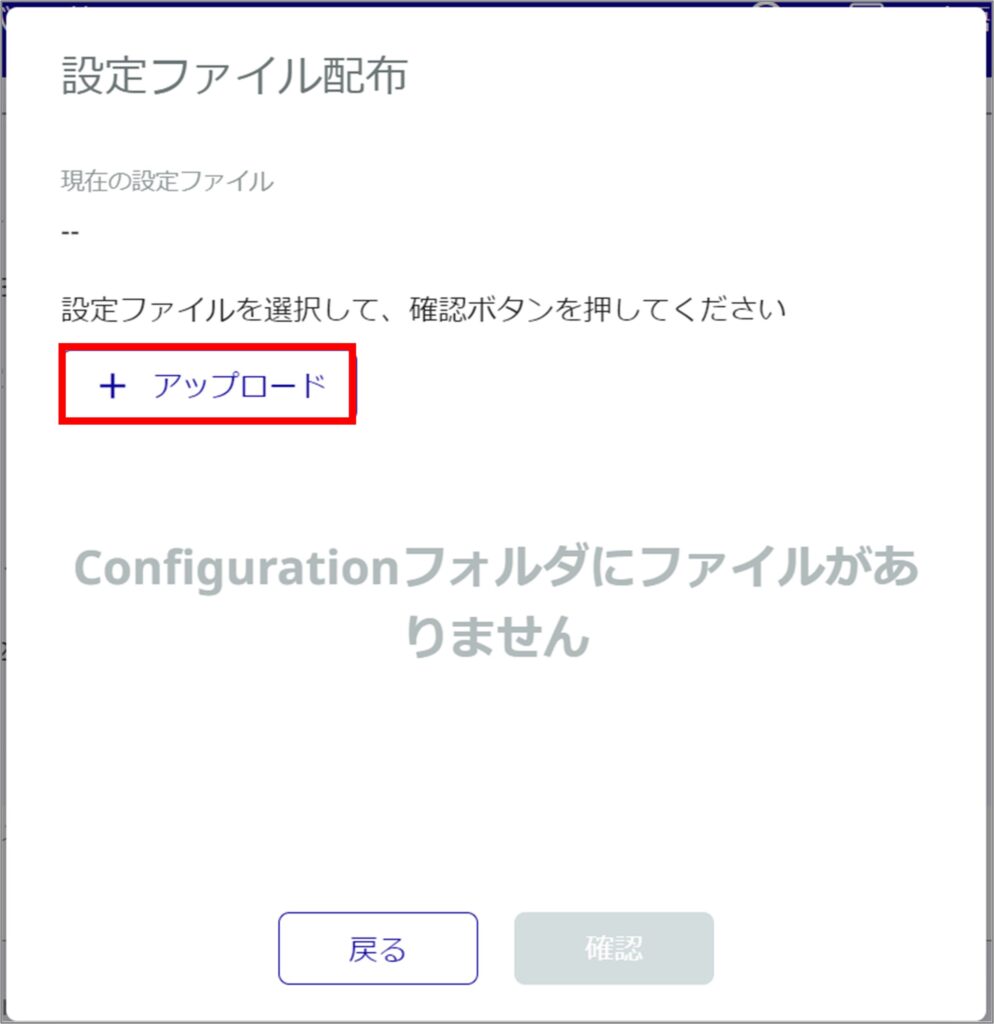
[Click Upload.
If you have already uploaded your file, please go to step 4.
Select a file and click Upload.
NOTE
When uploading files, please note the following
- Uploaded files are compressed with zip for AG / AR series users and tar.gz for AC series users.
- In addition, the file configuration must be as follows
/etc/amnimo/config.yaml
[For AG / AR series]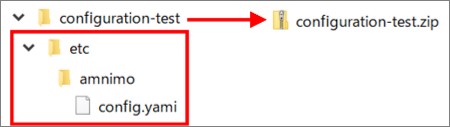
[For AC series]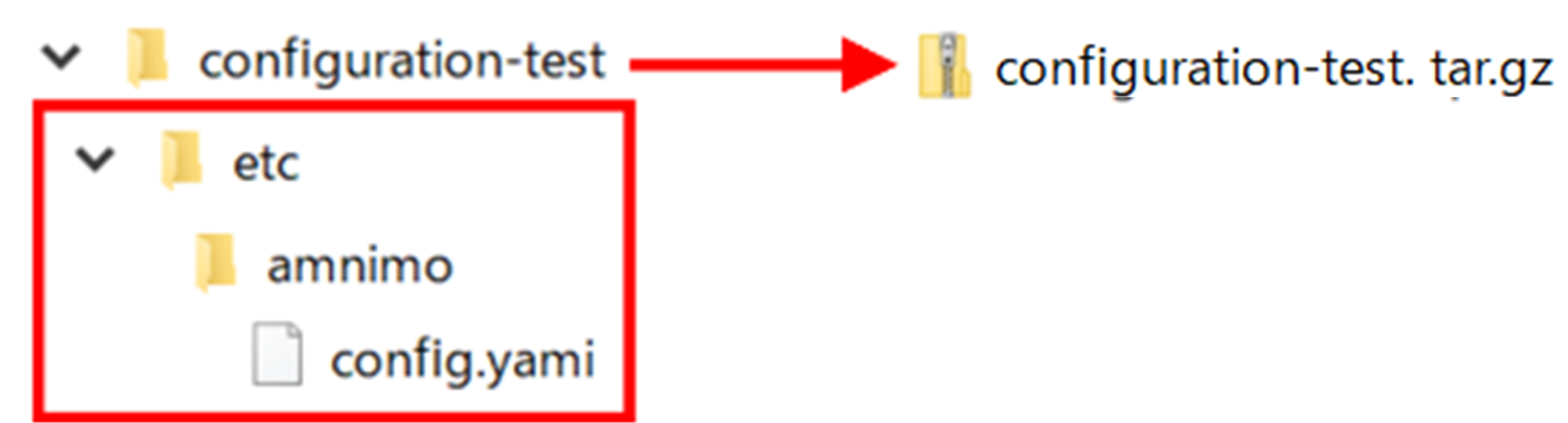
* /var/lib/amnimo-ecc/boardenv.txt file can be distributed without it. - The newline code of config.yaml must be LF; an error will occur if the file is created in CRLF.
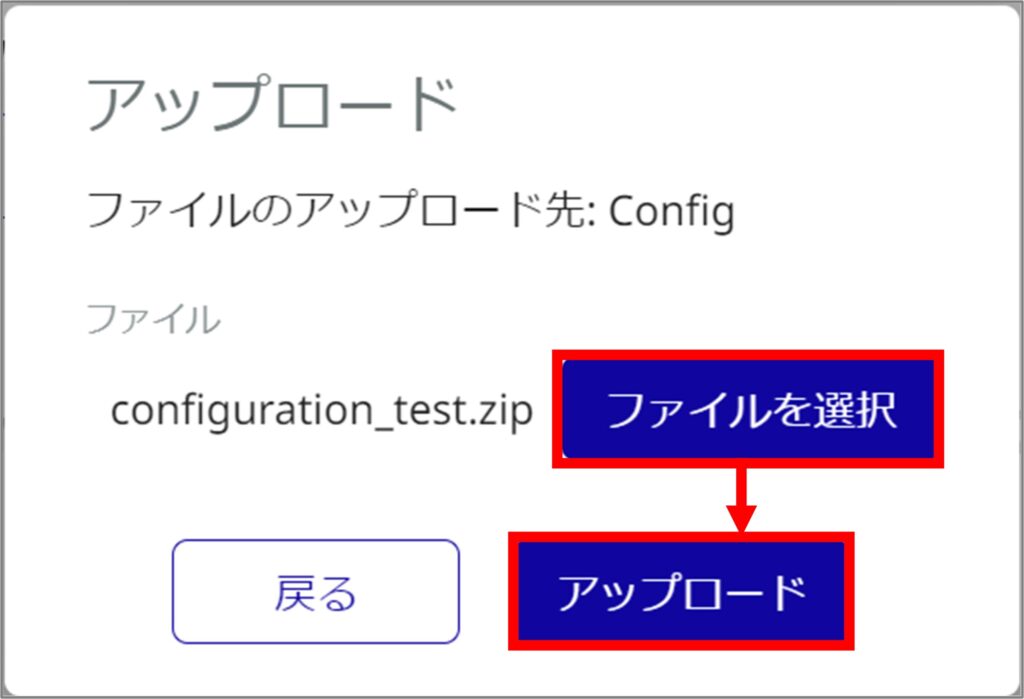
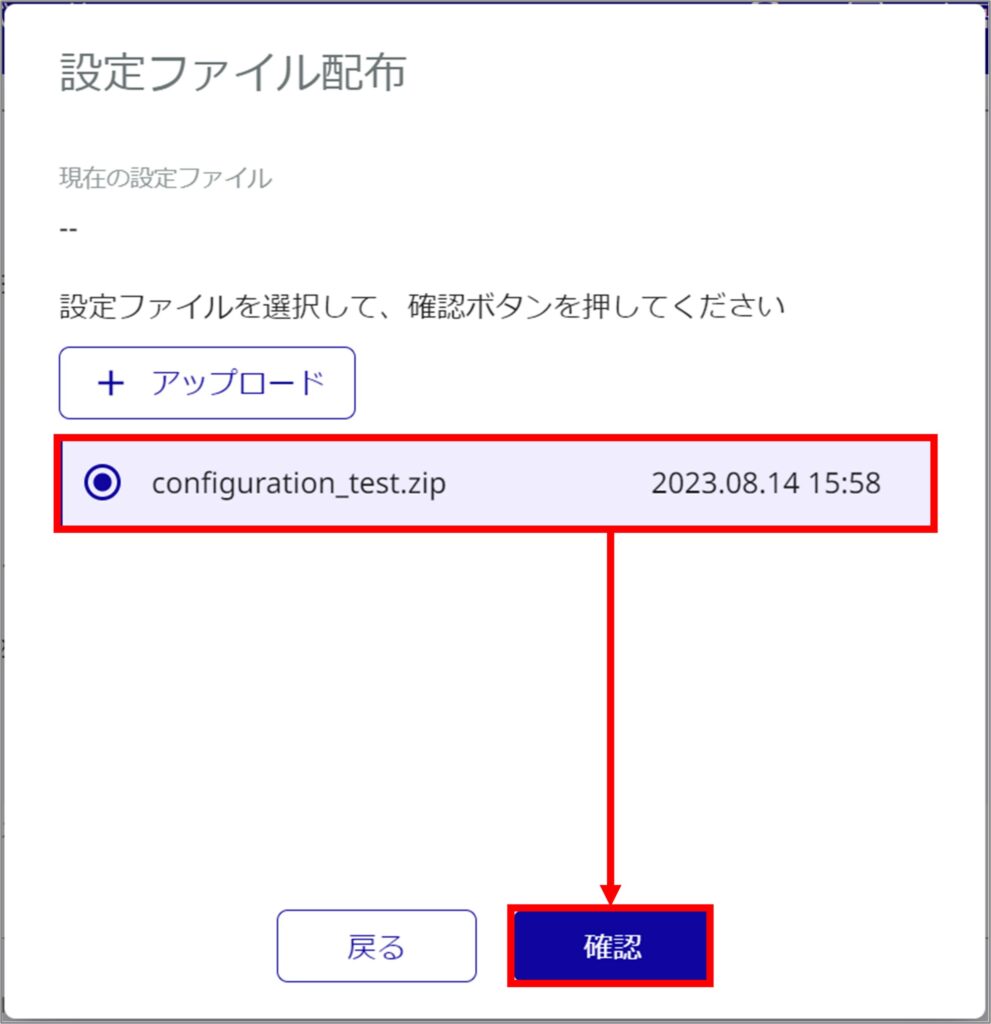
Select the file and click Confirm.
[Click Update.
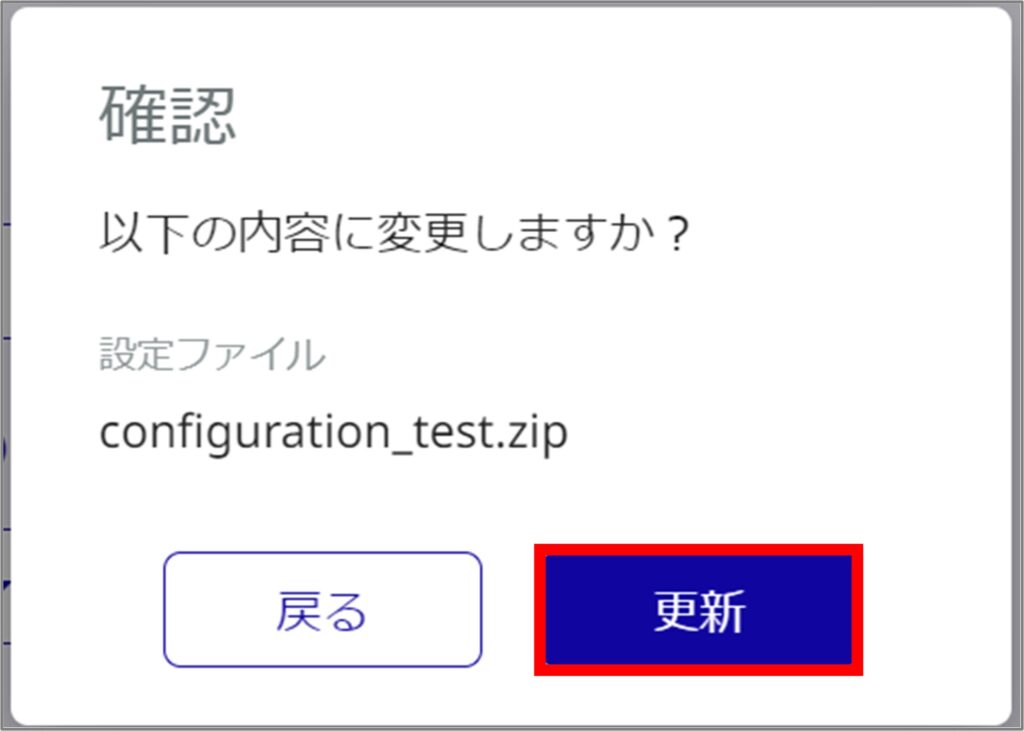
Confirm that the configuration changes have been completed.

You can also check the time the configuration file was distributed by hovering over the icon.
