Differential and global updates
There are two types of firmware updates: differential updates and global instructor updates.
differential update
Only firmware differences are updated when there are firmware differences.
Note that in the case of a firmware differential update, the device will operate without rebooting after the differential update is complete.
The AC series does not support differential firmware updates.
General Update
Update all firmware including OS.
When updating firmware, the area included in the firmware (boot/rootfs) is updated. if you update firmware using the image file provided by amnimo, the following areas are retained after the update.
- config: Area for persistent configuration files (/mnt/config/area0, /mnt/config/area1)
- userfs: user firmware area (/opt/local)
- sharefs: boot-switchable shared areas (/mnt/share, /var/log, /opt/common)
Note that the device will automatically reboot in the case of a firmware update.
difference update procedure
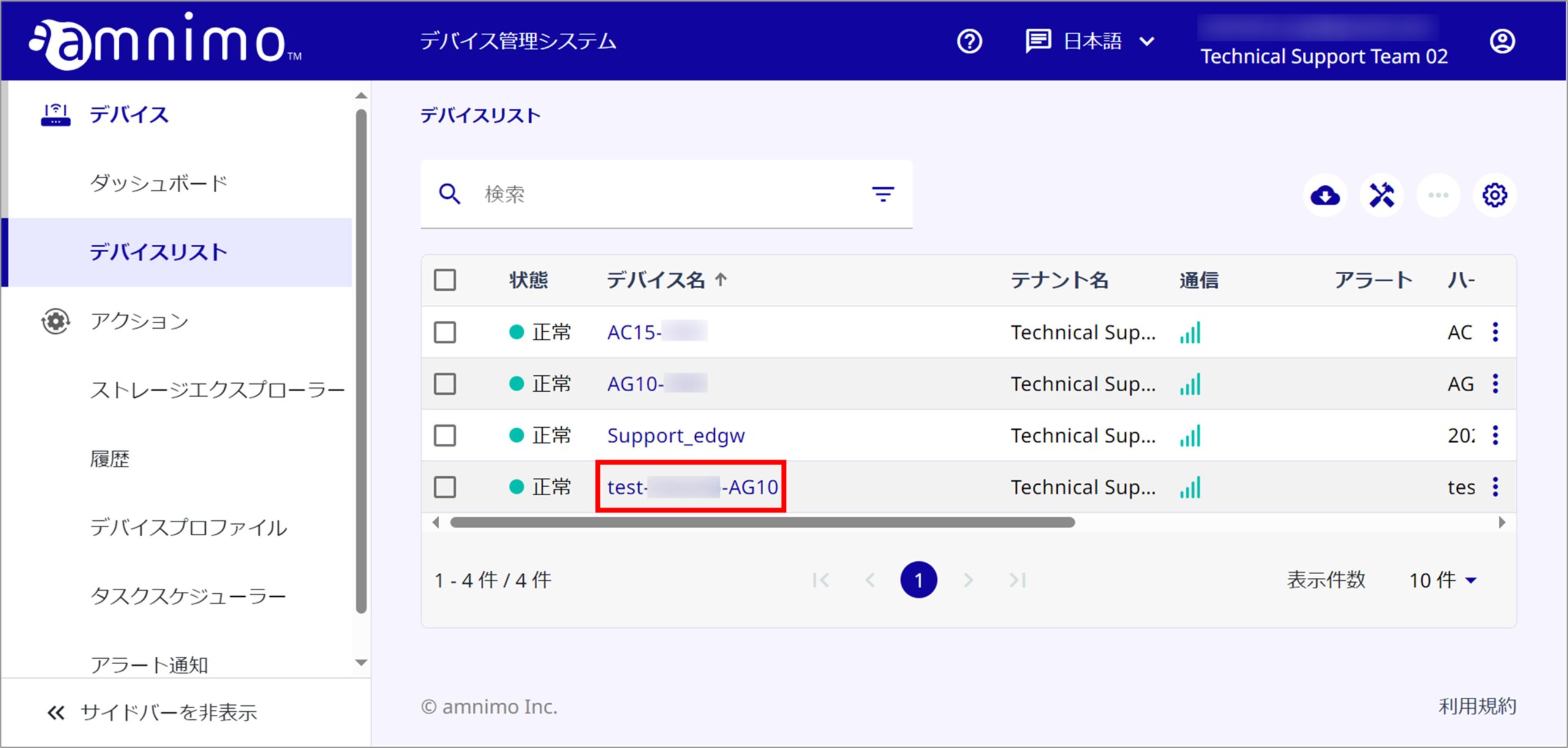
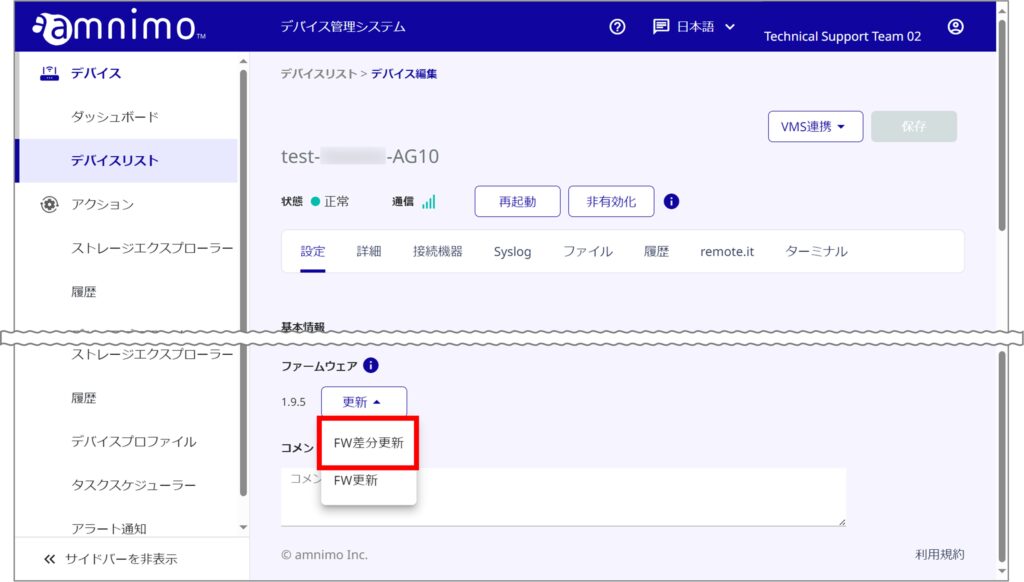
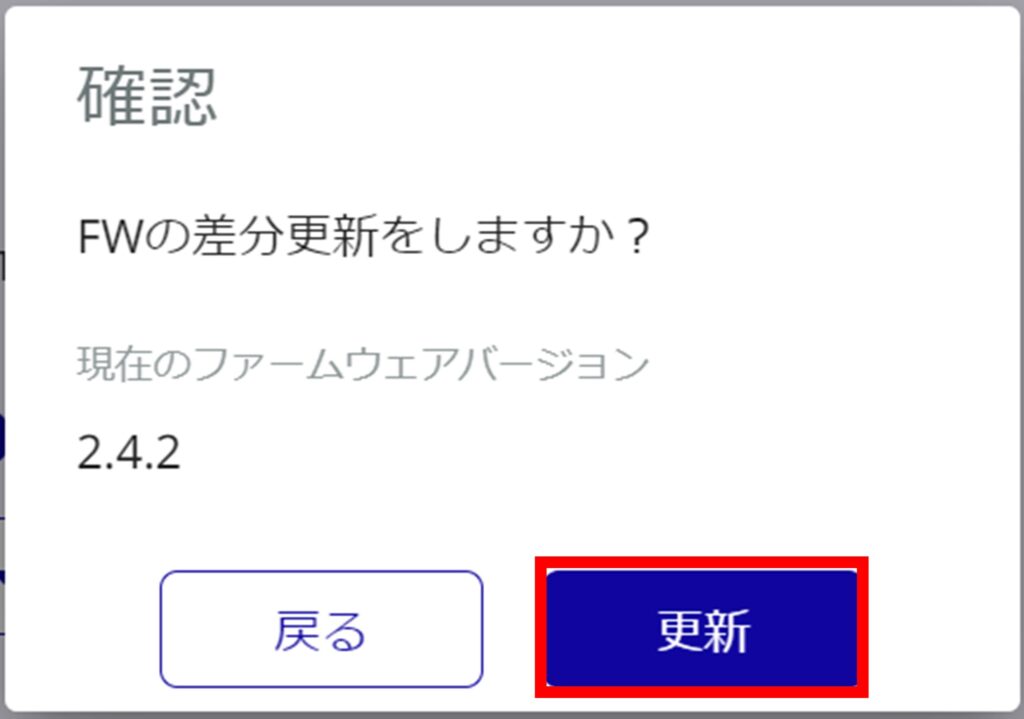
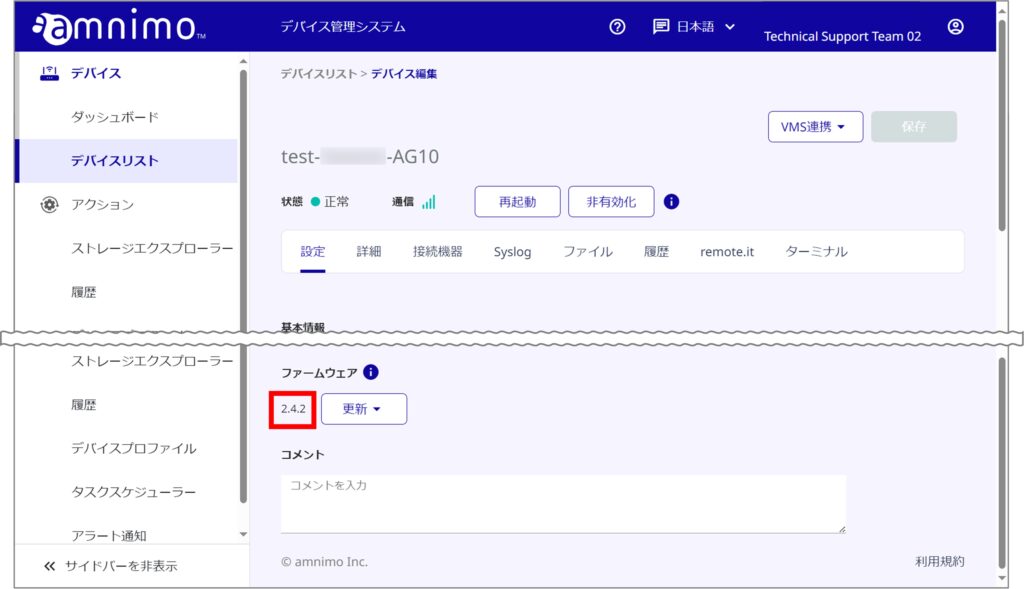
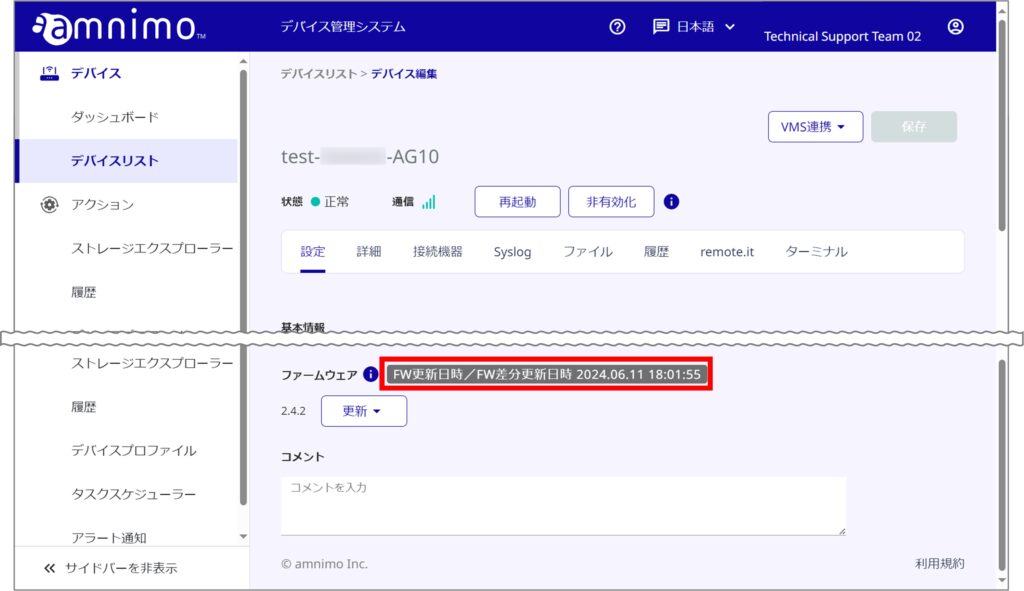
You can also check the firmware update time by hovering over the  icon.
Overall Update Procedure
The device has two areas for firmware updates: a boot area and a redundant area (backup area).
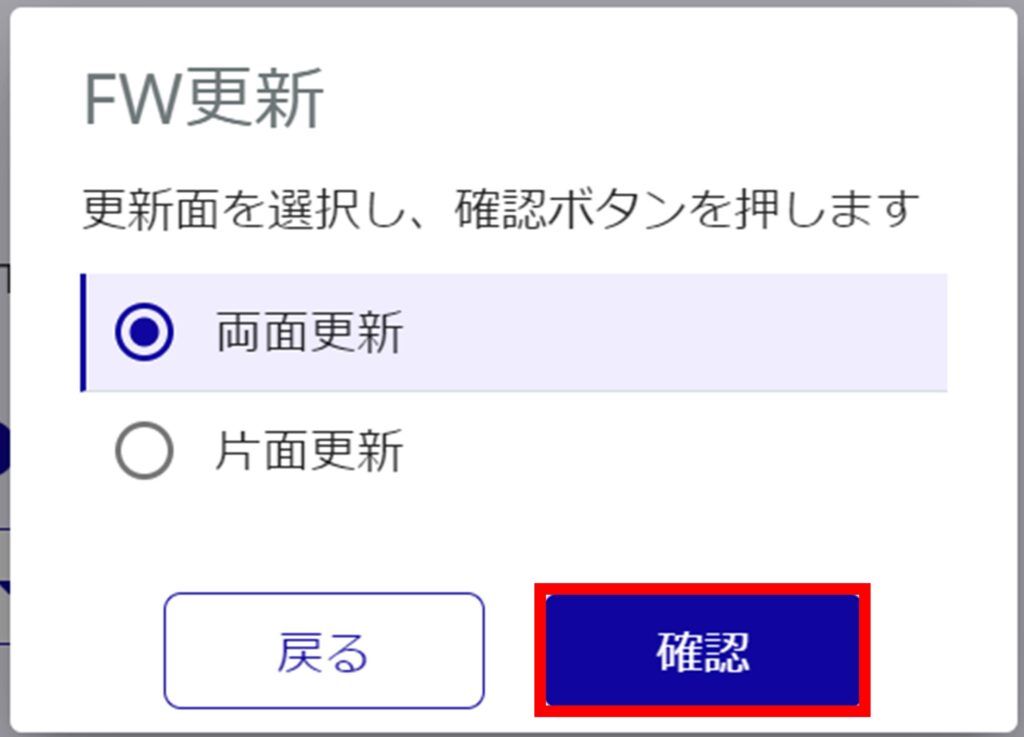
When updating firmware, you can select the area to be updated. Note that there is no selection of the area to be updated in the case of a firmware differential update.
Firmware double-sided update
Update both the startup area and the redundant area. Note that it is basically recommended that double-sided updating be performed.
Firmware single-sided update
Only the redundant area is updated. After the update is completed, the system starts up in the updated area.
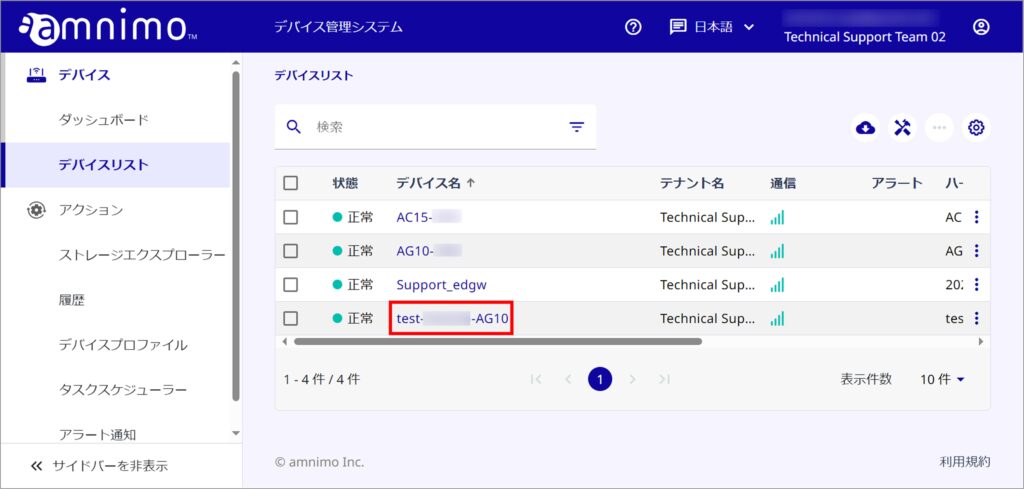
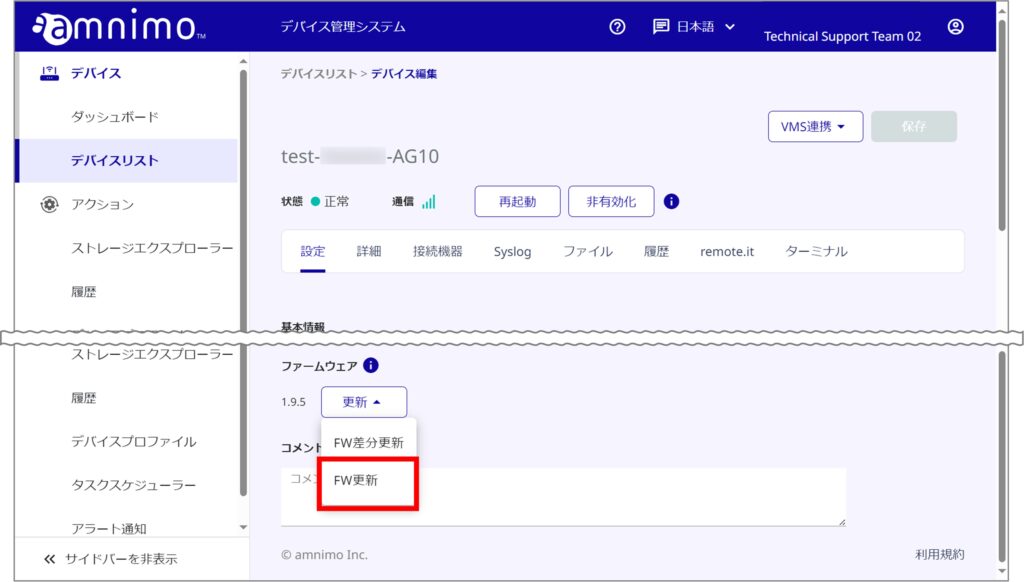
※ ファイルをすでにアップロード済みの場合は、手順5へお進みください。
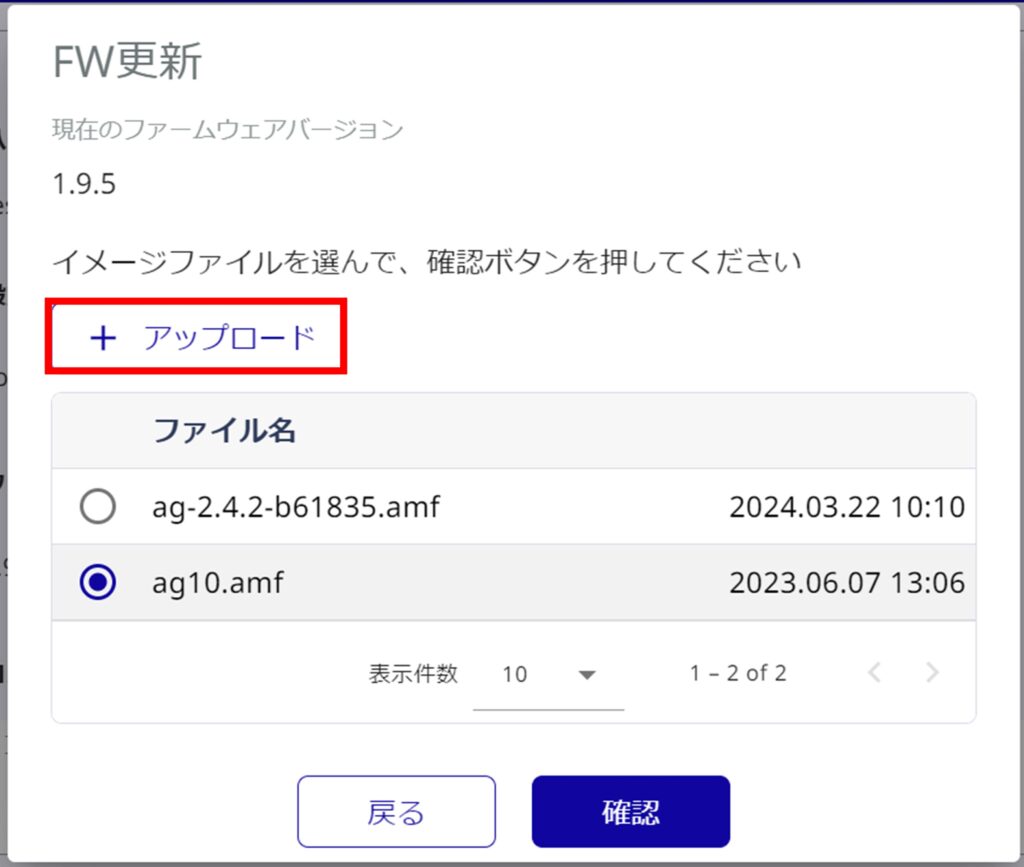
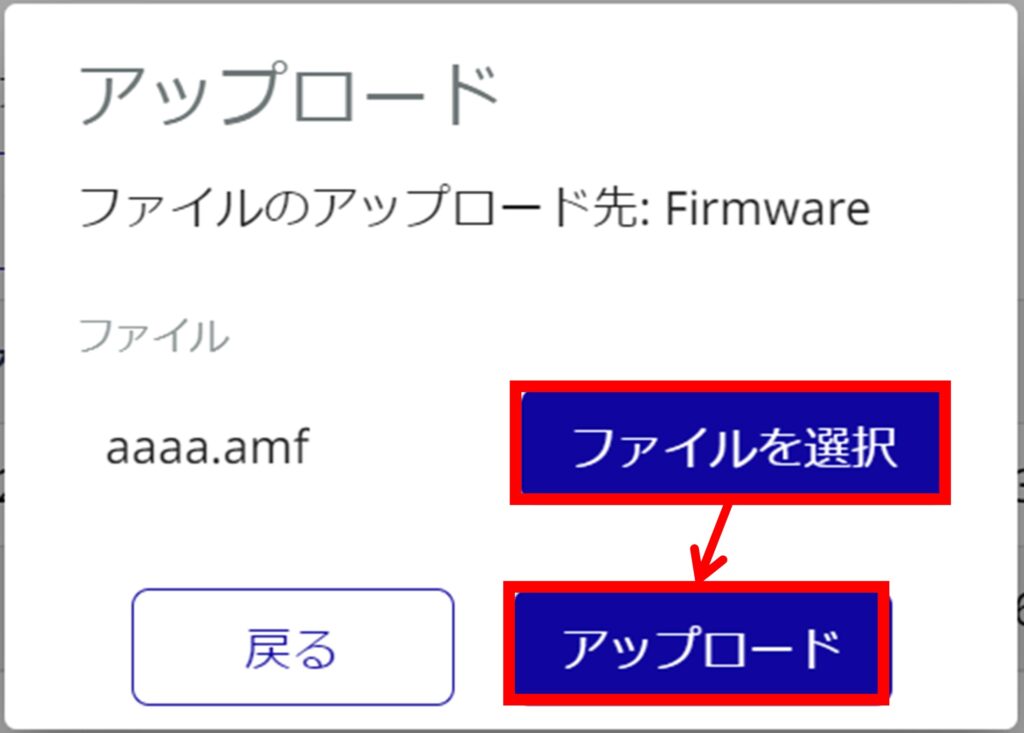
< About firmware image files
Go to the following URL to download the firmware image file.
- アクセスするためには、アカウント名とパスワードが必要です。アカウント名とパスワードが分からない場合は サポート までご連絡ください。ブラウザーをご利用の場合は、Internet Explorer などの FTP にアクセス可能なブラウザーをご利用ください。
▼ エッジゲートウェイ 最新版 ファームウェアイメージファイル
ftp://(アカウント名):(パスワード)@package.amnimo.com/firmware/ag10.amf
▼ IoT ルーター 最新版 ファームウェアイメージファイル
ftp://(アカウント名):(パスワード)@package.amnimo.com/firmware/ar10.amf
なお、過去のファームウェアイメージファイルをダウンロードしたい方は、以下の FAQ をご参照ください。
https://support.amnimo.com/hc/ja/articles/360053300174
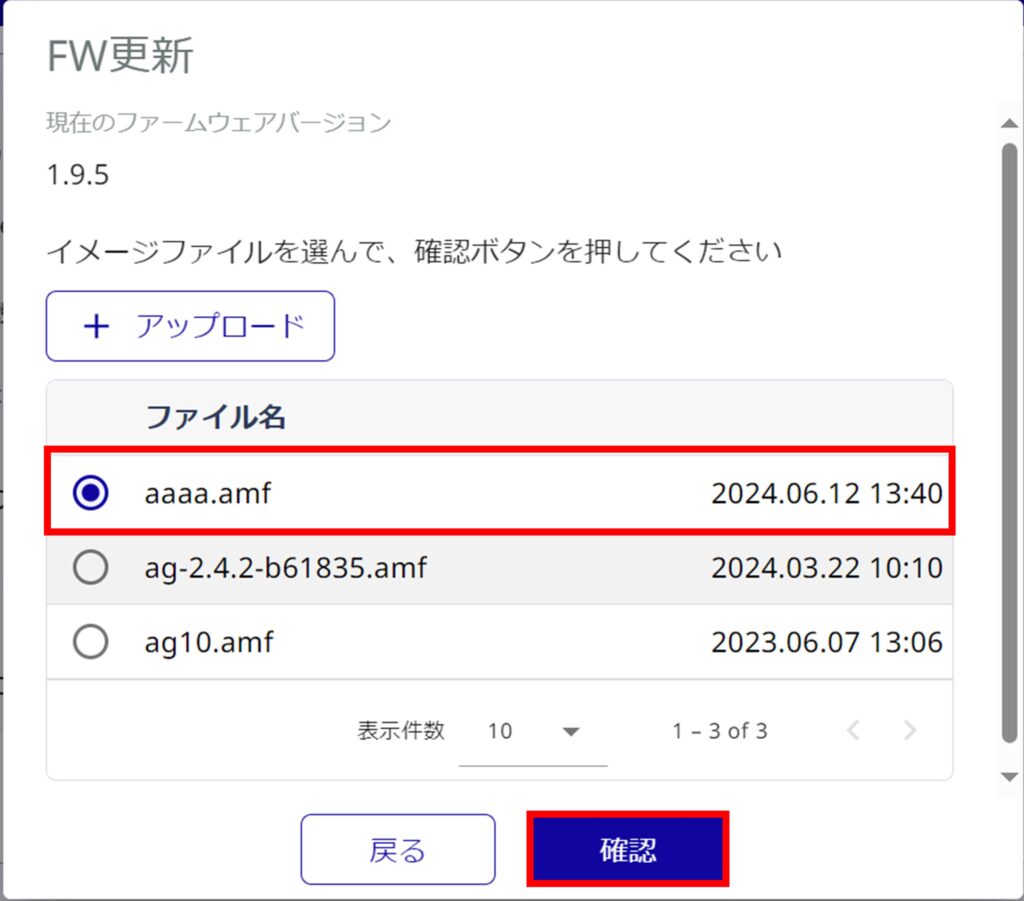
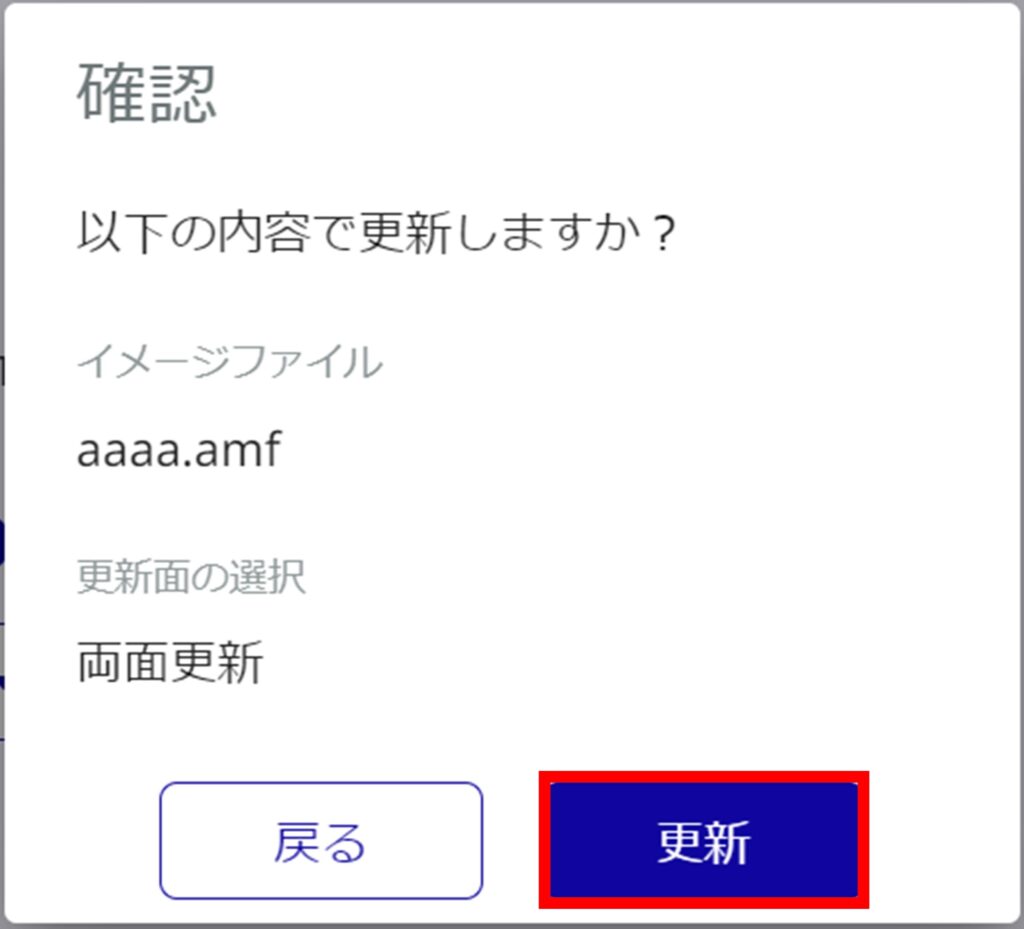
The device will automatically reboot after the update is complete. After rebooting, confirm that the device has returned to normal operation.
アイコンにカーソルを当てることで確認することができます。