In addition to shutdown, the product offers two reboot menus: software reboot, which stops the system, and hardware reboot, which does not stop the system.
- Shutdown
Shut down the hardware power supply. - Software reboot
Restart the system after shutting it down. - Hardware reboot
Turns off and restarts the hardware power supply without shutting down the system.
Restart the product
Restart the product.
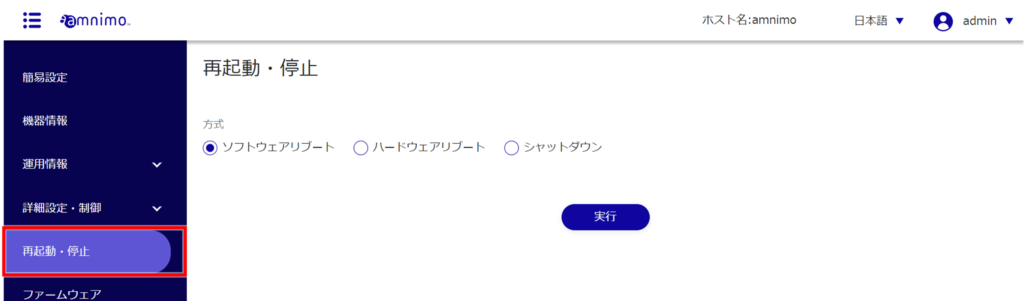
Click Restart/Stop on the side menu.
The "Restart/Stop" screen appears.
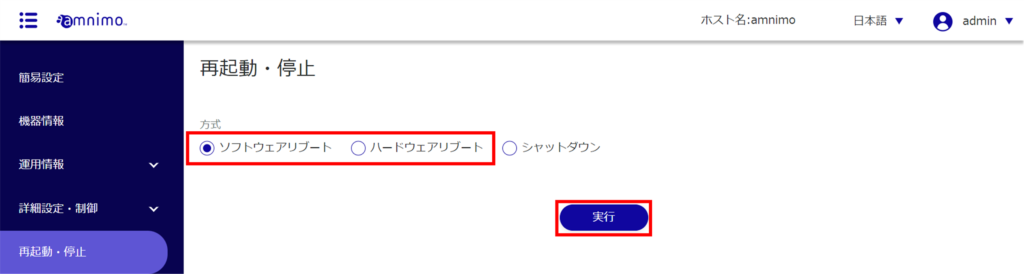
Check "Software reboot" or "Hardware reboot" as the reboot method and click "Run".
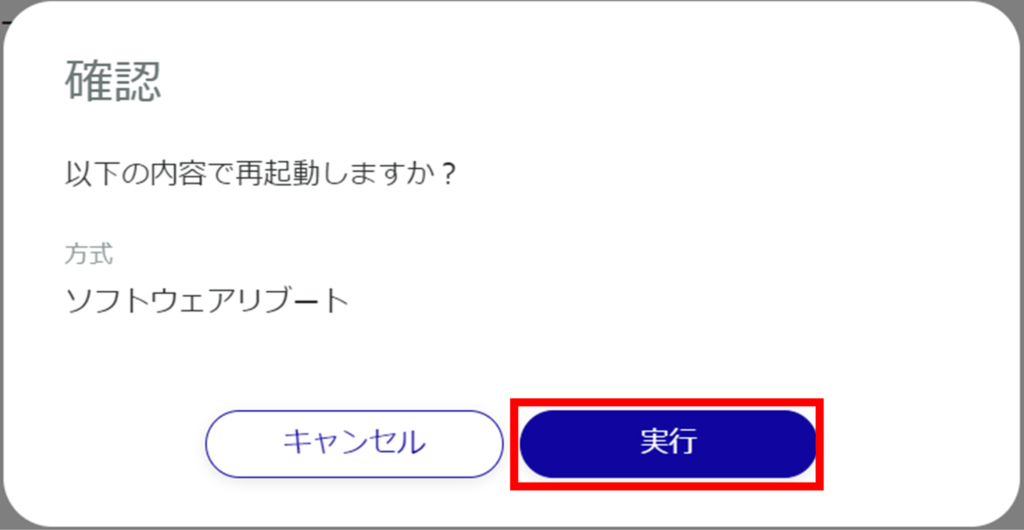
A "confirmation" screen for restart will appear.
Click the [ Execute ] button.
A restart of the product is initiated.
Rebooting takes a few minutes.
After the restart is complete, the "Sign In" screen will appear.
Shut down the product
Shut down the product.
Click Restart/Stop on the side menu.
The "Restart/Stop" screen appears.
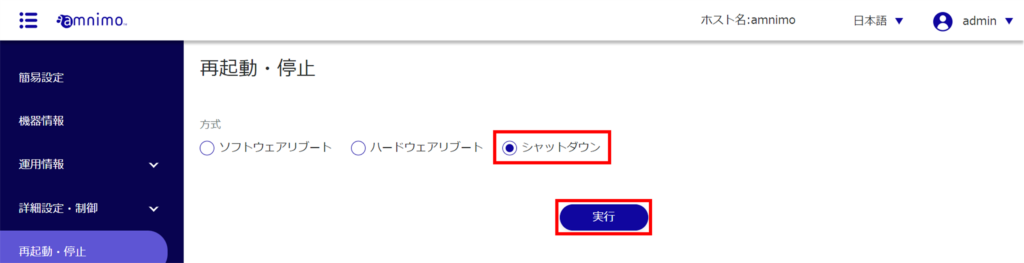
To stop, check Shutdown and click Execute.
A shutdown "confirmation" screen will appear.
Click the [ Execute ] button.
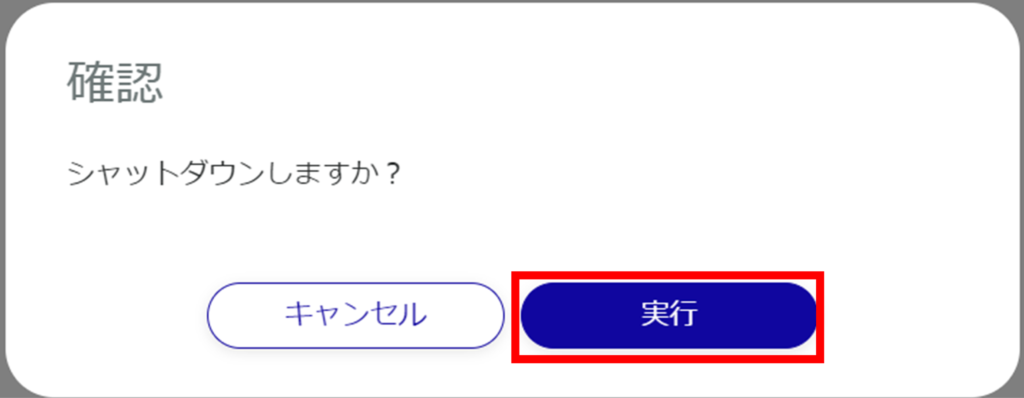
Shutdown of the product is initiated.