デバイスの状態は、「 ゲートウェイ設定 」から確認することができます。
▼をクリックし、[ デバイス ]を選択します。
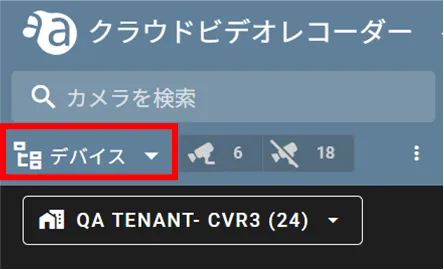
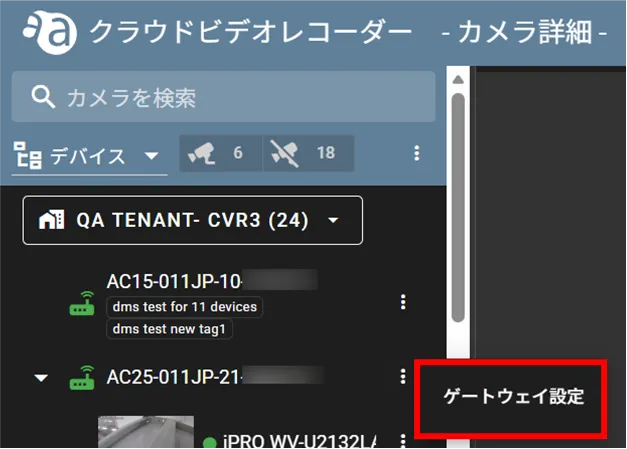
状態を確認したいデバイスの横にあるアイコンをクリックし、[ ゲートウェイ設定 ]をクリックします。
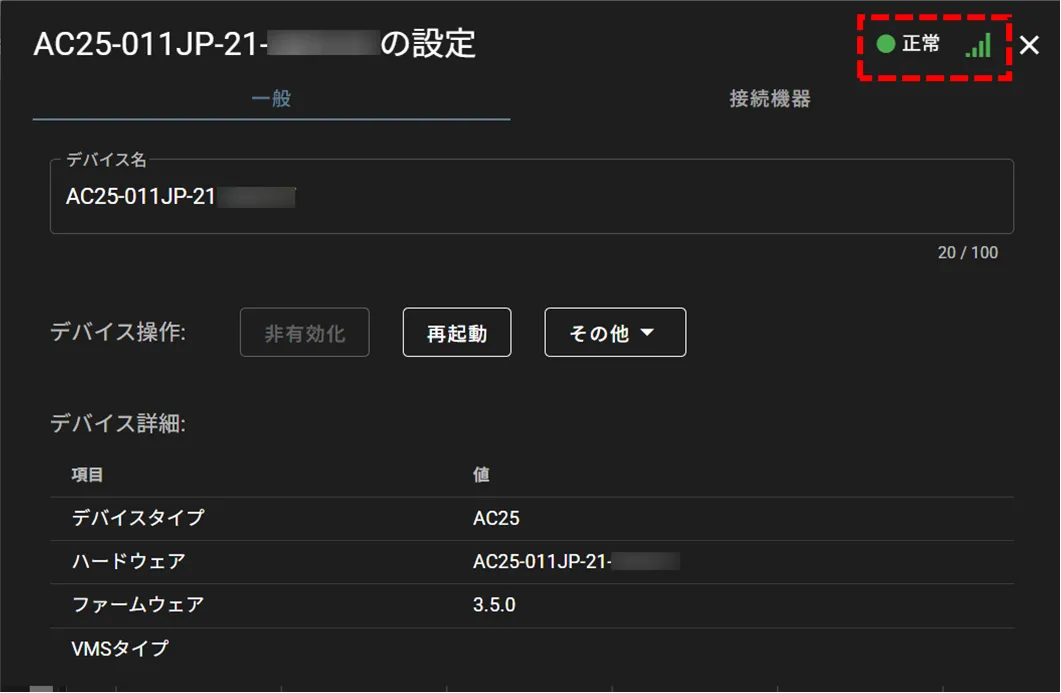
「 ○○(デバイス名)の設定 」画面の右上にデバイスの状態が表示されます。
以下の画像は、デバイスの状態が正常かつ、通信が正常の場合のものです。
デバイスの状態は、「 ゲートウェイ設定 」から確認することができます。
以下の画像は、デバイスの状態が正常かつ、通信が正常の場合のものです。