First, use the Graphic User Interface (GUI) to enable remote.it on the device and register the License Key.
Enable remote.it and register License Key
Activate remote.it and register a License Key to use remote.it.
NOTE
Before using remote.it, please make sure the following settings are in place The compact router is connected to the Internet. The Compact Router's DNS settings have been configured.
If you made a simple configuration in Step 2, the DNS settings have been activated. The time is set correctly.
Sign in with the GUI and click on [Advanced Settings/Controls] - [remote.it settings] in the side menu.
The "remote.it settings" screen will appear.
The "remote.it settings" screen will appear.
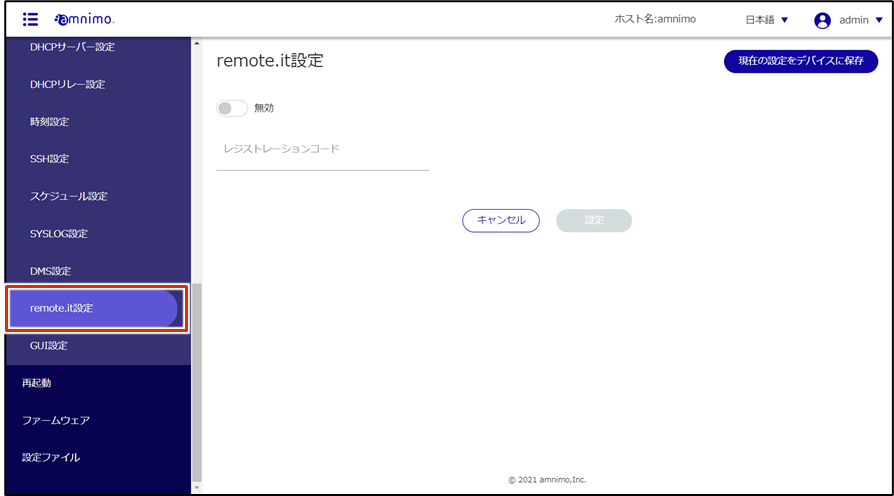
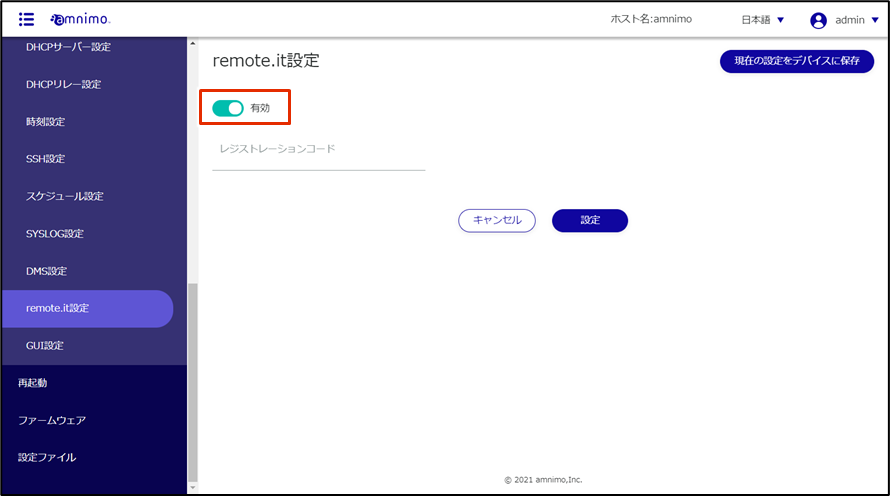
Slide the toggle to set remote.it to active.
Enter the License Key in the Registration Code field and click Set.
NOTE
The License Key must be verified at remote.it. For details on how to check the License Key, please refer to " Checking the License Key ".
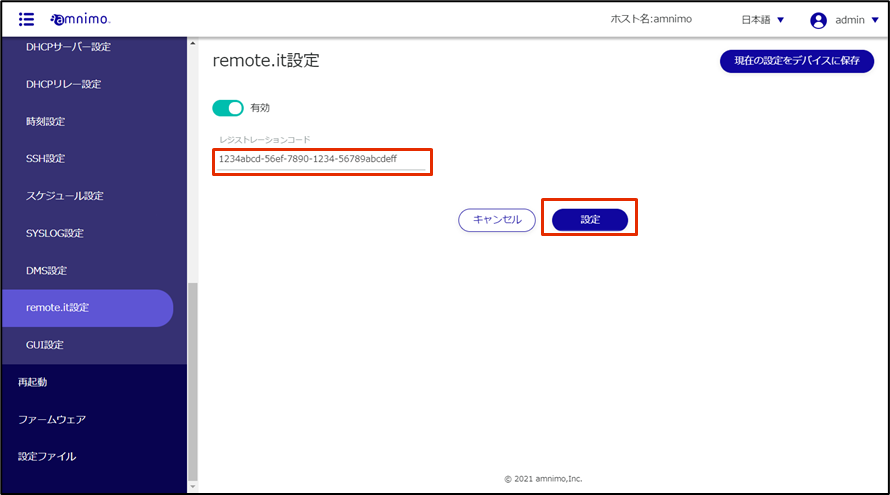
You can delete a registered License Key by clicking "Settings" without entering the License Key.
[Click Save Current Settings to Device.

Register your service
NOTE
Register your service using the remote.it desktop app.
- The application can be downloaded from the following site
- For detailed installation instructions, please refer to the following page
Launch the remote.it desktop app.
Click on the appropriate device from the sidebar under Devices.
Click the [ + ] button in the field marked SERVICE, select the service you wish to add, enter the service name, port number, and other necessary information, then click [ SAVE ] to save.
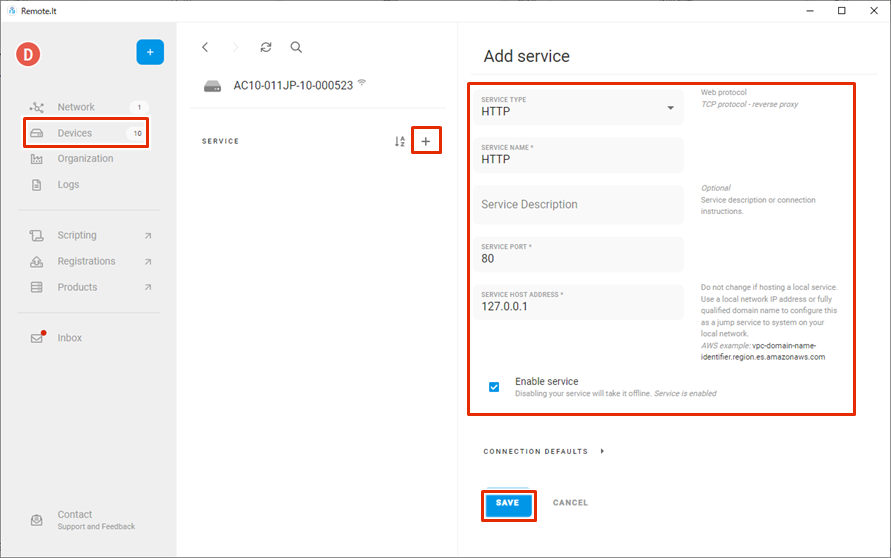
Verify that the service you registered for is online.