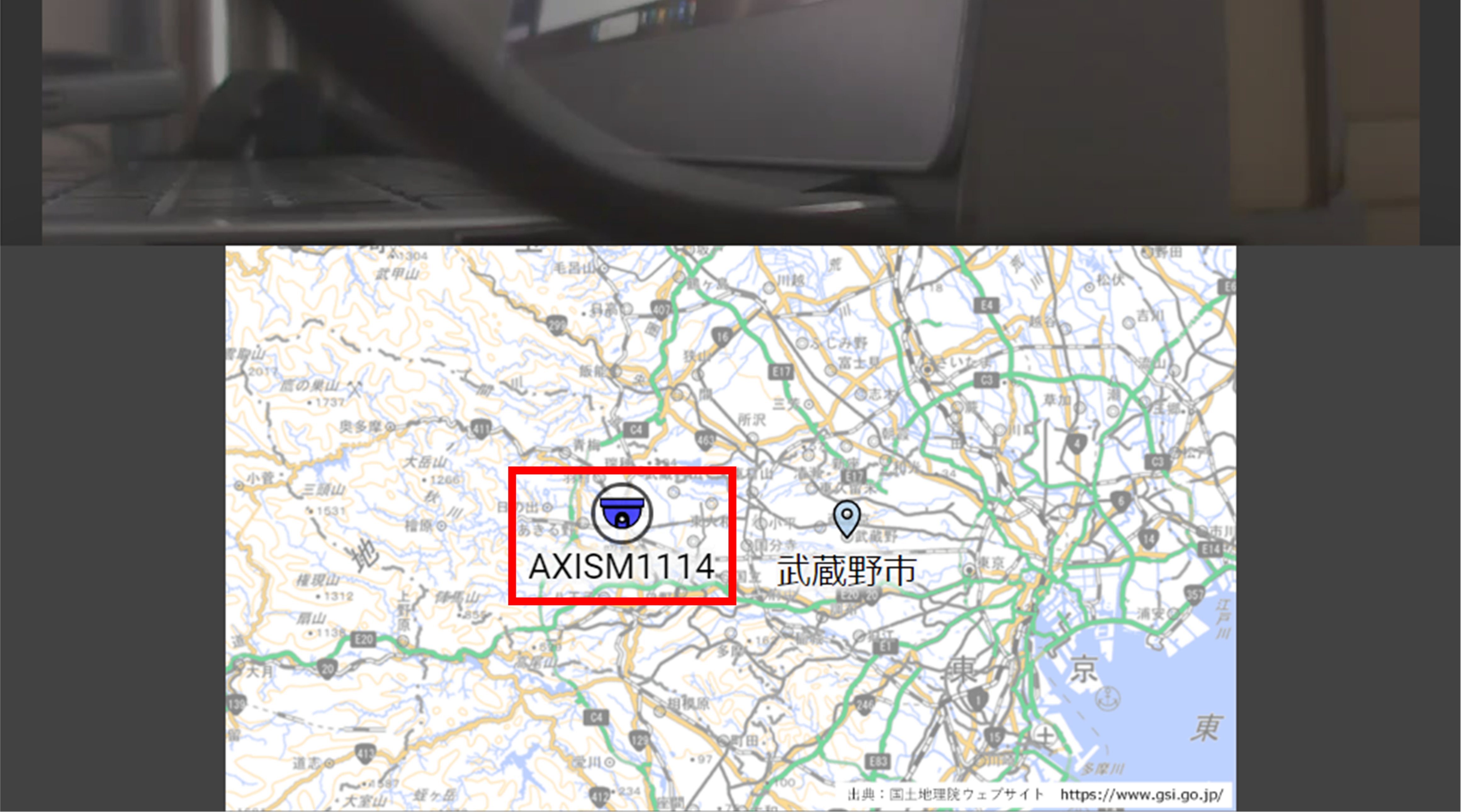
Custom map views can be opened from multiple locations.
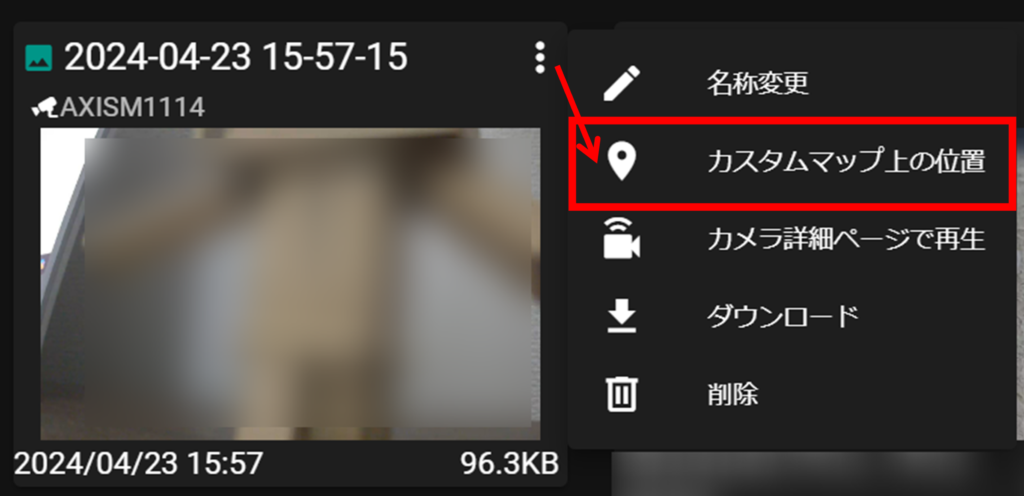
Open from the [ Cloud Storage Videos / Images ] menu
[In the Cloud Storage Videos/Images, click ︙Map Location︙ in the thumbnails.
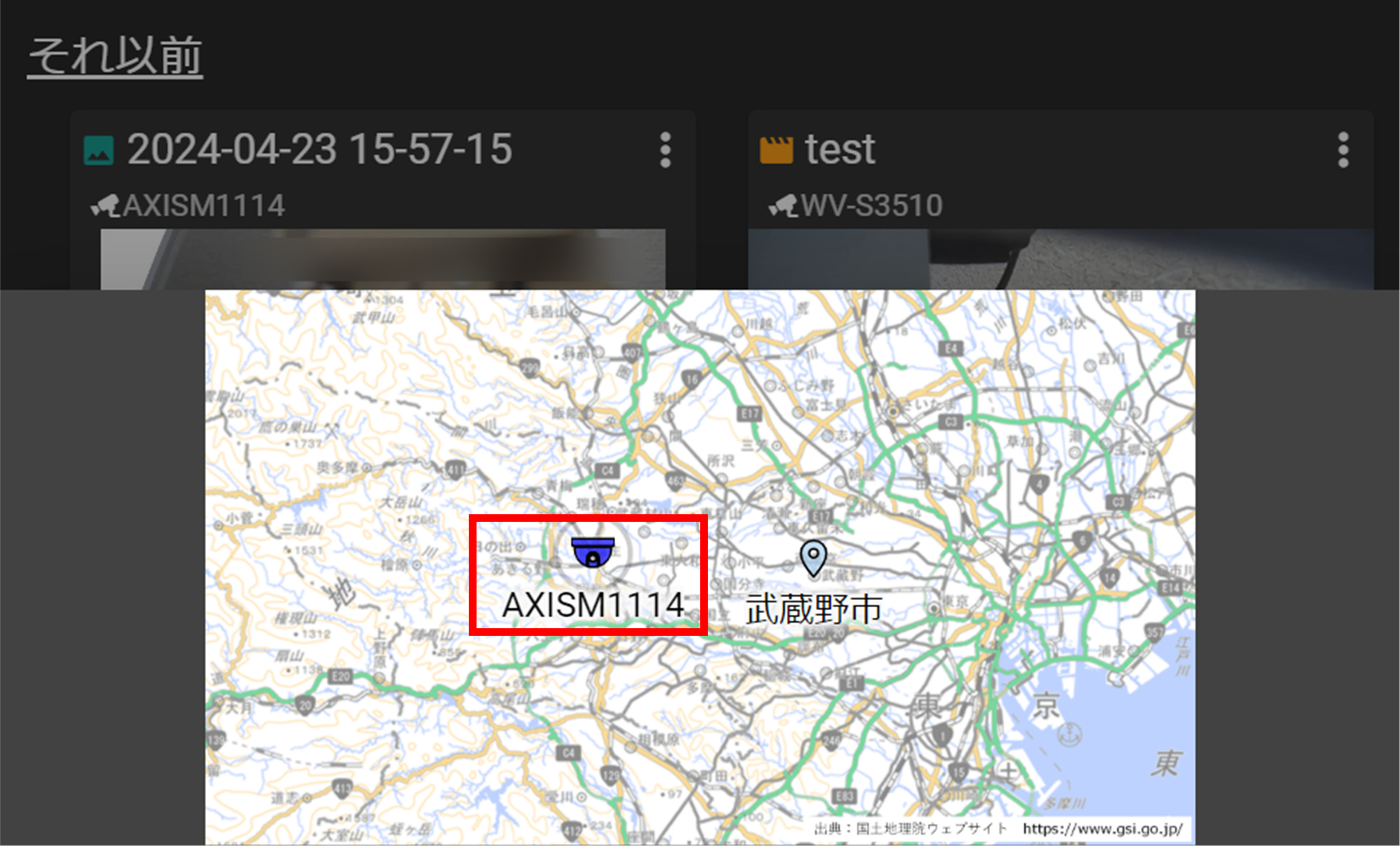
A custom map will open with the camera plotted on it.
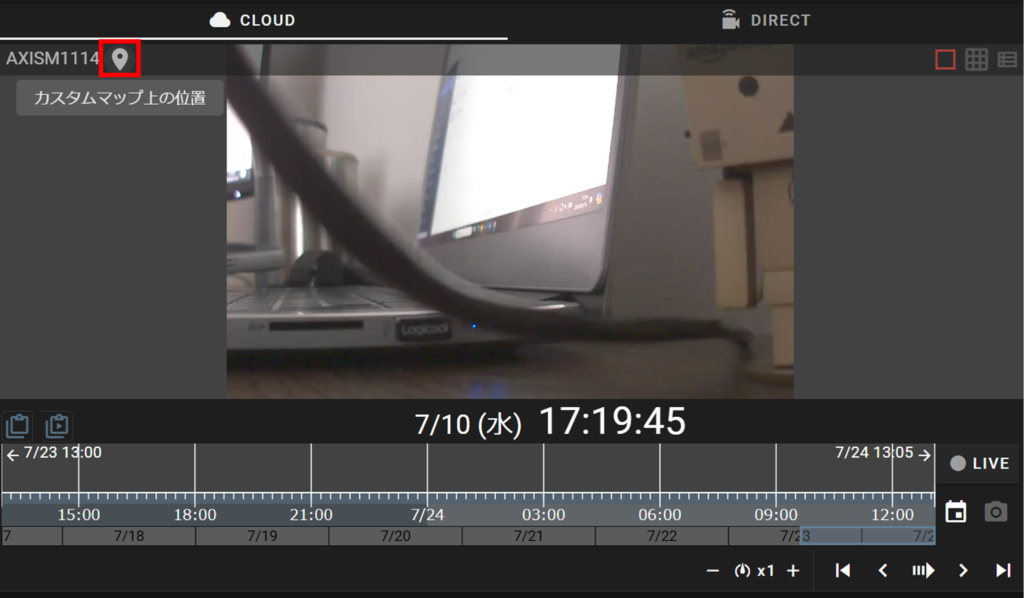
Open from selected camera (CLOUD/DIRECT)
Select a camera from the camera detail screen and click on the map icon.
A custom map will open with the camera plotted on it.