This section describes the operation of the "Network Diagnostics" screen.
Here, you can check for communication from the device to any IP address.
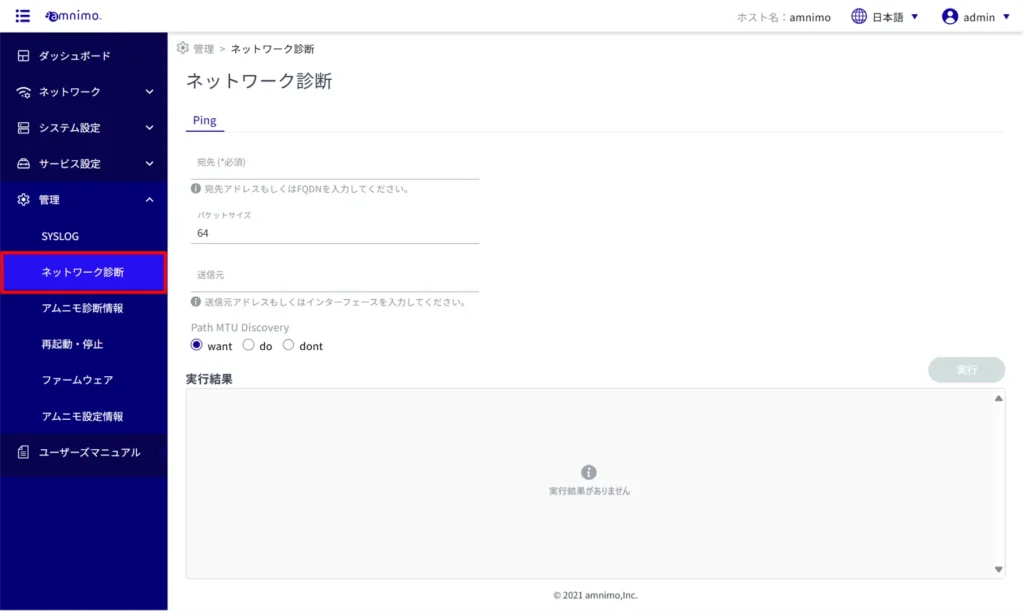
Click on [Administration] > [Network Diagnostics] from the side menu to open the "Network Diagnostics" screen.
Run network diagnostics
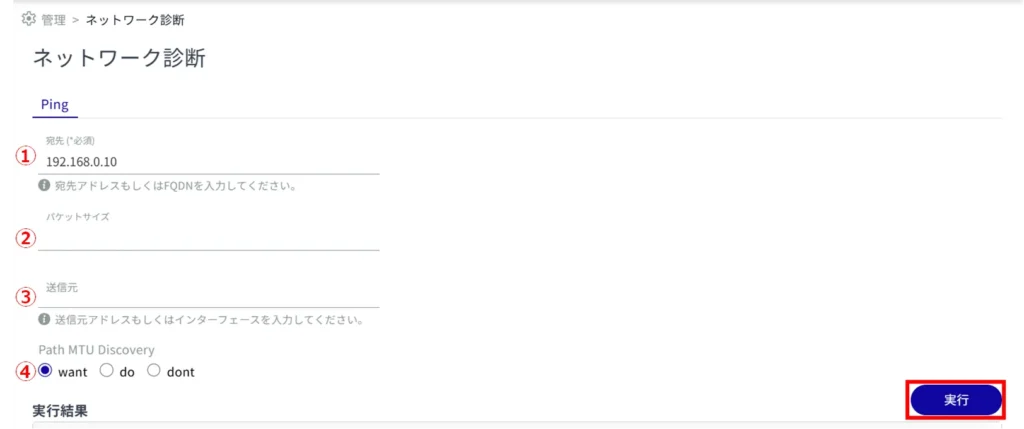
Set the following items (1) to (4) for network diagnosis and click "Execute".
Enter the IP address of the destination.
(2) Enter the packet size. (Default is 56)
(3) Enter the source IP address.
Select Path MTU Discovery.
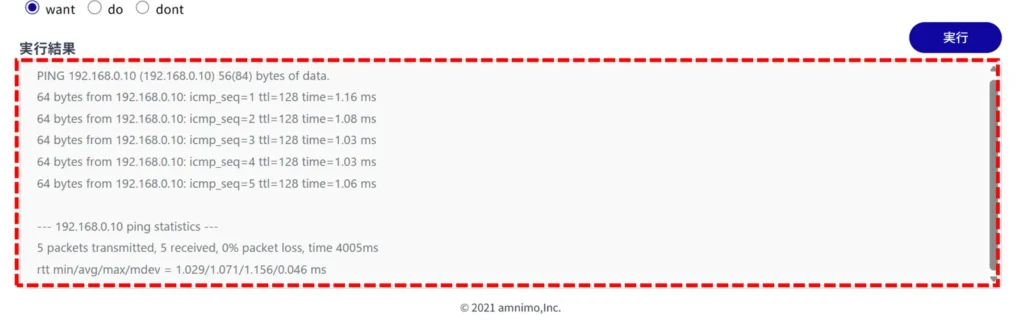
The results of the network diagnostics are displayed.