To connect to the Internet using PPP, configure the PPP connection settings. Please configure as necessary according to your environment.
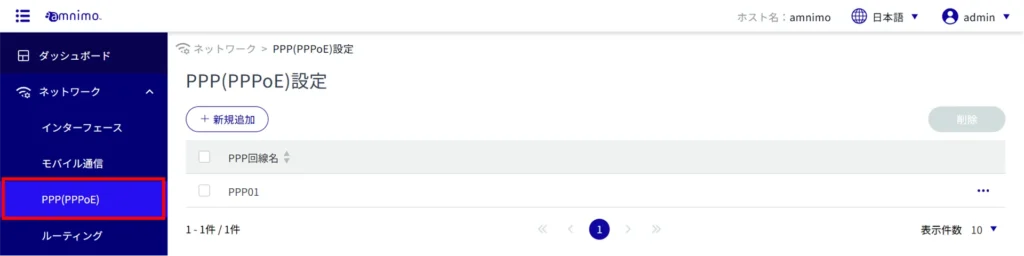
Click [Network] > [PPP (PPPoE)] on the side menu.
[Click Add New.
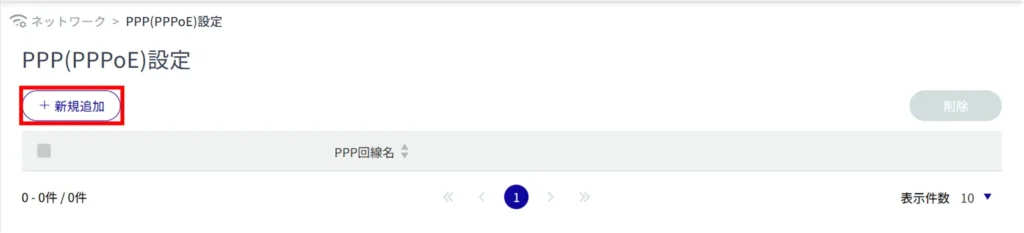
The "Add PPP (PPPoE) Configuration" screen appears.
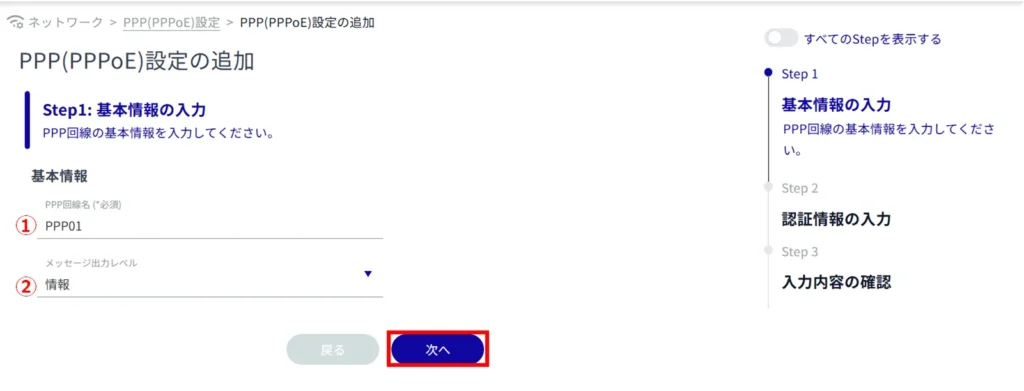
Set the following items (1) to (2) for the basic information of the PPP line, and click [Next].
Enter the PPP line name.
Select the message output level.
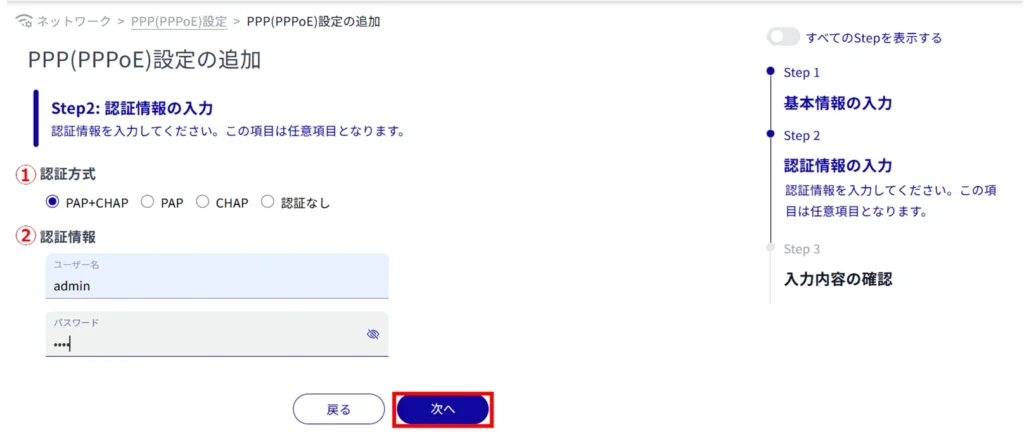
Set the following items (1) to (2) for authentication information and click "Next".
*Because this is an optional field, you can proceed to the next step even if you have not entered any information.
Select the authentication method.
Set a user name and password.
Confirm the information entered and click "Setup".
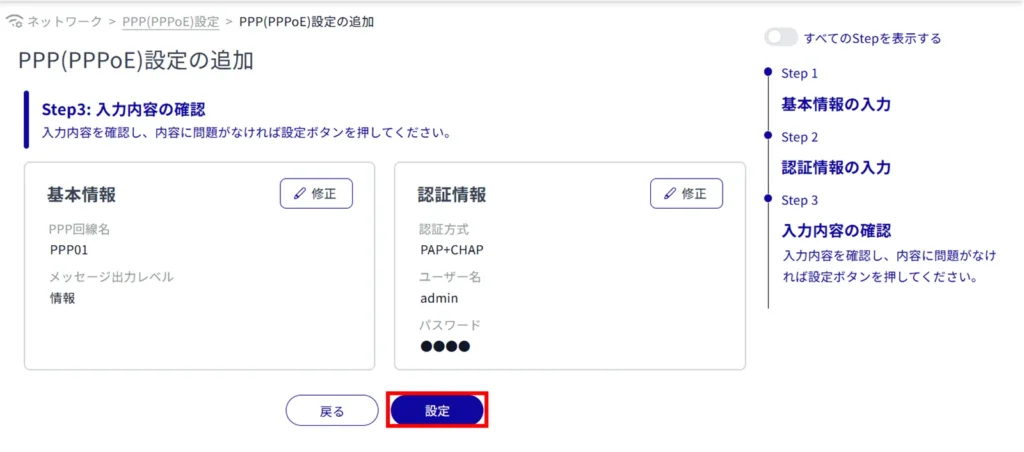
Completes the addition of PPP ( PPPoE ) configuration.