This manual describes how to use the integrated video management system.
統合ビデオ管理システムでできること
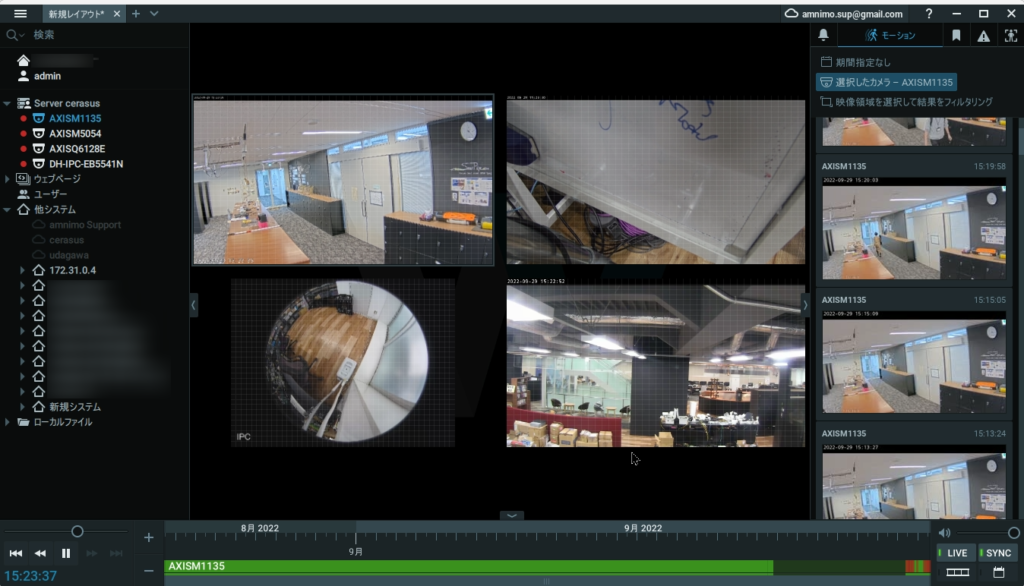
統合ビデオ管理システムでは、以下の機能の利用ができます。
- Camera image playback
- Obtaining snapshots and video clips
- Thumbnail list view of multiple cameras with video wall
Please use the Nx Witness desktop client to set up recording schedules and events. For the Nx Witness manual, please click here.
統合ビデオ管理システムへのアクセス
統合ビデオ管理システムへのアクセス手順について。
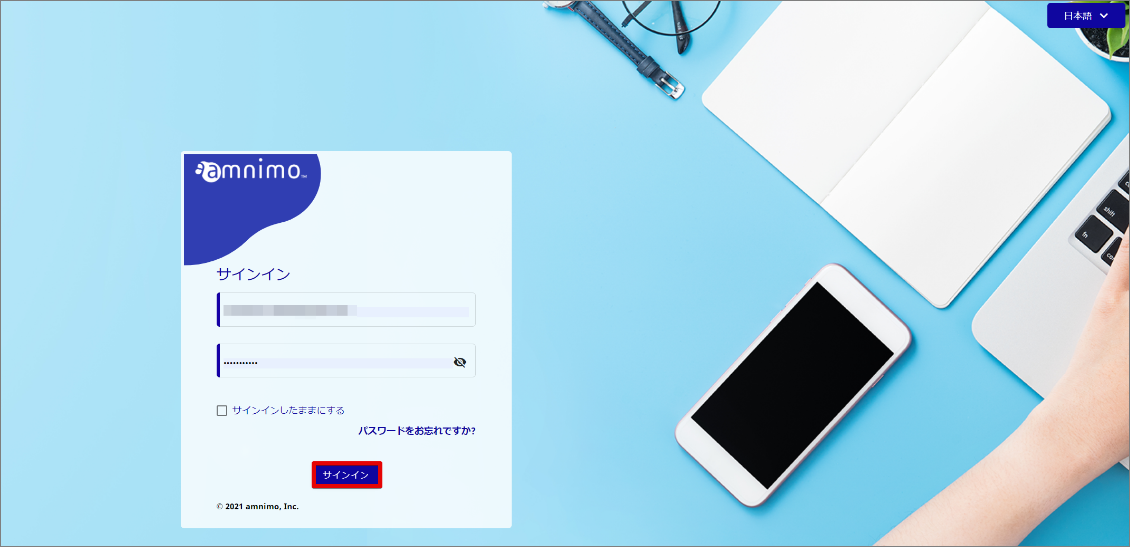
- Access the Service Management Portal and sign in.
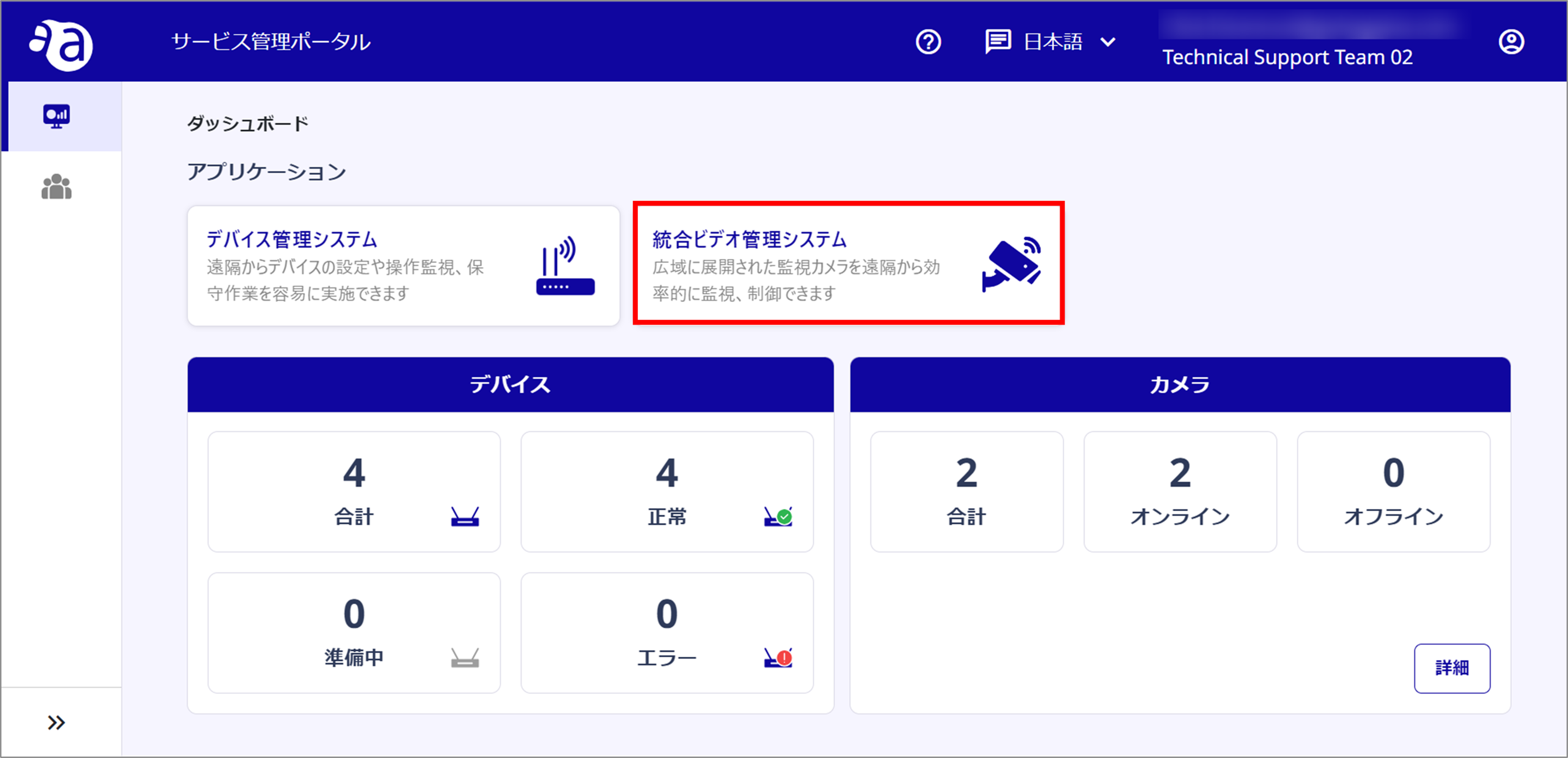
- Selecting Integrated Video Management System will take you to the Integrated Video Management System page.
Terms of Use
Since the integrated video management system supports only H264, specify H264 as the codec in the camera's streaming profile (both Primary/Secondary).
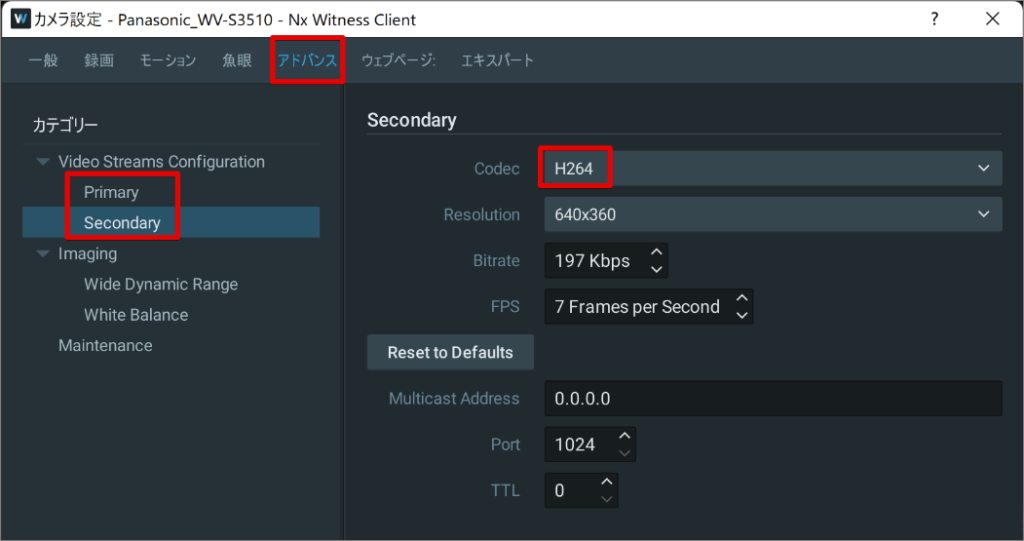
If you are using firmware version 1.5.x or earlier
If Secondary is not specified as H264, video clips that are automatically or manually acquired when an event occurs may not play.
Downloaded video clips will not play in Windows Media Player or any media player pre-installed in Windows.
You will need to use a media player such as VLC Media Player (https://www.videolan.org/index.ja.html).