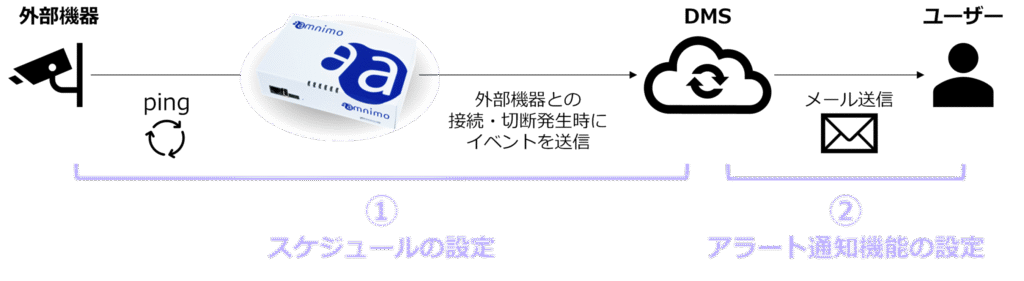
The external device dead/alive monitoring detects when a connection or disconnection occurs between external devices connected to the device, and notifies the user by sending an e-mail, and allows the user to check the history of the occurrence.
This page focuses on the following settings required for monitoring of external devices for dead or alive operation.
(1) Schedule settings
(2) Alert notification function settings
(1) Schedule setting
Set a schedule (keep-alive function) using the CLI (Command Line Interface) or GUI (Graphical User Interface) and use the command "action dms-alert (DMS notification)" to execute a dead/alive monitoring (DMS notification) command.
For details on how to set the schedule, please refer to the following.
⇒ CLI User's Manual " 7.7.3 Setting Schedule "
GUI User's Manual " Setting Schedule > Adding Schedule
The "action dms-alert (DMS notification)" can be set with the following firmware versions or later, respectively.
CLI (Command Line Interface): v.3.1.0
GUI (Graphical User Interface): v.3.1.1
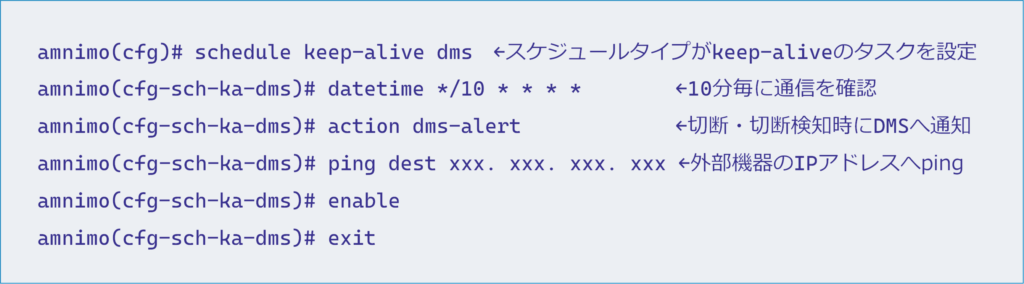
CLI Configuration Example
Example of checking communication with external devices every 10 minutes and notifying DMS when disconnection is detected
(2) Setup of alert notification function
Next, configure the alert notification function at Device Management System.
By configuring the Alert Notification feature, a notification e-mail will be sent to any user when an external device is connected or disconnected.
For details on how to set up the alert notification function, please refer to the following.
⇒See " Configuring Alert Notification Settings " for details.
Sample Notification Emails
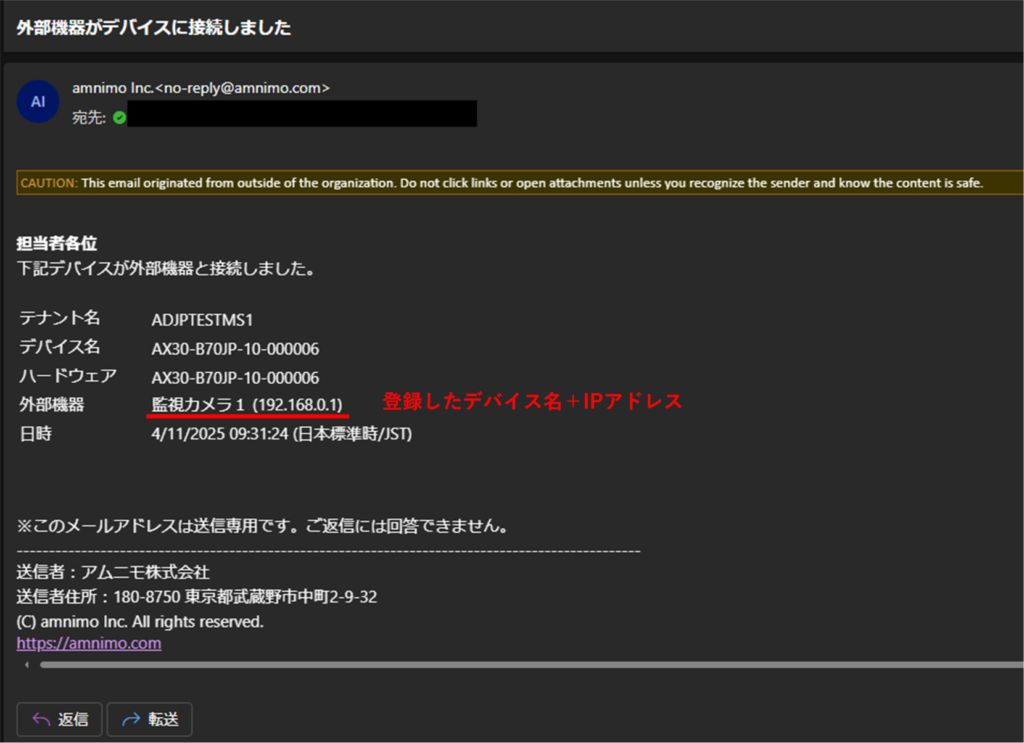
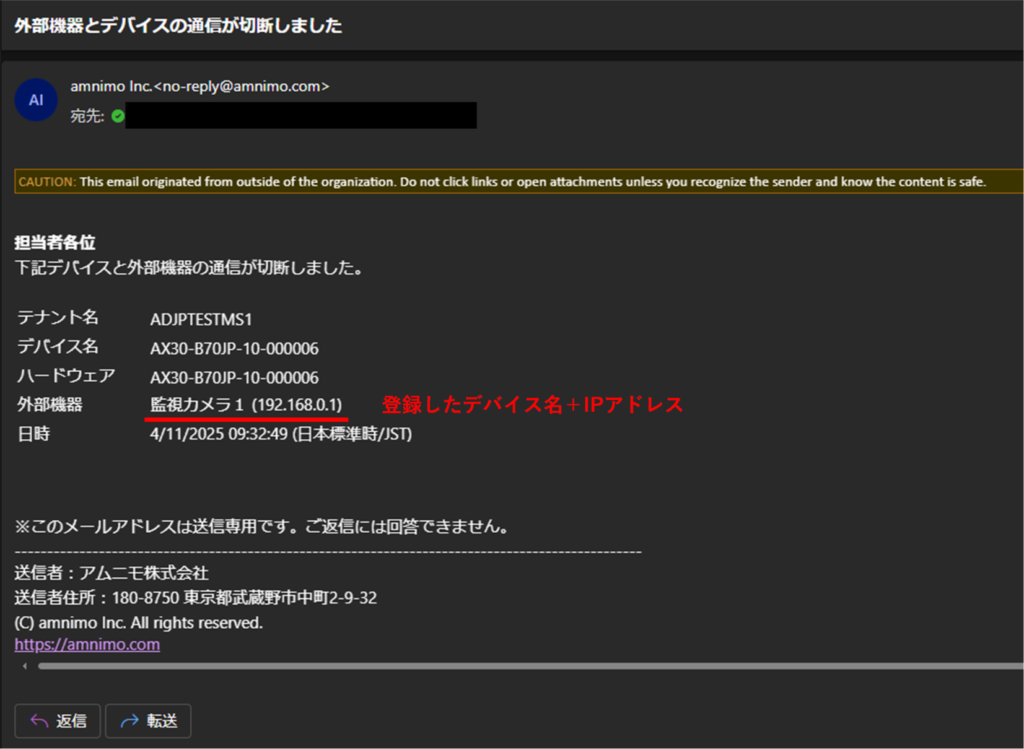
The IP address of the external device will be listed in the "External device" section of the notification e-mail.
In addition, if an arbitrary device name is associated with the IP address of an external device in the registration of an external device, the device name will be listed in the "External device" section of the notification e-mail.
For details on how to register an external device, please refer to the following.
⇒ " [Convenience functions] Registering and deleting the device name of an external device ".
When connected to external devices
When external device is disconnected
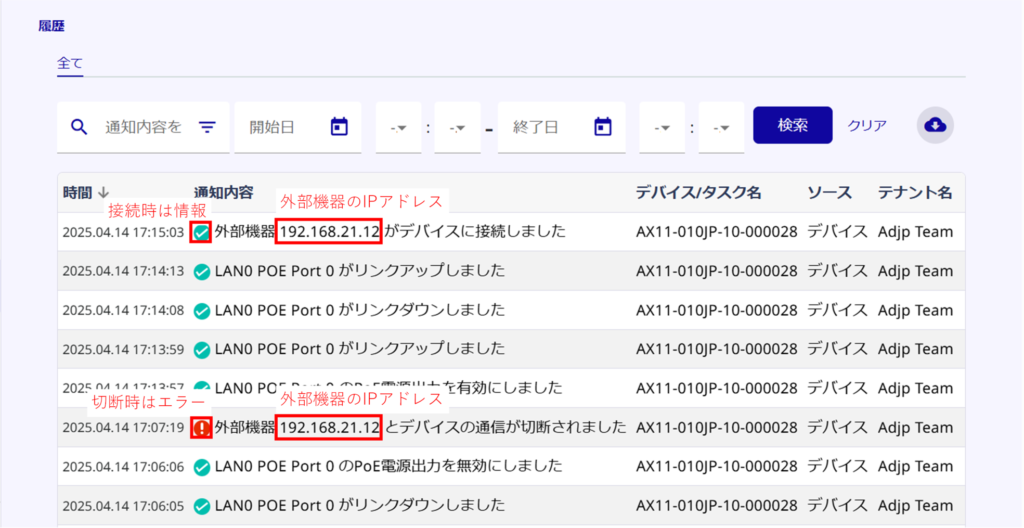
Check history when external devices are connected or disconnected
You can check the history of connection/disconnection with external devices on the following screen.
History
・Device List > Edit Device > History Tab
The IP address of the external device will be included in the history notification.
In addition, if an external device is registered by associating its IP address with an arbitrary device name, the device name will be included in the history notification.
For details on how to register an external device, please refer to the following.
⇒ " [Convenience functions] Registering and deleting the device name of an external device ".
Convenience function] Registration and deletion of device names for external devices
As a convenient function related to the monitoring of external devices, it is possible to register and delete device names of external devices to be monitored for dead/wild status for each device.
This function allows you to register an IP address of an external device with an arbitrary device name, making it easier to identify which external device it is related to when you check notification e-mails or the history screen of Device Management System.
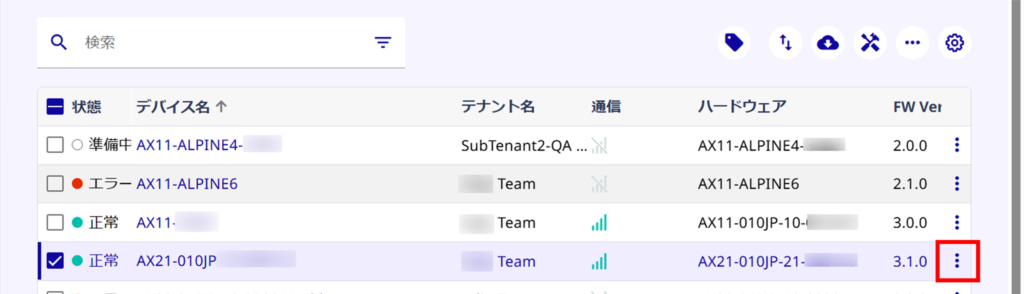
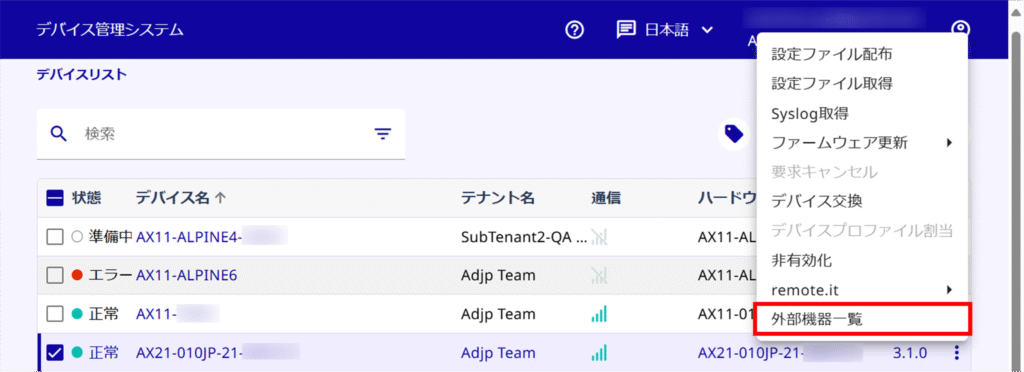
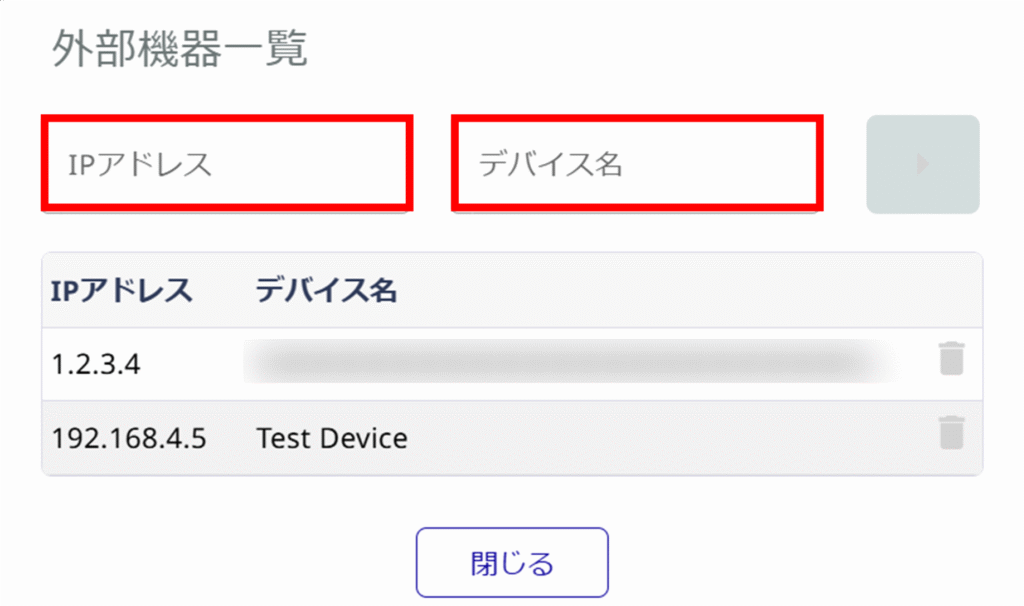
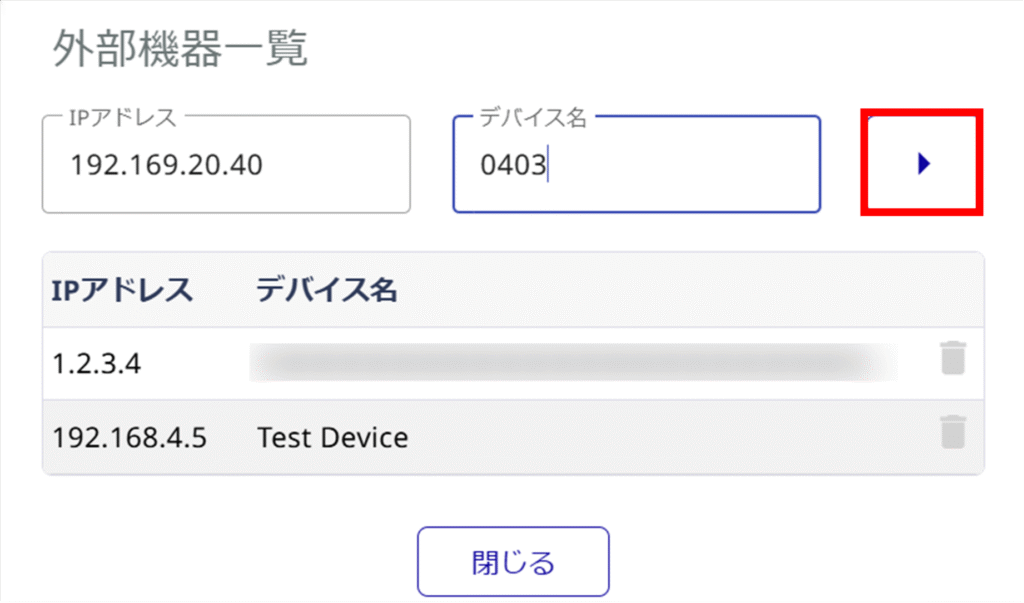
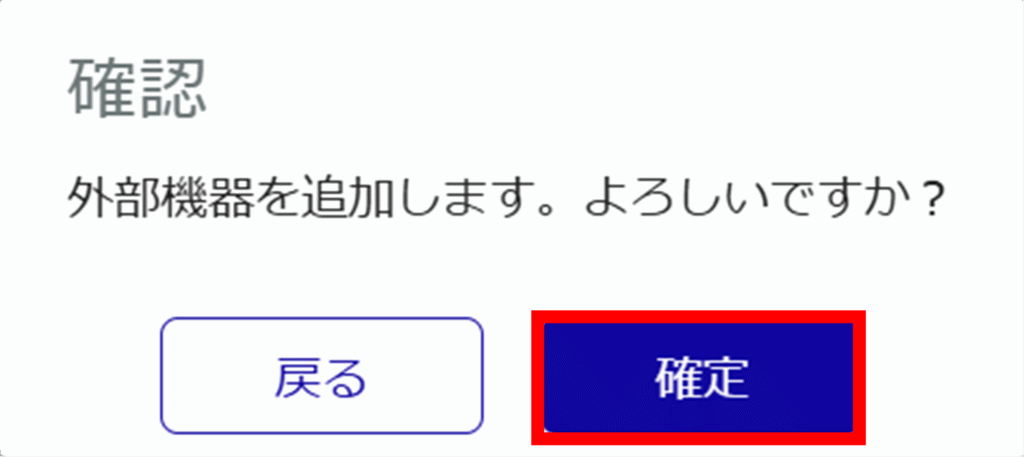
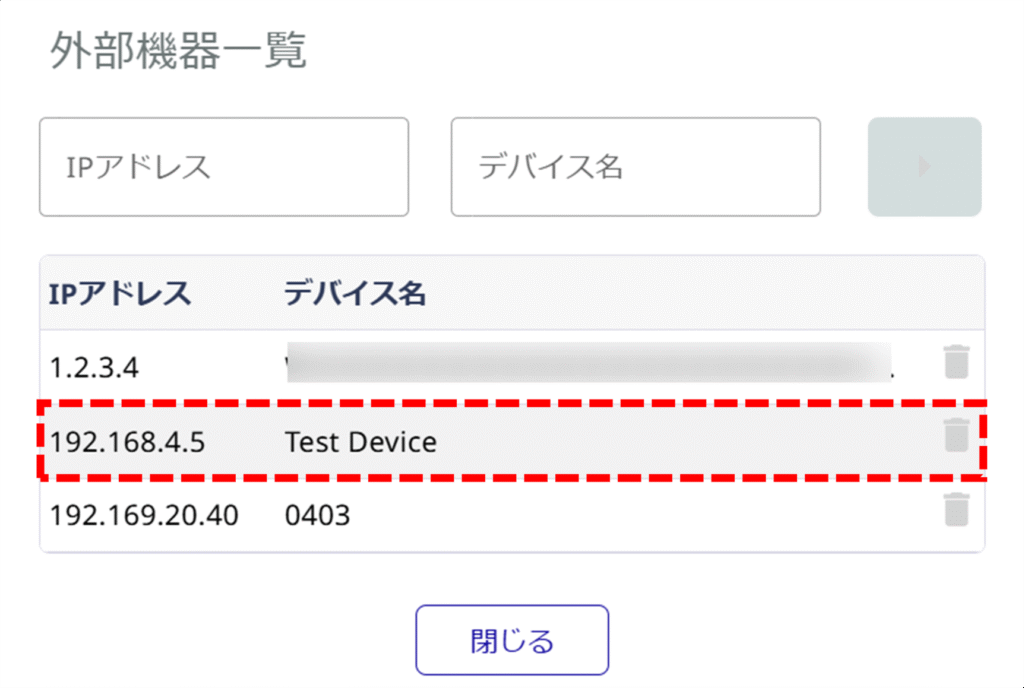
Register device names for external devices
Register the device name of the external device to be monitored for dead/alive monitoring.
Delete device names of external devices
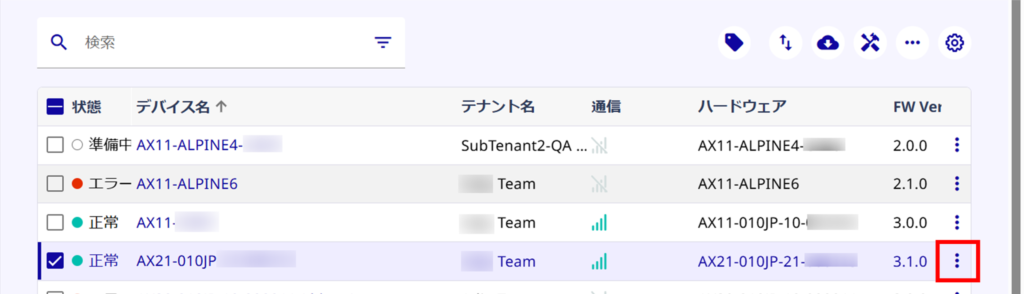
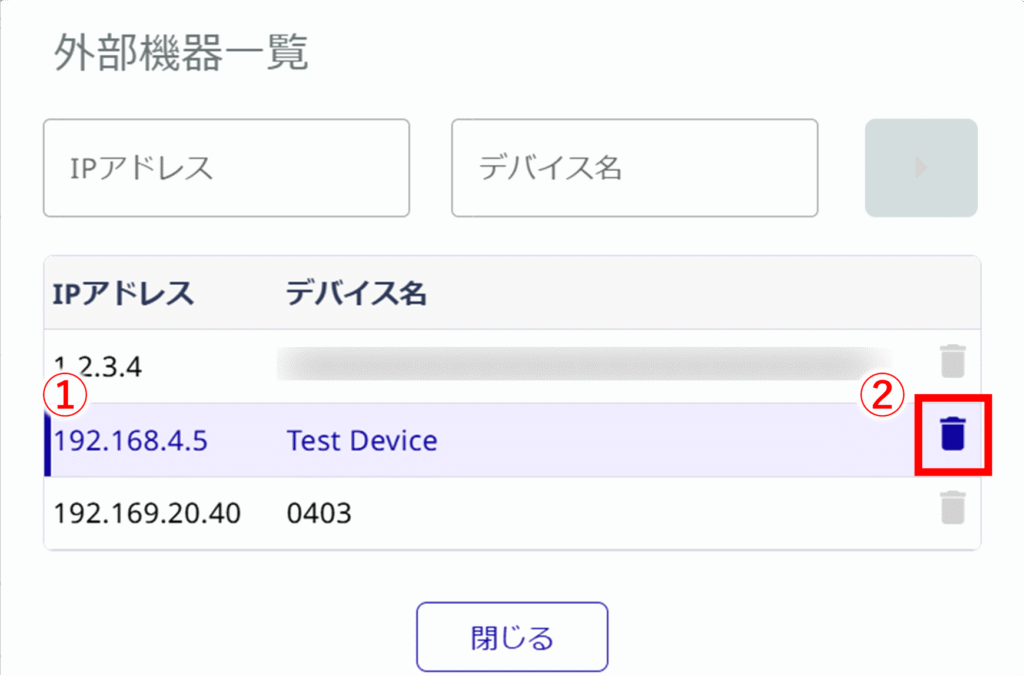
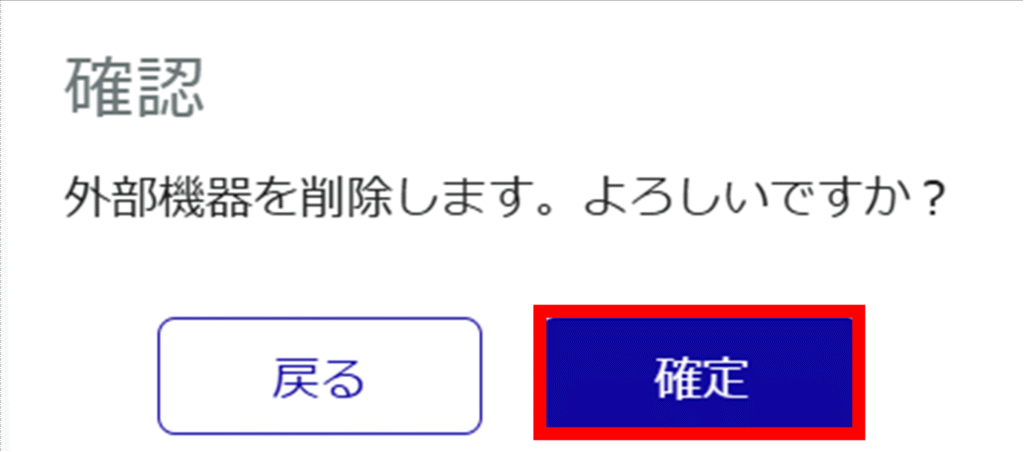
If you wish to delete the device name of an external device to be monitored for dead/alive monitoring, please do the following