When creating a new task or editing a task in the Task Scheduler, you can use the device search to select the target device for the task.
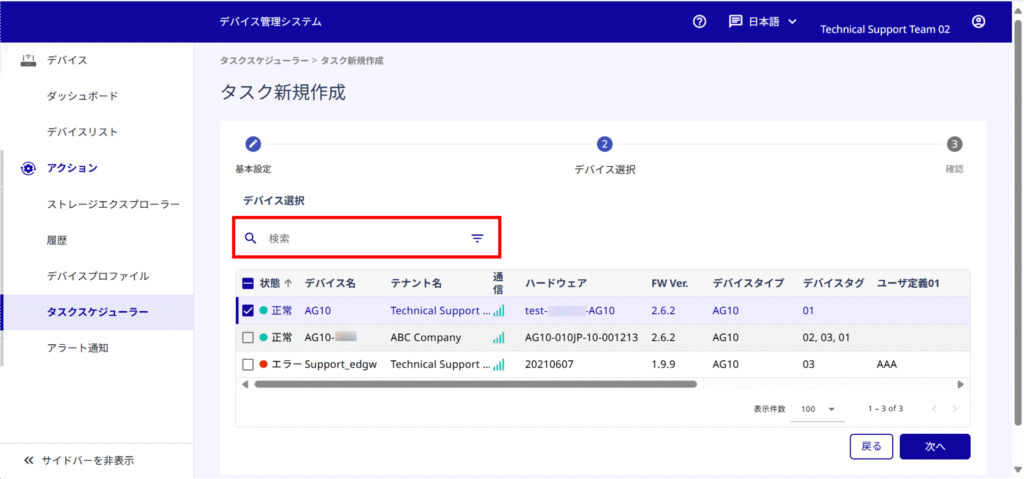
About the search box
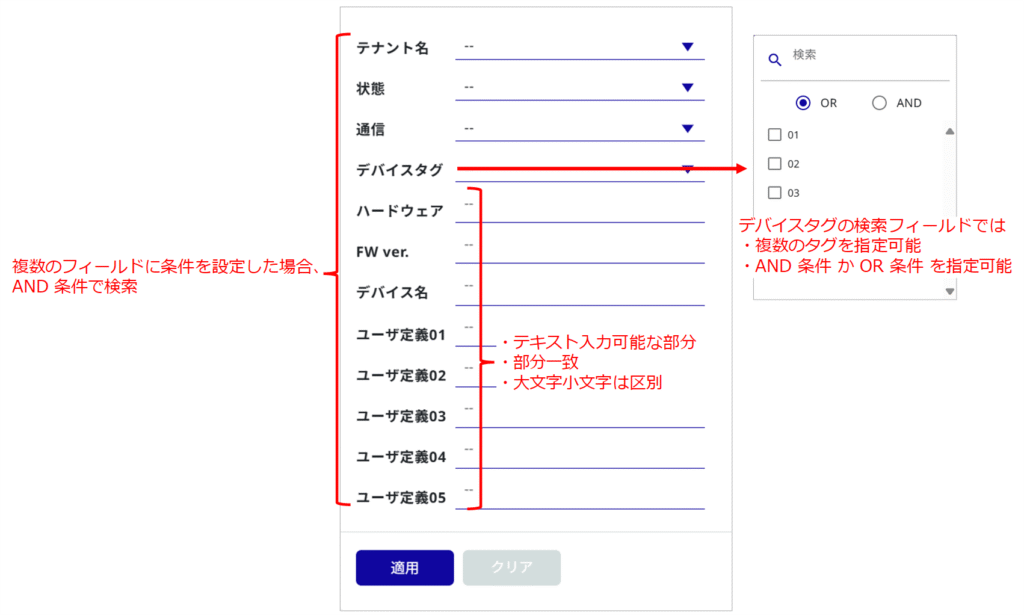
Click on the search field to display the search box.
- The search field items displayed in the search box will be in the same display columns as those set in the device list. (except for device type)
- When conditions are set for multiple fields in the search box, the search is performed using AND conditions.
NOTE
The search box in the Task Scheduler functions similarly to the search box in the device list.
For details on the function of the search box, please refer to the following.
⇒ "Device List" > (1) Search
NOTE
If you wish to edit the items displayed in the search box, please make settings in the device list.
To edit the display items in the device list, please refer to the following.
⇒ "Device List" > ⑰ Edit Display Items