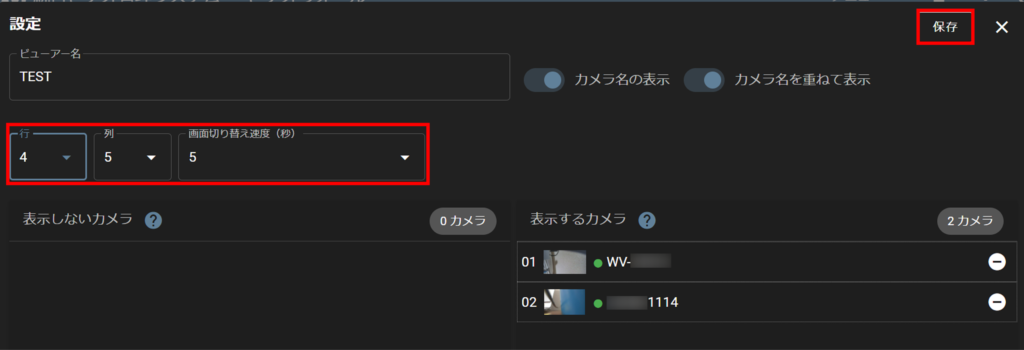
You can set the number of thumbnails to be displayed on the video wall in each row and column.
Depending on the number and size of thumbnails to be displayed, the same video wall may span multiple pages. In such cases, you can set the speed at which the screen is switched.
The initial values are set as follows
- Thumbnail display: 2 rows x 3 columns
- Screen switching speed: 5 sec.
The initial value can be changed by the following procedure.
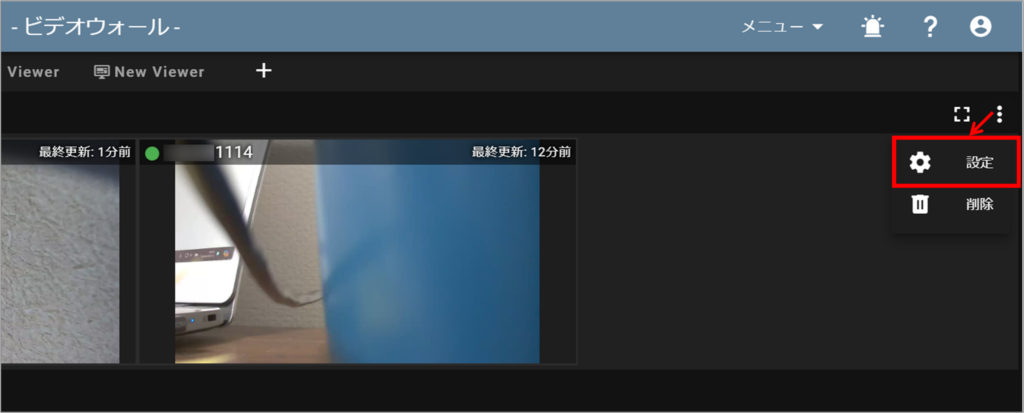
Open the viewer you wish to change and click on the icon in the upper right corner of the screen, then click on Settings.
After selecting thumbnail placement (rows and columns) and screen switching speed, click [ Save ] to save settings.