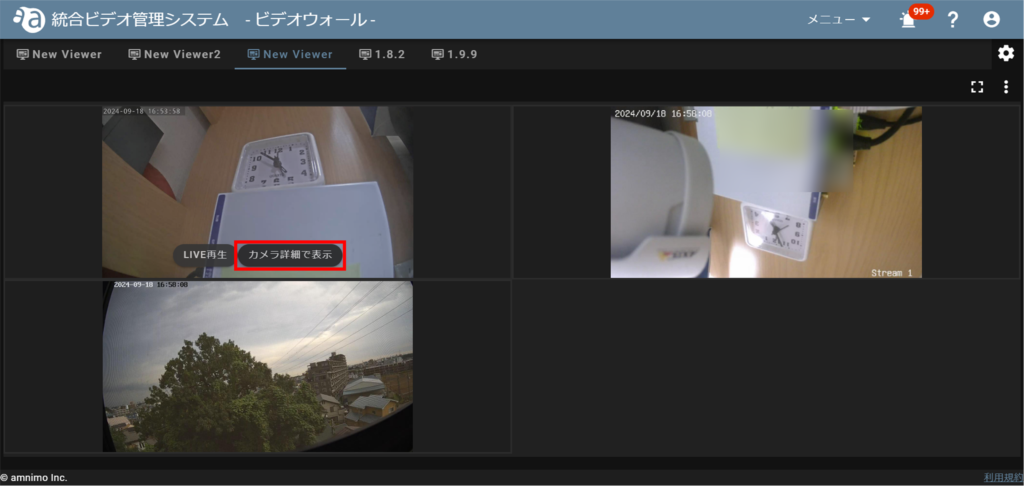
The camera detail screen can be accessed from the video wall.
Move the mouse over the area of the camera for which you want to view camera details, and click on "View in Camera Details" when it appears.
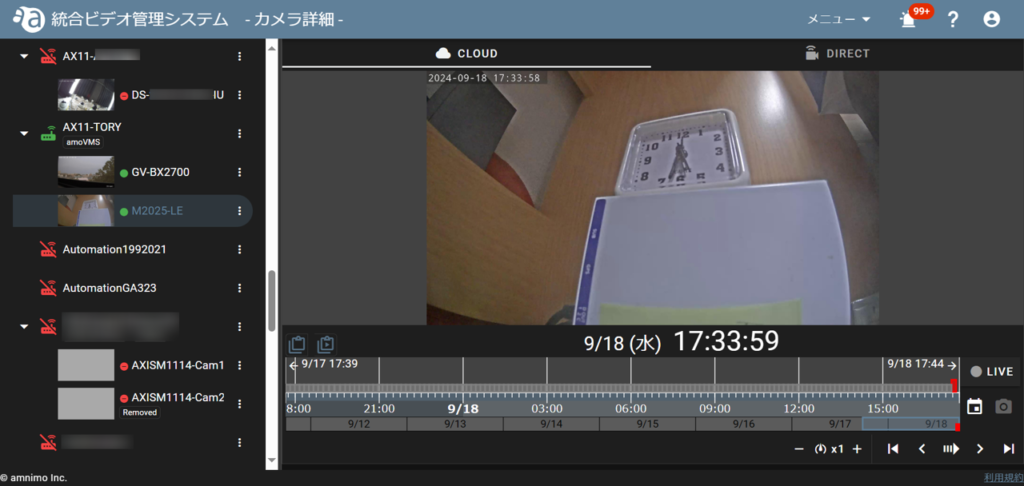
The camera detail screen appears.
The camera detail screen can be accessed from the video wall.