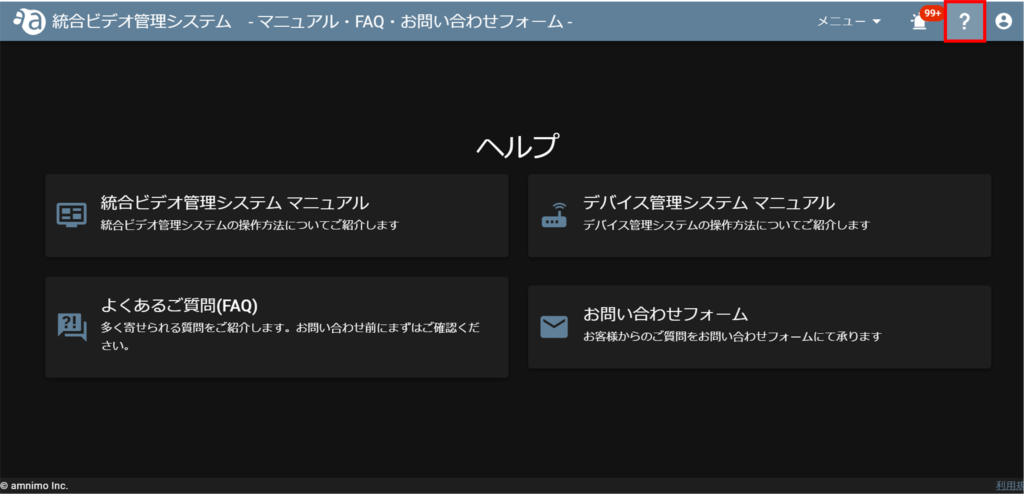
Help
- はじめに
- Introduction
- ご利用開始までの流れ
- Steps to start using the service
- 画面構成
- screen configuration
- テナント管理
- Tenant Management
- Password reset
- パスワードの再設定
- テナント切り替え
- Tenant switching
- メンバー管理
- Member Management
- Application Management
- アプリケーションの管理
- Introduction.
- はじめに
- Basic Specifications
- 基本仕様
- list of authorities
- 権限表
- 1. set up the device
- 1. デバイスをセットアップする
- Log in to Device Management System
- 2. デバイス管理システムへログインする
- 3. register authentication information
- 3. 認証情報を登録する
- Activate the device
- 4. デバイスを有効化する
- Deactivate the device
- デバイスを非有効化する
- 5. detecting cameras
- Dashboard
- ダッシュボード
- device list
- デバイスリスト
- Edit Basic Information
- 基本情報の編集
- Manipulation of configuration files
- 設定ファイルの操作
- ファームウェアを更新する
- Update firmware
- デバイスの詳細情報を確認する
- Check device details
- 接続機器の情報を確認する
- Check information on connected devices
- 接続機器の操作
- PoE/USB start/stop/reset
- Syslog を取得する
- Get Syslog
- ファイルを操作する
- Manipulating Files
- 履歴を表示する
- Show history
- remote.it の初期設定
- Initial configuration of remote.it
- デバイスの登録を解除する
- Unregister a device
- サービスを削除する
- Delete a service
- サービスの共有を解除する
- Unshare services
- Disable Services
- サービスを接続する
- Connecting Services
- AIアプリのインストール
- Installing AI Apps
- AI アプリの削除
- Delete AI Apps
- ターミナルに接続する
- Connect to terminal
- Disconnect the terminal
- ターミナルを切断する
- デバイスプロファイルの操作
- Device Profile Operations
- Storage Explorer Operation
- ストレージエクスプローラーの操作
- タスクスケジューラーの操作
- Alert Notification Feature Settings
- アラート通知機能の設定
- User Management
- ユーザー管理
- Remotely reboot the device
- リモートでデバイスを再起動する
- 自動キッティングをする
- Automatic kitting.
- 複数のデバイスを一括で設定する
- Configure multiple devices at once
- 設定ファイルの配布や取得が進まない
- No progress in distributing or retrieving configuration files.
- デバイスを交換する
- Replace the device
- テナントに割り当てたデバイスが表示されない
- Devices assigned to tenants are not displayed
- ファームウェアの更新が進まない
- Firmware update is not progressing.
- 設定ファイル初期化後、デバイスの通信ができない
- Device cannot communicate after initialization of configuration file
- Introduction
- はじめに
- [AC25] Mounting bracket for camera List of mounting holes by camera
- 【AC25】カメラ取付金具 カメラ別取付穴一覧
- 本書に対するご注意
- Precautions for this document
- 保護中: amnimo C Series
- IoT Router Outdoor Type
- Edge gateway outdoor type
- Compact router outdoor type with wireless LAN
- precautions
- Accessories (sold separately)
- アクセサリ(別売品)
- 改訂履歴
- Revision History
- Switching screens and saving initial images
- 画面の切り替えと初期映像の保存
- 基本仕様
- Basic Specifications
- About this Product
- 本製品について
- Edit Service
- サービスを編集する
- 改訂履歴
- Revision History
- GUIの設定をする
- Configure GUI settings
- Configure remote.it settings
- remote.it の設定をする
- Nx Witness 設定をする
- Nx Witness Setup.
- DMS 設定をする
- Set the DMS settings.
- SYSLOG の設定をする
- Configure SYSLOG settings.
- CPU 動作設定をする
- CPU Operation Setting
- PoE 設定をする
- Configure PoE settings
- スケジュールを設定する
- Set a schedule
- ストレージ設定をする
- Configure storage settings
- SSHの設定をする
- Configure SSH settings
- 時刻を設定する
- Set the time
- プロキシサーバー設定をする
- Configure proxy server settings
- DHCPリレー設定をする
- Configure DHCP relay settings
- DHCPサーバー設定をする
- Configure DHCP server settings
- DNS設定をする
- Configure DNS settings
- Configure IPsec settings
- IPsec設定をする
- Configure NAT settings.
- NAT設定をする
- Set the filter settings
- フィルター設定をする
- Configure static routing settings.
- スタティックルーティング設定をする
- Configure interface settings
- インターフェイス設定をする
- Configure PPP (PPPoE) settings
- PPP(PPPoE)設定をする
- Configure wireless LAN settings
- 無線LAN設定をする
- モバイル通信設定をする
- Configure mobile communication settings
- グループ設定をする
- Configure group settings
- アカウント設定をする
- Set up your account
- タイムゾーンを設定する
- Set the time zone
- ホスト名を設定する
- Set the host name
- パッケージリポジトリを設定する
- Configure package repositories
- ユーザーズマニュアルを閲覧する
- Viewing the User's Manual
- アムニモ診断情報をダウンロードする
- Download Amnimo Diagnostic Information
- アムニモ設定情報の操作をする
- Operate Amnimo setting information.
- ファームウェアを操作する
- Operate the firmware
- 本製品を再起動・停止する
- Restart or stop the product
- 運用情報を確認する
- Check operational information
- 機器情報を確認する
- Check equipment information
- 簡易設定をする
- Configure simple settings
- 本製品の画面構成
- Screen configuration of this product
- パスワードを変更する
- Change Password
- サインイン/サインアウトする
- Sign in / Sign out
- 本書について
- About This Book
- ネットワーク構成
- Network Configuration
- はじめに
- Introduction
- ライセンスおよび商標
- Licenses and Trademarks
- Help
- ヘルプ
- Perform camera patrol
- カメラ巡回を実行する
- Add a camera patrol
- カメラ巡回を追加する
- イベント通知設定をする
- Configure event notification settings.
- Create a report
- レポートを作成する
- 映像の音声を聞く・音声を出力する
- Listening to the audio of the video and outputting audio
- PTZ 操作をする
- PTZ operation
- 魚眼補正設定をする
- Set the fisheye correction setting.
- Update camera credentials
- カメラの認証情報を更新する
- 権限表
- list of authorities
- Change the display format of a custom map view
- Manipulate custom maps
- カスタムマップを操作する
- personalization
- Delete Camera Patrol
- カメラ巡回を削除する
- Edit Camera Circuit
- カメラ巡回を編集する
- Change status from the event notification screen
- イベント通知画面からステータスを変更する
- Change multiple event statuses at once
- 複数のイベントステータスを一度に変更する
- Change event status
- イベントステータスを変更する
- イベント情報をレポートとして出力する(本機能をお申込みされている場合)
- Output event information as a report (if you have applied for this function)
- イベントへ対応内容を入力する
- Enter the details of your response to the event
- イベント発生時の動画をダウンロードする
- Download videos of events as they occur.
- イベント発生時の動画からスナップショットを取得する
- Obtain a snapshot from the video when the event occurs
- Check the map for the location of the camera where the event occurred.
- イベントが生じたカメラの場所をマップで確認する
- イベントを再生する
- Play Events
- イベント通知画面の映像をDirect モードで再生する
- Playback of event notification screen video in Direct mode
- 補正画面とオリジナル画面を切り替える(魚眼補正された映像)
- Switch between corrected and original screens (fisheye-corrected images)
- イベント発生時の動画をダウンロードする
- Download videos of events as they occur.
- イベント発生時の動画からスナップショットを取得する
- Obtain a snapshot from the video when the event occurs
- Detect camera events on the map
- マップ上でのカメライベントを検知する
- イベントが生じたカメラの場所をマップで確認する
- Check the map for the location of the camera where the event occurred.
- イベントのステータスを変更する
- Change the status of an event
- イベント通知アイコンと通知音
- Event notification icon and notification sound
- リクエストの一時停止、再開、キャンセル、詳細
- Pause, resume, cancel, or detail requests
- 一括ダウンロードのリクエストを作成する
- Create a bulk download request
- 魚眼補正された映像の表示を切り替える
- Toggle display of fisheye-corrected images
- 動画や画像を削除する
- Delete videos and images
- 動画や画像の名前を変更する
- Rename videos and images
- 動画や画像をダウンロードする
- Download videos and images
- 動画をカメラ詳細ページで再生する
- Unsupported Alerts
- 未対応のアラート
- Change thumbnail placement and screen switching speed
- サムネイルの配置と画面の切り替え速度を変更する
- Delete Viewer
- ビューアーを削除する
- Adding viewers and cameras to the video wall
- ビデオウォールにビューアー、カメラを追加する
- Create a time-lapse video
- タイムラプス動画を作成する
- Change the display format of a custom map view
- Change/delete areas and icons
- エリアやアイコンを変更/削除する
- Open a lower level map from a higher level map.
- 上位のマップから下位のマップを開く
- Register a camera icon on the map
- マップ上にカメラアイコンを登録する
- Obtaining snapshots
- スナップショットを取得する
- スマートサーチ
- smart search
- 映像を再生する
- Play the video
- Other Functions
- その他の機能
- Retrieve video clips
- ビデオクリップを取得する
- Obtaining snapshots
- スナップショットを取得する
- サムネイルを操作する
- Manipulate images when an event occurs
- イベント発生時の映像を操作する
- Delete camera
- カメラを削除する
- Adding Tags to the Camera
- カメラへタグを追加する
- Change the display name of the camera
- カメラの表示名を変更する
- Camera folder management
- カメラのフォルダ管理
- Operating the camera's power supply (PoE)
- カメラ電源(PoE)を操作する
- Reboot the device
- デバイスを再起動する
- デバイスを無効化する
- Disable the device
- デバイス名を変更する
- Change device name
- 4. カメラの認証情報を設定する
- 4. set up the camera for authentication and startup
- 3. カメラを検出する
- 3. detecting cameras
- 2. VMS の認証情報を設定する
- Set up authentication information for VMS
- 1. デバイスを有効化する
- 1. activate the device
- User Management
- common setting
- イベントを検索する
- Search Events
- 一括ダウンロードとは
- What is batch downloading?
- 動画や画像を並び替える
- Sort videos and images
- 保存された動画の音声を再生する
- Play audio from saved videos
- 動画 や画像を詳細検索する
- Playback saved videos and images
- 保存された動画や画像を再生する
- Enable streaming functionality
- ストリーミング機能を有効にする
- Playback of video wall screen
- ビデオウォール画面の再生
- Configure video wall settings.
- ビデオウォールの設定をする
- Open custom maps from various locations.
- いろいろな場所からカスタムマップを開く
- Set the initial display position of the map
- マップの初期表示位置を設定する
- Delete the camera icon
- カメラアイコンを削除する
- Edit the camera icon
- カメラアイコンを編集する
- Retrieve video clips
- ビデオクリップを取得する
- ズーム機能
- Zoom function
- Shift to direct mode and play VOD
- DIRECTモードへ移行し VOD 再生する
- LIVE Video Playback
- LIVE 映像の再生
- Camera search and display
- カメラの検索と表示
- View camera images
- カメラ映像を閲覧する
- リクエストの完了時の結果
- Result upon completion of the request
- Revision History
- 改訂履歴
- trademark
- 商標
- License
- ライセンス
- Connect to services using remote.it
- remote.it を使ってサービスに接続する
- Configure remote.it settings (FW v3.1.1 or earlier)
- remote.itの設定をする(FW v3.1.1以前)
- Create a remote.it account
- remote.it のアカウントを作成する
- What is remote.it?
- remote.it とは
- Activate the device
- デバイスを有効化する
- What is Device Management System?
- デバイス管理システムとは
- Set up the camera for authentication and start of use.
- カメラの認証と使用開始の設定をする
- Detecting cameras
- カメラを検出する
- Configure authentication information for VMS
- VMS の認証情報を設定する
- Enable Edge Gateway
- エッジゲートウェイを有効化する
- What is an Integrated Video Management System?
- 統合ビデオ管理システムとは
- Configure Nx Witness settings (FW v3.1.1 or earlier)
- Nx Witnessの設定をする(FW v3.1.1以前)
- Type of VMS
- VMS の種類
- Connecting to a network camera
- ネットワークカメラと接続する
- Device repeatedly reboots
- デバイスが再起動を繰り返す
- Save settings to device (FW v3.1.1 or earlier)
- デバイスに設定内容を保存する(FW v3.1.1以前)
- Configure storage settings (FW v.3.1.1 or earlier)
- ストレージ設定をする(FW v.3.1.1以前)
- Configure PPP settings (FW v3.1.1 or earlier)
- PPPの設定をする(FW v3.1.1以前)
- Set the time (FW v3.1.1 or earlier)
- 時刻を設定する(FW v3.1.1以前)
- 簡易設定をする(FW v.3.1.1以前)
- Simple configuration (FW v.3.1.1 or earlier)
- First time sign-in (FW v3.1.1 or earlier)
- 初回サインイン(FW v3.1.1以前)
- PC の IPアドレスを変更する
- Change the IP address of the PC
- Edge gateway (outdoor version)
- エッジゲートウェイ(屋外版)の場合
- システム全体図
- Overall system diagram
- Configure SSH settings (FW v3.1.1 or earlier)
- SSHの設定をする(FW v3.1.1以前)
- エッジゲートウェイ(屋内版)の場合
- Edge gateway (indoor version)
- What you need to prepare
- 梱包品の確認
- Confirmation of Packaged Goods
- 本書について
- About This Book
- エッジゲートウェイについて
- About Edge Gateway
- 安全上の注意
- Safety Precautions
- はじめに
- Introduction
- remote.it とは
- What is remote.it?
- はじめに
- Introduction
- アクセスポイントモードで使用する
- Use in access point mode
- ステーションモードで使用する
- Use in station mode
- 簡易設定をする(FW v3.1.1以前)
- Simple configuration (FW v3.1.1 or earlier)
- First sign in
- Change the IP address of the PC
- 無線 LAN 搭載コンパクトルーター(屋外版)
- Compact router with wireless LAN (outdoor version)
- 無線 LAN 搭載コンパクトルーター(屋内版)
- Compact router with wireless LAN (indoor version)
- コンパクトルーター(屋内版)
- Compact router (indoor version)
- 当社販売のアクセサリー(別売品)
- Accessories we sell (sold separately)
- What you need to prepare
- お客さまでご用意いただくもの
- 改訂履歴
- Revision History
- ライセンス
- License
- Confirmation of Packaged Goods
- 梱包品の確認
- システム全体図
- Overall system diagram
- 本書について
- About This Book
- About Compact Routers
- コンパクトルーターについて
- Safety Precautions
- 安全上の注意
- デバイス管理システムとは
- What is Device Management System?
- Confirmation of License Key
- License Keyの確認
- Activate remote.it and register the service
- Connect to services using remote.it
- remote.itを使ってサービスに接続する
- ライセンス
- License
- 改訂履歴
- Revision History
- はじめに
- Introduction
- 安全上の注意
- Safety Precautions
- 機器に関するご注意
- About AI Edge Gateway
- 本書について
- About This Book
- AI エッジゲートウェイ(屋内版)の起動と接続
- AI Edge Gateway (indoor version) activation and connection
- システム全体図
- Overall system diagram
- お客さまでご用意いただくもの
- What you need to prepare
- 当社販売のアクセサリー(別売品)
- Accessories we sell (sold separately)
- 梱包品の確認
- Confirmation of Packaged Goods
- What is Device Management System?
- デバイス管理システムとは
- Connecting to a network camera
- ネットワークカメラと接続する
- 当社販売のアクセサリー(別売品)
- Accessories we sell (sold separately)
- はじめに
- Introduction
- 安全上の注意
- Safety Precautions
- IoTルーターについて
- About IoT Routers
- Manual List
- 本書について
- About This Book
- IoTルーターセット
- IoT Router Set
- 当社販売のアクセサリー(別売品)
- Accessories we sell (sold separately)
- What you need to prepare
- お客さまでご用意いただくもの
- Overall system diagram
- システム全体図
- IoT ルーター(屋内版)の場合
- IoT Router (indoor version)
- IoT Router (outdoor version)
- IoT ルーター(屋外版)の場合
- What is Device Management System?
- デバイス管理システムとは
- Revision History
- 改訂履歴
- About Camera Mounting Bracket Sets
- カメラ取付金具セットについて
- Single Pipe Installation
- 単管パイプ設置について
- Pole Installation
- ポール設置について
- About wall installation
- 壁面設置について
- Order of cover screw tightening
- カバーのネジ締め順
- Internal wiring and wiring treatment
- 内部結線と配線処理
- When using PF pipe connectors
- PF管コネクタを使用する場合
- When using a cable gland
- ケーブルグランドを使用する場合
- About power supply connection
- 電源接続について
- Outline Drawing
- 外形図
- Pole Installation
- ポール設置について
- About wall installation
- 壁面設置について
- Internal wiring and wiring treatment
- 内部結線と配線処理
- When using PF pipe connectors
- PF管コネクタを使用する場合
- ケーブルグランドを使用する場合
- When using a cable gland
- 電源接続について
- About power supply connection
- Outline Drawing
- 外形図
- Pole Installation
- ポール設置について
- 壁面設置について
- About wall installation
- 内部結線と配線処理
- Internal wiring and wiring treatment
- When using PF pipe connectors
- PF管コネクタを使用する場合
- When using a cable gland
- ケーブルグランドを使用する場合
- About power supply connection
- 電源接続について
- Outline Drawing
- 外形図
- 無償交換適用外となる場合
- Cases in which free replacement is not applicable
- 修理について
- About Repair
- 本製品の免責について
- Disclaimer of Liability for this Product
- 設置に関する注意
- Installation Precautions
- 無線通信に関する注意
- Precautions for Wireless Communications
- 本製品を安全にご使用いただくために
- To use this product safely
- 安全および改造に関するご注意
- Safety and Modification Precautions
- 本体の取り扱いについて
- Handling of the main unit
- カメラのフォルダ管理
- Camera folder management
- カメラの検索と表示
- Camera search and display
- common setting
- Open a lower level map from a higher level map.
- 上位のマップから下位のマップを開く
- カスタムマップを操作する
- Manipulate custom maps
- カメラアイコンを編集する
- Edit the camera icon
- 画面の切り替えと初期映像の保存
- Switching screens and saving initial images
- ビデオクリップの取得
- Retrieving Video Clips
- スナップショットの取得
- Obtaining Snapshots
- 過去の録画映像の再生
- Playback of past video recordings
- レポートを作成する
- Create a report
- 魚眼補正設定をする
- Fisheye correction setting
- カメラを削除する
- Delete camera
- デバイスを再起動する
- Reboot the device
- 3. カメラの使用開始の設定をする
- Set up the camera for startup.
- 4. 録画設定をする
- Setting up recording
- 3. カメラの使用開始の設定をする
- Set up the camera for authentication and start of use.
- 2. カメラを検出する
- Detecting cameras
- 1. デバイスを有効化する
- Device Activation
- personalization
- User Management
- Help
- ヘルプ
- Sort videos and images
- 動画や画像を並べ替える
- Delete videos and images
- 動画や画像を削除する
- Rename videos and images
- 動画や画像の名前を変更する
- Download videos and images
- 動画や画像をダウンロードする
- Advanced search for videos and images
- 動画や画像を詳細検索する
- Playback videos on the camera detail page
- 動画をカメラ詳細ページで再生する
- Playback saved videos and images
- 保存された動画や画像を再生する
- Enable streaming functionality
- ライブストリーミング機能を有効にする
- Video Wall Screen Operation
- ビデオウォール画面の操作
- Configure video wall settings.
- ビデオウォールの設定をする
- Delete Viewer
- ビューアーを削除する
- Change thumbnail placement and screen switching speed
- サムネイルの配置と画面の切り替え速度を変更する
- Adding viewers and cameras to the video wall
- ビデオウォールにビューアー、カメラを追加する
- いろいろな場所からカスタムマップを開く
- Open custom maps from various locations.
- Change/delete areas and icons
- エリアやアイコンを変更/削除する
- マップの初期表示位置を設定する
- Set the initial display position of the map
- カメラアイコンを削除する
- Delete the camera icon
- マップ上にカメラアイコンを登録する
- Register a camera icon on the map
- LIVE 映像の再生
- LIVE Video Playback
- ステータスの確認とサービスの停止
- Check status and stop service
- 録画設定をする
- Setting up recording
- カメラの詳細情報を確認する
- View detailed information about the camera
- Disable PTZ operation
- Update camera credentials
- カメラのタグを追加する
- Adding Camera Tags
- カメラ表示名を変更する
- Change the camera display name
- カメラの電源を操作する(PoE)
- Operating the camera's power supply (PoE)
- デバイスを無効化する
- Disable the device
- デバイス名を変更する
- Change device name
- 2. カメラの設定にストリームURLを追加する
- Adding the stream URL to the camera settings
- 1. カメラを追加する
- Add a camera
- はじめに
- Introduction.
- フォルダを削除する
- Delete a folder
- サブフォルダを作成する
- Create subfolders
- フォルダを作成する
- Create a folder
- 権限表
- list of authorities
- 基本仕様
- Basic Specifications
- Configure VMS settings.
- VMS設定をする
- はじめに
- Introduction
- ライセンス
- License
- 商標
- trademark
- model number
- 型番
- Maximum Transmission Power
- 最大送信電力
- Supported frequency bands
- 対応周波数バンド
- Notes on this document
- 本書に関するご注意
- Manual List
- マニュアル一覧
- How to see compatible models
- 対応機種の見かた
- Safety Precautions
- 安全上の注意
- Handling of Edge Gateway main unit
- Precautions for Wireless Communications
- 無線通信に関する注意
- For emergency and other situations requiring continuous connection
- 継続的な接続を必要とする緊急およびその他の状況について
- Edge Gateway Installation Criteria
- エッジゲートウェイの設置基準
- Disclaimer for this Edge Gateway
- 本エッジゲートウェイの免責について
- Support for Various Standards
- 各種規格対応について
- Names and roles of the various parts of the Edge Gateway
- エッジゲートウェイの各部の名称と役割
- interface
- インターフェイス
- Edge Gateway Product Specifications
- エッジゲートウェイの製品仕様
- About factory default settings
- 工場出荷時の設定について
- Environment in which GUI functions have been tested
- GUI機能の動作確認済み環境
- Dustproof and waterproof performance
- 防塵防水性能
- Install an edge gateway
- エッジゲートウェイを設置する
- Connecting Edge Gateways
- エッジゲートウェイを接続する
- Activate the Edge Gateway
- エッジゲートウェイを起動してログインする
- Shutdown
- シャットダウンする
- Reboot.
- リブートする
- Update Package
- パッケージを更新する
- Update firmware
- ファームウェアを更新する
- For actual use of the Edge Gateway
- エッジゲートウェイを実際にご利用いただくために
- Revision History
- 改訂履歴
- はじめに
- Introduction
- 型番
- model number
- 対応周波数バンド
- Supported frequency bands
- 最大送信電力
- Maximum Transmission Power
- 本書に関するご注意
- Notes on this document
- マニュアル一覧
- Manual List
- 対応機種の見かた
- How to see compatible models
- 安全上の注意
- Safety Precautions
- 無線通信ご利用上の注意
- Precautions for using wireless communication
- 継続的な接続を必要とする緊急およびその他の状況について
- For emergency and other situations requiring continuous connection
- コンパクトルーターの設置基準
- Compact Router Installation Criteria
- 本コンパクトルーターの免責について
- Disclaimer for this Compact Router
- 各種規格対応について
- Support for Various Standards
- コンパクトルーターの各部の名称と役割
- Names and roles of each part of the compact router
- コンパクトルーターの製品仕様
- Compact Router Product Specifications
- About factory default settings
- 工場出荷時の設定について
- Environment in which GUI functions have been tested
- GUI機能の動作確認済み環境
- 防塵防水性能
- Dustproof and waterproof performance
- コンパクトルーターを設置する
- Install a compact router
- コンパクトルーターとPCを接続する
- Connecting a Compact Router to a PC
- 改訂履歴
- Revision History
- コンパクトルーターを実際にご利用いただくために
- To actually use the compact router
- ファームウェアを更新する
- Update firmware
- リブートする
- Reboot.
- コンパクトルーターを起動してログインする
- Activate the compact router and log in.
- interface
- インターフェイス
- Introduction
- model number
- 型番
- Support for Various Standards
- 各種規格対応について
- Names and roles of each part of the AI Edge Gateway
- AIエッジゲートウェイの各部の名称と役割
- AI Edge Gateway Interfaces
- AI エッジゲートウェイのインターフェイス
- AI Edge Gateway Product Specifications
- AIエッジゲートウェイの製品仕様
- Dustproof and waterproof performance
- 防塵防水性能
- Install an AI Edge Gateway
- AIエッジゲートウェイを設置する
- Connecting AI Edge Gateways
- AIエッジゲートウェイを接続する
- Activate the AI Edge Gateway
- AIエッジゲートウェイを起動してログインする
- Shutting down the AI Edge Gateway
- AIエッジゲートウェイをシャットダウンする
- Update the firmware of the AI Edge Gateway
- AIエッジゲートウェイのファームウェアを更新する
- Revision History
- 改訂履歴
- Supported frequency bands
- 対応周波数バンド
- Maximum Transmission Power
- 最大送信電力
- Safety Precautions
- 安全上の注意
- Precautions for Wireless Communications
- 無線通信に関する注意
- For emergency and other situations requiring continuous connection
- 継続的な接続を必要とする緊急およびその他の状況について
- AI Edge Gateway Installation Criteria
- 機器の設置基準
- Disclaimer for this AI Edge Gateway
- 機器の免責について
- About factory default settings
- 工場出荷時の設定について
- Environment in which GUI functions have been tested
- GUI機能の動作確認済み環境
- Reboot the AI Edge Gateway
- AIエッジゲートウェイをリブートする
- Updating the AI Edge Gateway Package
- AIエッジゲートウェイのパッケージを更新する
- For actual use of AI Edge Gateway
- 機器を実際にご利用いただくために
- 本書に関するご注意
- Notes on this document
- 本書に関するご注意
- Notes on this document
- マニュアル一覧
- Manual List
- マニュアル一覧
- Manual List
- 対応機種の見かた
- How to see compatible models
- 安全上の注意
- Safety Precautions
- Handling of the IoT Router itself
- 無線通信に関する注意
- Precautions for Wireless Communications
- 継続的な接続を必要とする緊急およびその他の状況について
- For emergency and other situations requiring continuous connection
- IoTルーターの設置基準
- IoT Router Installation Criteria
- 本IoTルーターの免責について
- Disclaimer for this IoT Router
- 各種規格対応について
- Support for Various Standards
- IoTルーターの各部の名称と役割
- Names and roles of each part of the IoT router
- インターフェイス
- interface
- IoTルーターの製品仕様
- IoT Router Product Specifications
- 工場出荷時の設定について
- About factory default settings
- GUI機能の動作確認済み環境
- Environment in which GUI functions have been tested
- 防塵防水性能
- Dustproof and waterproof performance
- IoTルーターを設置する
- Install an IoT router
- IoTルーターを接続する
- Connect an IoT router
- IoTルーターを起動してログインする
- Activate the IoT router
- シャットダウンする
- Shutdown
- Reboot.
- リブートする
- Update Package
- パッケージを更新する
- Update firmware
- ファームウェアを更新する
- To actually use the IoT router
- IoTルーターを実際にご利用いただくために
- Introduction
- はじめに
- model number
- 型番
- Supported frequency bands
- 対応周波数バンド
- Maximum Transmission Power
- 最大送信電力
- Revision History
- 改訂履歴
- About This Book
- Introduction
- Connect to this product via CLI
- Launch the CLI for this product
- Overview of the CLI for this product
- Change the operation mode
- Execute command
- Use convenient functions
- Setting the CVR
- CVR 設定をする
- Manage device tags in bulk
- デバイスタグを一括管理する
- Set up a custom map.
- カスタムマップの設定をする
- Set up a custom map.
- カスタムマップの設定をする
- Transition from the video wall to the camera detail screen
- ビデオウォールからカメラ詳細画面に遷移する
- Other Functions
- その他の機能
- Transition from the video wall to the camera detail screen
- ビデオウォールからカメラ詳細画面に遷移する
- AI エッジゲートウェイ(屋外版)の起動と接続
- AI Edge Gateway (outdoor version) activation and connection
- Introduction
- はじめに
- Product Handling and Precautions
- Name of each part
- 各部の名称
- Hardware Specifications (AB11)
- ハードウェア仕様(AB11)
- Mobile Network Settings
- Troubleshooting
- トラブルシューティング
- Wireless LAN Settings
- Transmission of recorded data (AB11)
- 録画データの送信(AB11)
- Start and stop recording (AB11)
- 録画の開始と停止(AB11)
- Power supply operation (AB11)
- 電源操作(AB11)
- not covered by warranty
- 保証対象外
- Warranty conditions
- 保証条件
- Display launcher screen (AB11)
- ランチャー画面を表示する(AB11)
- Basic router settings
- ルーターの基本設定
- カメラの設定ファイルをインポートする場合
- When importing a camera configuration file
- カメラの設定を直接入力する場合
- To enter camera settings directly
- クラウドビデオレコーダーの初期設定
- Initial Setup of Cloud Video Recorder
- 動作確認
- operation check
- Playback of Amnimo portable video recordings
- アムニモポータブルの録画映像を再生する
- Amnimo Portable Initial Setup
- Listen to the camera's audio
- カメラの音声を聞く
- お客さまでご用意いただくもの
- What you need to prepare
- はじめに
- Introduction
- 工場出荷時の設定について
- About factory default settings
- 権限表
- list of authorities
- Monitor external devices for dead or alive status.
- 外部機器の死活監視をする
- センサー接続ゲートウェイの各部の名称と役割
- Name and role of each part of the sensor connection gateway
- センサー接続ゲートウェイのインターフェイス
- Sensor connection gateway interface
- センサー接続ゲートウェイの製品仕様
- Sensor Connection Gateway Product Specifications
- センサー接続ゲートウェイを設置する
- Install a sensor connection gateway
- センサー接続ゲートウェイを接続する
- Connecting sensor connection gateways
- センサー接続ゲートウェイを起動してログインする
- Activate the sensor connection gateway and log in
- Shut down the sensor connection gateway
- センサー接続ゲートウェイをシャットダウンする
- Reboot the sensor connection gateway
- センサー接続ゲートウェイをリブートする
- Update the sensor connection gateway package
- センサー接続ゲートウェイのパッケージを更新する
- Update the firmware of the sensor connection gateway
- センサー接続ゲートウェイのファームウェアを更新する
- センサー接続ゲートウェイの起動と接続
- Activation and connection of sensor connection gateways
- CLI ユーザーズマニュアル(PDF)
- CLI User's Manual (PDF)
- Access control based on sign-in source IP address
- サインイン元IPアドレスに応じたアクセス制御
- Power button able (AB11)
- 電源ボタンできること(AB11)
- 多要素認証の設定
- Setting up multi-factor authentication
- PTZ operation
- PTZ 操作をする
- Search for target devices in the Task Scheduler
- タスクスケジューラー/アラート通知設定で対象デバイスを検索する
- Various settings
- 各種設定
- Sign-in with multi-factor authentication
- 多要素認証によるサインイン
- Various settings
- 各種設定
- ダッシュボード
- Dashboard
- 簡易設定をする
- Configure simple settings
- ファームウェア v.3.2.0以降 をご利用のお客様へ
- For customers using firmware v.3.2.0 or later
- Configure simple settings
- 簡易設定をする
- Product Overview
- 製品概要
- About This Book
- 本書について
- Safety Precautions (AB11)
- 安全上の注意(AB11)
- Precautions for using wireless communication
- 無線通信ご利用上の注意
- Note on lithium-ion batteries
- リチウムイオンバッテリーに関する注意
- For emergency and other situations requiring continuous connection
- 継続的な接続を必要とする緊急およびその他の状況について
- Installation criteria for AMNIMO portable devices
- アムニモポータブルデバイスの設置基準
- Disclaimer for this Amnimo Portable Device
- 本アムニモポータブルデバイスの免責について
- Support for Various Standards
- 各種規格対応について
- 梱包品の確認
- Confirmation of Packaged Goods
- 当社販売のアクセサリー(別売品)
- Accessories we sell (sold separately)
- バッテリーカバーの取り外し方法(AB11)
- How to remove the battery cover (AB11)
- Previewing Recordings
- 録画データをプレビューする
- Check device information and update apps (AB11)
- デバイス情報の確認とアプリアップデート(AB11)
- screen lock
- 画面ロック
- SIM card setup (AB11)
- SIM カードのセットアップ(AB11)
- Network configuration (AB11)
- ネットワーク設定(AB11)
- Revision History
- 改訂履歴
- サインイン履歴の確認
- Check sign-in history
- 無線 LAN
- Wireless LAN
- CVR
- CVR
- IPsec
- IPsec
- DNS
- Domain Name System
- ストレージ
- storage
- PPP( PPPoE )
- PPP( PPPoE )
- DHCP サーバー
- DHCP Server
- NAT
- NAT
- モバイル通信
- Mobile Communications
- インターフェース
- interface
- ファームウェア
- firmware
- SYSLOG
- SYSLOG
- proxy server
- プロキシサーバー
- SSH
- SSH
- Power Over Ethernet
- PoE
- filter (esp. camera)
- フィルター
- routing
- ルーティング
- Schedule
- スケジュール
- Amnimo Setting Information
- アムニモ設定情報
- package repository
- パッケージリポジトリ
- account
- アカウント
- time
- 時刻
- remote.it
- remote.it
- DHCP Relay
- DHCP リレー
- Contact change history
- 接点変化履歴
- Nx Witness
- Nx Witness
- Your settings are not saved on the device." About alerts for
- 「 設定がデバイスに保存されていません。」のアラートについて
- DMS
- DMS
- GUI
- GUI
- 一覧の昇順 / 降順切り替え
- Ascending / Descending order switching of the list
- Updated with the latest information
- 最新の情報に更新
- View All Steps
- すべての Step を表示する
- Restart/Stop
- 再起動・停止
- VMS
- VMS
- host name
- ホスト名
- Amnimo Diagnostic Information
- アムニモ診断情報
- users' manual
- ユーザーズマニュアル
- サインイン/サインアウトする
- Sign in / Sign out
- パスワードを変更する
- Change Password
- ファームウェアバージョンを確認する
- Check the firmware version
- ネットワーク診断
- network diagnostics
- First sign in
- 初回サインイン
- Set the time
- 時刻を設定する
- Configure SSH settings
- SSH の設定をする
- Configure PPP settings
- PPP の設定をする
- ストレージ設定をする
- Configure storage settings
- Save settings to device
- デバイスに設定内容を保存する
- Configure Nx Witness settings.
- Nx Witness の設定をする
- Configure remote.it settings
- remote.it の設定をする
- Notification Settings
- 通知の設定
- イベント一覧をカード表示にする
- Display the event list in card view
- 名札管理について
- About nameplate management
- 名札利用者の設定をする
- Set up nameplate users.
- Set up a nameplate template
- 名札テンプレートを設定する
- 名札テンプレートの作成方法詳細
- Details on how to create a nameplate template
- Safety Precautions (AB12)
- 安全上の注意(AB12)
- Hardware Specifications (AB12)
- ハードウェア仕様(AB12)
- Display the launcher screen (AB12)
- ランチャー画面を表示する(AB12)
- Power supply operation (AB12)
- 電源操作(AB12)
- Start and stop recording (AB12)
- 録画の開始と停止(AB12)
- Transmission of recorded data (AB12)
- 録画データの送信(AB12)
- SIM card setup (AB12)
- SIM カードのセットアップ(AB12)
- Network configuration (AB12)
- ネットワーク設定(AB12)
- List of SIMs verified to work
- 動作確認済み SIM 一覧
- User Selection and Name Tag Display
- 利用者選択と名札表示について
- user selection
- 利用者選択
- Name Tag Display
- 名札の表示
- Check device information and update apps (AB12)
- デバイス情報の確認とアプリアップデート(AB12)
- 改訂履歴
- Revision History