
Configure SSH settings to log in to the device using SSH.
Click [System Settings] > [SSH] in the side menu.
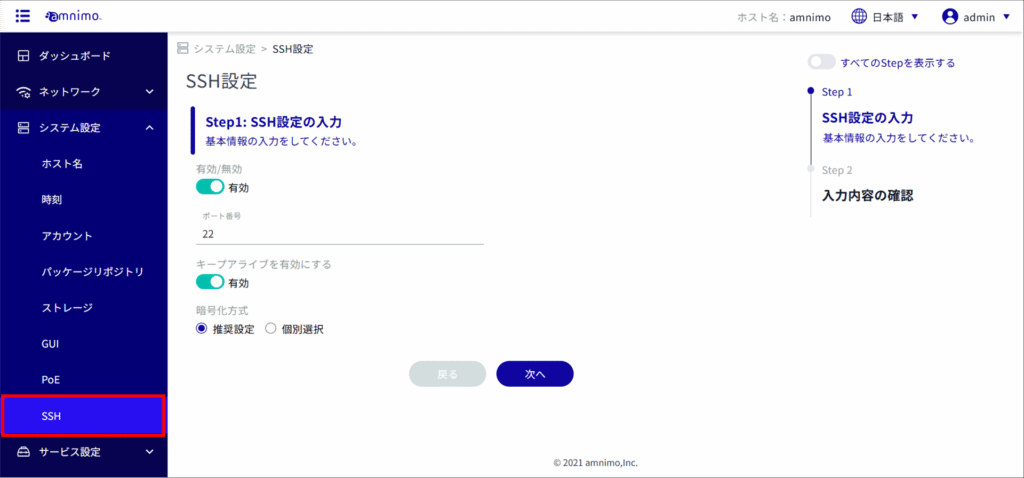
Slide the toggle to set SSH as enabled.
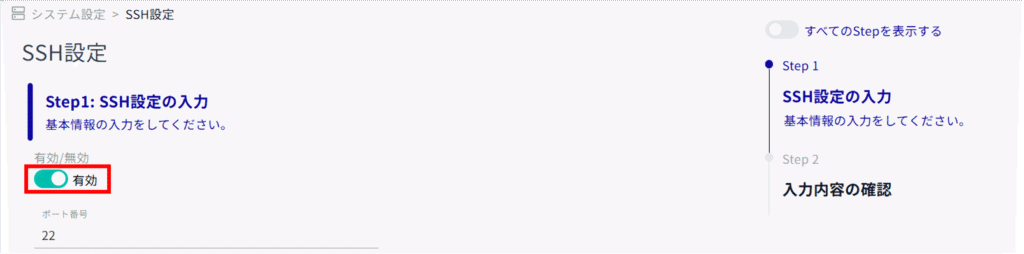
Set the following (1) to (2) for basic SSH information.
Change the port number, if necessary.

NOTE
- The port number can be set in the range of 1 to 65535.
- SSH uses port 22 by default. (If not entered, port 22 is automatically used.)
Note that if you change the port number, the client must specify that port number to connect.
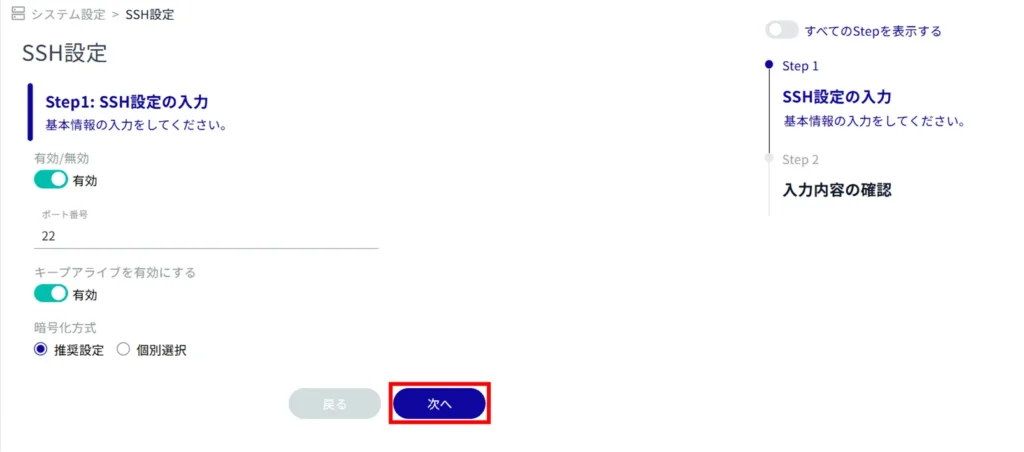
(ii) By checking the "Enable keep-alive" checkbox, it is possible to send keepalive packets periodically to prevent SSH connection timeouts.

Set the encryption method.
(1) Select [Recommended Setting] or [Individual Selection] as the encryption method to be used.
⇒ If you selected "Recommended Settings", go to Step 5.

(2) If you selected [Individual Selection] in (1) above, check the check box for the encryption method to be used.

[Click Next.
Confirm the information entered and click "Setup".
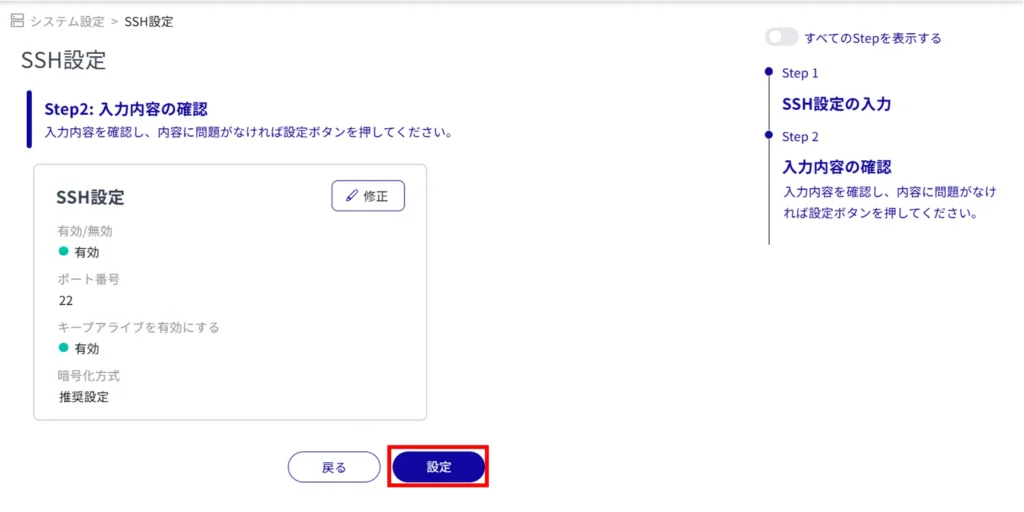
SSH settings are activated.