
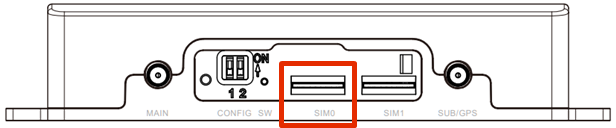
Slot SIM0 is used preferentially.
Insert the SIM card so that its contacts are on the bottom.
Use of a SIM size conversion adapter is deprecated as it may cause damage to the SIM slot.
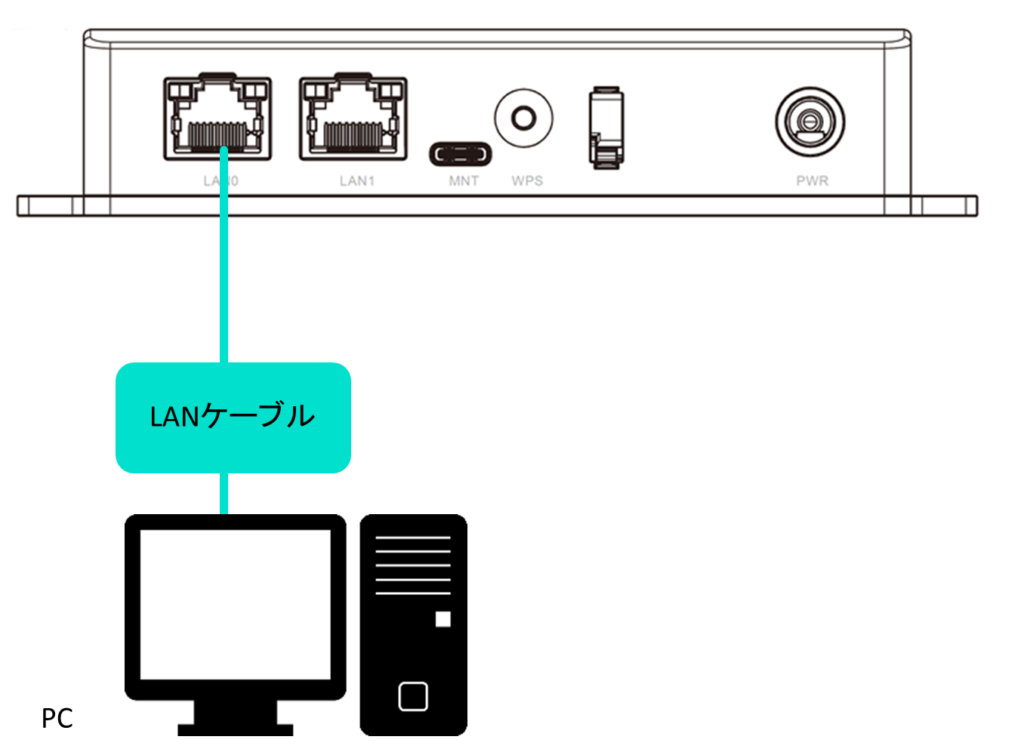
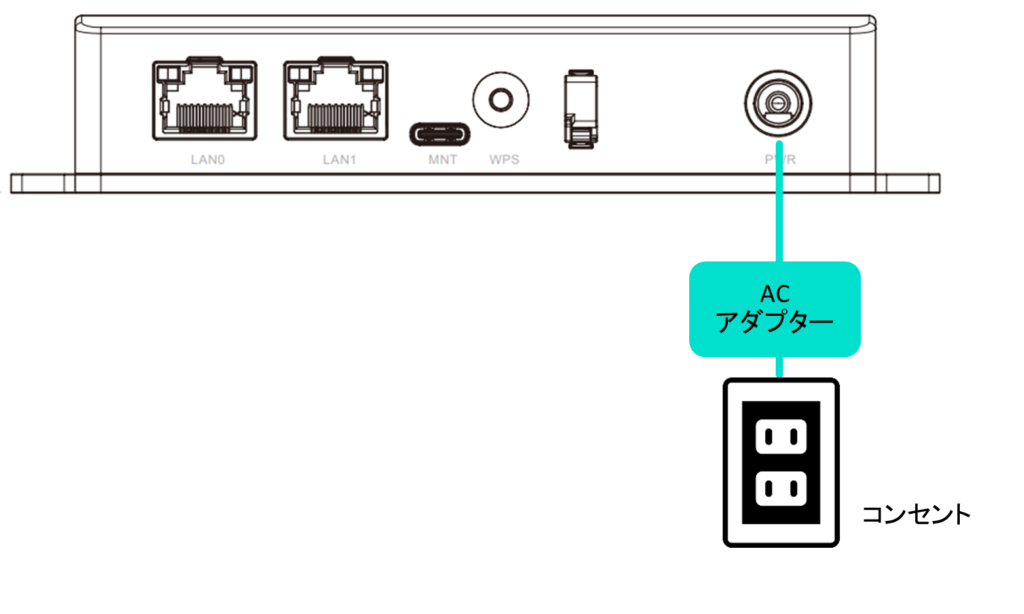
- There is no problem connecting the power supply before connecting the PC to the compact router. However, when connecting with terminal emulator software, a blank screen may appear. If this happens, press the Enter key once.
- It does not matter if the PC is turned on before the AC adapter is connected.
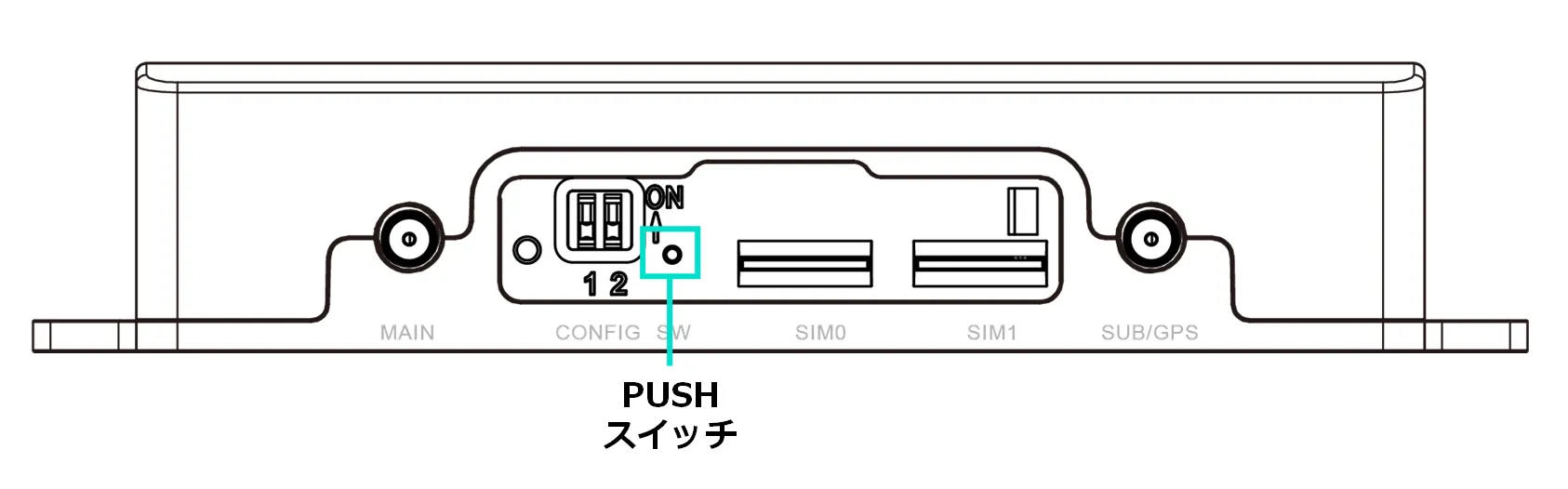
Shutdown can be accomplished in one of the following ways During shutdown, the LED PWR will flash; when the LED PWR turns red, the shutdown is complete.
- While the equipment is operating (the startup process is finished and the equipment is fully up), turn off the power by pressing down the PUSH switch on the main unit with a thin object with a sharp tip for at least 3 seconds.
- Shut down with the following command
- Refer to the Edge Gateway Series CLI User's Manual for command usage.
admin@amnimo:~$ sudo systemctl poweroff
[sudo] password for admin: ← Enter root password and Enter
Stopping Docomo of user admin.
Stopping Unpack initramfs on shutdown...
(Omitted)
Starting Power-Off
NOTICE: You can turn off the power.
LED indication during shutdown process
| (data) item | PWR | ANT | MOB | ST1 | ST2 | ST3 | remarks |
|---|---|---|---|---|---|---|---|
| shutdown process in progress |  | 500ms interval | |||||
| power disconnected (state) |  |
Compact routers are designed to operate 24 hours a day, so they have the ability to automatically recover from a shutdown in the event of a failure.
Therefore, if the compact router is shut down in the manner described in this section, but power is still supplied from the power connector, it will reboot.
If you want to put the compact router in a power-off state, shut it down and wait until the LED is in a power-off ready state (power LED lit red) before pulling out the power plug.