
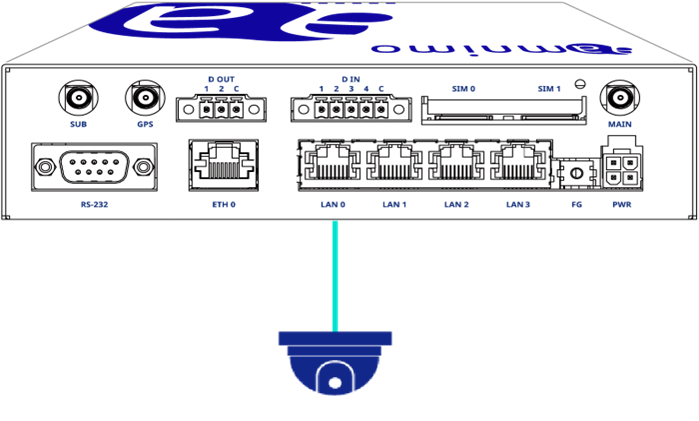
Connect the network camera to the Edge Gateway with a LAN cable as shown in the figure below.
NOTE
- Refer to your camera's manual for information on configuring your network camera.
- Depending on your network environment and security settings, the camera may not be recognized. In this case, please check your VPN environment and PC security settings.
NOTE
- If the camera supports PoE, it can be powered by the PoE (Power of Ethernet) function of the Edge Gateway.
- When using PoE, the PoE specifications are as follows
・Total power used by LAN 0-3 is limited to 40W
・Maximum power used by a single port is limited to 25W - When using PoE, a LAN cable of CAT 5e (Category 5e) or higher is required.
- Please refer to the following manual for PoE settings.
⇒ GUI User's Manual "PoE